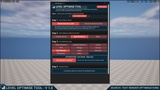
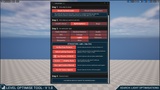
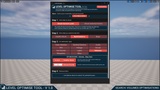
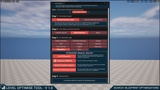
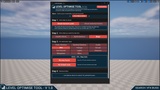
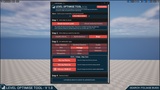
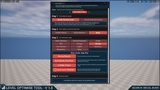
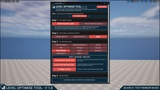
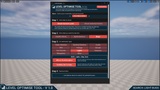
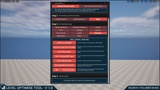
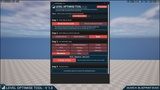
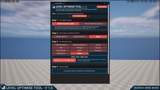
Description
Watch the short overview video of what the tool has to offer HERE
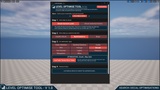
Quickly identify bugs and optimisation opportunities in your UE5 levels!
A LEVEL-FOCUSED TOOL - search your level actors for:
47 Different Types Of Optimisations
46 Different Types Of Bugs
It's easy for small bugs and little mis-optimisations to make their way into your levels, building up over time. They accumulate into something much bigger, negatively impacting a player's perception of your game almost as much as a single, larger bug could. I like to think of the analogy of:
Death by 1000 cuts, or in our case preventing Death by 1000 bugs
Manually checking every actor in your level for issues is time-consuming, tedious and so unrealistic. It becomes like searching for needles in a haystack. This Level Optimise tool is:
Designed to help you quickly find those needles (issues) in the haystack (level)
Here are a few of the key performance issues this tool can help you identify, allowing you to claw back FPS:
Lights with no Max Draw Distance set
Lights with Cast Shadows enabled
Static meshes with Nanite disabled
Skeletal meshes with no LODs
... and many more!
--
NOTE: The tool doesn’t make changes to your level or project; it only reads your assets to generate logs of potential issues that you could look into.
I thought this was important because every project is unique and highly contextual. What's correct for one level may not apply to another. For instance, deciding which lights should have cast shadows enabled / disabled to help balance visual fidelity and performance.
--
Guides:
Video Guides:
--
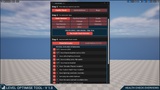
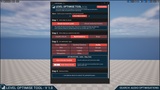
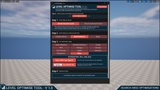
Functionality Breakdown
Helpers:
Quick access to frequently used view modes, tools and commands
Health Checks:
Run health check overviews on your level by actor type e.g. static mesh, lights, etc
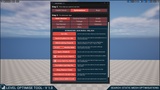
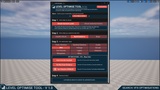
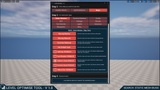
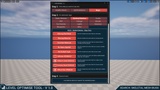
Optimisation Searches:
Static Meshes:
No LODs
Nanite Disabled, No LODs
Edited Lighting Channels
Mobility Mode
Nanite Enabled / Disabled
Simulate Physics Enabled / Disabled
Custom Depth Pass Enabled / Disabled
Overridden Light Map Resolution
Using Shadow 2 Sided
Same Material In Multiple Slots
Vertex Colours Added In Level
Skeletal Meshes:
No LODs
No Max Draw Distance Set
Edited Lighting Channels
Cast Shadows Enabled / Disabled
Custom Depth Pass Enabled / Disabled
Same Material In Multiple Slots
Audio:
Auto Activate Enabled
Audio Volume Priority Of X
VFX:
Auto Activate Enabled
No Max Draw Distance
Cast Shadow Enabled / Disabled
Foliage:
Missing LODs
No Max Cull Distance
Edited Lighting Channels
Mobility Mode
Cast Shadows Enabled / Disabled
Nanite Enabled / Disabled
Two-Sided Shadows Enabled / Disabled
Same Material In Multiple Slots
Overridden Light Map Resolution
Decal:
Low Fade ‘Screen Size’ Value
Text Render:
Cast Shadow Enabled
Lights:
No Max Draw Distance
Edited Lighting Channels
Cast Shadows Enabled / Disabled
Mobility Mode
Has Lighting Function Material
Has IES Texture Applied
Volumes:
Mobility Mode
Volume Priority
Blueprints:
List All Blueprints
Replicates Enabled / Disabled
Default Net Update Frequency
Default Net Cull Distance Squared
Misc:
Actors with Tags Applied
Has Specific Tag
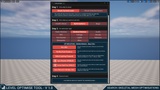
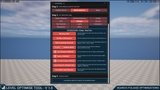
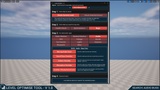
Bug Searches:
Static Meshes:
Missing Meshes
Missing Materials
Overridden Materials
Not Default Scale
Collision Disabled / Enabled
Cast Shadow Disabled / Enabled
Hidden In-Game Enabled / Disabled
Receives Decals Disabled / Enabled
Affects Nav Disabled / Enabled
Skeletal Meshes:
Missing Skeletal Mesh
Missing Materials
Overridden Materials
No Anims Applied
Not Default Scale
Collision Disabled / Enabled
Hidden In-Game Enabled / Disabled
Receives Decals Disabled / Enabled
Affects Nav Enabled/Disabled
Audio:
Missing Audio Asset
Has Sound Class Override
Has Volume Override
Attenuation Override
Disabled / Missing Reverb Asset
VFX:
Missing Assets
Not Default Scale
Foliage:
Missing Meshes
Missing Materials
Collision Enabled / Disabled
Decals:
Missing Materials
Not Scaled By ‘Decal Size’
Is Hidden In-Game
Decals That Are Temporary / Permanent
Text Render:
Using Default / Empty Text
Using Scale Not World Size
Is Hidden In-Game
Lights:
Affects World Disabled
Visibility Set To False
Volumes:
Collision Is Disabled
Generate Overlap Events Disabled
Set To Block Pawn
Set To Overlap With Pawn
Set To Block Camera
Not Scaled By ‘Brush Size’
Post Process Blend Radius Less Than X
Blueprints:
Is Hidden In-Game
Misc:
Actors Set To Is Editor Only
I hope you find the tool useful, let me know if you have any suggestions to make it better!