설명
OVERVIEW VIDEO | DOCUMENTATION
Stepped Animation applies a classic stop-motion visual effect to any skeletal mesh by throttling animation update rate and disabling frame interpolation - Optimizing the output, instead of alternate methods like adding 'pose snapshots' overhead.
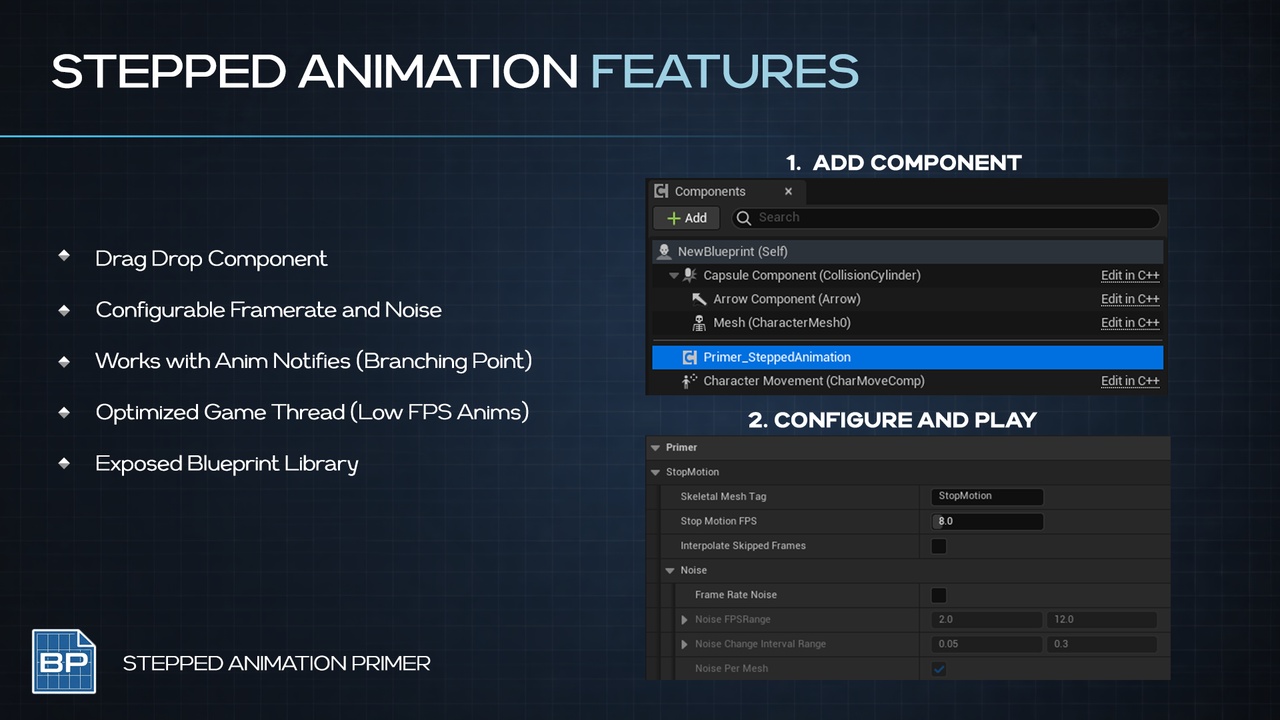
Drop the component onto any actor, tag your skeletal meshes, and instantly get stepped, choppy, quantized animation reminiscent of stop-motion films. Fully controllable from Blueprints at runtime.
Inspired by Retro style games like Megabonk Motorslice Valheim and Playstation PSX Era
CORE FEATURES
Automatic detection of tagged skeletal mesh components on the owning actor
Configurable stop-motion FPS (1–60) for precise choppiness control
Configurable Noise for randomized choppiness
Toggle frame interpolation on/off for classic stop-motion vs. smoothed stepping
Start/Stop the effect at runtime from Blueprints
Add/Remove individual skeletal meshes dynamically
Delegates for state changes, mesh added, and mesh removed events
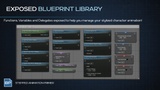
Exposed Bp Library and Bindable Delegate Events for add/remove/start/stop
How To
Drop the StopMotionAnimation component onto your actor
Add the "StopMotion" component tag to your Skeletal Mesh components
Play!
CONFIGURABLE PARAMETERS
Skeletal Mesh Tag: Which component tag to scan for (default: "StopMotion")
Stop Motion FPS: Target framerate for the stepped effect (default: 8.0)
Interpolate Skipped Frames: Whether skipped frames blend or snap (default: false)
Noise Rates for extra Choppy controls
BLUEPRINT API
SetStopMotionFPS - Change the effect framerate at runtime
SetInterpolateSkippedFrames - Toggle interpolation on/off
StartStopMotion / StopStopMotion - Enable/disable the effect
AddStopMotionSkeleton / RemoveStopMotionSkeleton — Manually manage affected meshes
RefreshStopMotionSkeletonList - Re-scan the actor for tagged meshes
GetStopMotionSkeletonList - Retrieve all currently affected meshes
SetFrameRateNoise - Vector2D interval and range for chaos
DELEGATES
OnStopMotionChanged(Component, AffectedMeshes) - Fires on start, stop, FPS change, or interpolation change
OnStopMotionMeshAdded(Component, Mesh) - Fires when a mesh is added to the list
OnStopMotionMeshRemoved(Component, Mesh) - Fires when a mesh is removed from the list
USE CASES
Stylized games with stop-motion or claymation aesthetics
Per-character animation style switching at runtime
Performance-conscious animation LOD on distant characters
Artistic effect toggling for cutscenes or abilities
PRIMERS
Part of the Primer series, this plugin prioritizes clarity, control, and practical workflows.