


Descripción
The Project Optimization Toolkit (POT) is a comprehensive editor extension for Unreal Engine 5 published by Leartes Studios. It is engineered to help development teams keep their projects clean, lean, and structurally sound by combining three powerful diagnostic utilities into a single plugin: a Health Dashboard, an Asset Cleaner, and a Dependency Visualizer.
Showcase / Trailer Video: https://youtu.be/WMz0THALIXg
Built specifically for day-to-day production environments, POT operates entirely locally inside the editor without requiring external services or third-party accounts. Its background scans run smoothly without blocking user workflows, and any heavy processing or deletion tasks are handled in safe, cancellable batches.
DISCLAIMER:
For a huge projects over 50gb system might get stuck and needs to wait a long time for the fixes.
Key Features
1. Health Dashboard
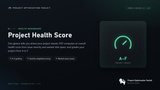
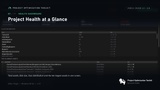
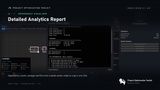
Project Health Scoring: Generates a real-time project health score from 0 to 100 along with an A–F letter grade, dynamically computed based on the severity of discovered issues and estimated wasted disk space.
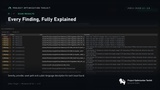
Nine Analysis Categories: Systematically inspects your project across nine specialized providers: project health, texture audit, mesh audit, duplicate detection, reference health, external files, unused assets, missing references, and indirect references.
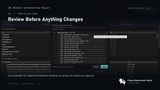
One-Click Automated Fixes: Offers direct, in-place corrections for various asset alignment errors, such as enabling Nanite on eligible meshes, adjusting Level of Detail (LOD) settings, repairing mipmap and texture compression settings, adding collisions, and resolving stale redirectors.
Reversible Transactions: All automated fixes are applied as editor transactions, allowing developers to immediately revert any unexpected changes using standard Ctrl+Z operations.
2. Asset Cleaner
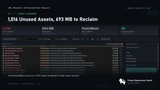
Comprehensive Waste Detection: Automatically identifies and isolates unused assets, duplicate files, empty folders, non-asset external files, corrupted disk assets, and obsolete redirectors.
Accurate Reachability Analysis: By default, the cleaner uses an Accurate detection mode that starts at explicitly active roots (maps, primary assets, editor utilities, and code/config references) and maps the dependency chain outward. This enables it to flag entire dead branches of assets that are only referenced by other unused assets.
Content-Aware Duplicate Matching: Features a deep structural matching pass that evaluates base level-of-detail geometry for static meshes and parameter arrays for material instances, successfully grouping identical files even if they differ byte-for-byte on disk.
Safe Deletion Safeguards: Includes protective measures such as explicit counts and size summaries, mandatory verification prompts, and designated warnings for assets tied to indirect code or config references.
Continuous Integration (CI) Commandlet: Ships with a dedicated headless commandlet (-run=POTCleaner) to automate scanning and scheduled cleanup pipelines on remote build machines.
3. Dependency Visualizer
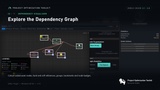
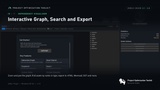
Interactive Graphing: Renders reference structures as node-and-edge graphs where users can interactively expand or collapse pathways to inspect asset connections.
Eight Layout Modes: Provides eight distinct layout configurations (such as hierarchical flow, radial/force-directed clusters, or compact grids) that can be swapped instantly without rebuilding the graph.
Circular Dependency Detection: Runs real-time cycle tracking to highlight looping references, allowing teams to break structural loops before they cause load-order or cooking failures.
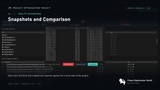
Snapshot Comparison: Captures graph states at specific intervals, providing side-by-side analysis to track exact reference changes, additions, or deletions across a project's history or during refactoring phases.
Custom Customization & Tooling: Supports manual annotations, viewpoint bookmarking, reusable configurations, and graph exporting into thirteen external data or vector formats. It also exposes a fully Blueprint-callable API to drive custom automated tools.
Technical Specifications & Requirements
Unreal Engine Compatibility: Supports Unreal Engine versions 5.1 through 5.8.
Supported Platform: Windows 64-bit (Editor-only plugin; it does not add overhead to packaged game builds).
Project Frameworks: Fully operational with both Blueprint-only and native C++ projects.
Engine Dependencies: Relies on Unreal’s built-in Asset Manager Editor plugin, which POT enables automatically upon initialization.
Source Control Integration: Deletion routines funnel seamlessly into Unreal's standard asset disposal paths, interfacing natively with source control providers like Perforce or Git.
For all your promotional requests, technical support needs, suggestions, and refund requests, please create a ticket.
Here, you can join the Leartes Discord channel for live support and discounts.