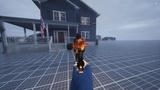
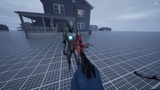
説明
🎯 Why Choose DGOneHitMark?
In modern games, hit feedback is crucial to player experience. A great hit feedback system makes every attack feel impactful, dramatically improving game feel and immersion. However, building a professional hit feedback system from scratch typically requires 20-40 hours of development time, plus the challenges of performance optimization and multi-scenario adaptation.
DGOneHitMark solves this problem!
✨ 5 Core Modules for Complete Hit Feedback
1. Hit Markers - Screen-center or world-space positioning, multiple shapes (cross, circle, diamond, dot), custom textures, flexible animations, critical/kill special markers
2. Damage Numbers - Three display modes (single, stacking, accumulating), critical damage differentiation, smart accumulation algorithm, smooth animations, customizable styles
3. Hit Direction - 360° directional indicators, configurable distance and size, damage intensity visualization, multi-hit merging, perfect for damage feedback
4. Screen Effects - Screen edge flash effects, configurable color/intensity/duration, material effect integration, low performance cost
5. Reticle Response - Crosshair expansion/contraction, hit feedback animations, configurable response curves, adapts to any crosshair style
🚀 Ready-to-Use Presets
- FPS Shooter: Classic shooter style with screen-center markers and damage numbers
- Fighting Game: World-space markers with combo counters
- Puzzle Game: Clean, minimal hit indicators
- Custom: Fully customizable for unique requirements
⚡ High-Performance Design
- Widget pooling to avoid frequent creation/destruction
- Smart display priority system
- Configurable maximum simultaneous displays
- Optimized for high-frequency hits (e.g., machine gun fire)
🎨 Highly Customizable
- All parameters configured via DataAssets, no code changes needed
- Support custom Widget classes for complete UI control
- Open architecture, easy to extend
- Detailed API documentation for deep integration
💻 Dual Development Interface
- Blueprint-Friendly: Visual nodes, drag-and-drop usage
- C++ Support: High-performance calls for complex logic
- Unified event system, seamless Blueprint-C++ collaboration
📦 5-Minute Integration
```cpp
// C++ Example
FDGHitEvent HitEvent;
HitEvent.HitLocation = HitResult.Location;
HitEvent.Damage = 50.0f;
HitEvent.bIsCritical = true;
UDGHitFeedbackSubsystem::Get(this)->ReportHit(HitEvent);
```
🛠️ Comprehensive Support
- Detailed documentation and API reference
- Complete example projects (FPS and Fighting game)
- Discord community support
- Regular updates and feature iterations
📋 Technical Specifications
- Unreal Engine 5.0+ (compatible with UE4.27+)
- All platforms supported (Windows, Mac, Linux, Console, Mobile)
- Full C++ source code included
- Modular architecture, easy to maintain
- Zero third-party dependencies
🎮 Perfect For
- FPS/TPS Shooters
- Action RPGs
- Fighting Games
- Roguelikes
- Tower Defense
- Any game requiring hit feedback
💡 Get Started Now
Don't let hit feedback become a bottleneck in your game development! DGOneHitMark lets you focus on core gameplay while we handle the hit feel. Integrate professional-grade hit feedback into your project today and make players fall in love with your game!