











Descrizione
✨ Initial video (v0.1) | 📺 Video update (v1.1) | 🎦 Video update (v1.3) | 👏🏼 More test runs. | ✍🏼Read the manual. | 🙋♂️ Read the FAQ page. | 🧙♂️See a visual Setup Wizard tutorial. | ⚠ Recent validation & test run results. | 📚 Read the changelog. | 💬 Discord support.
🎁 Get the Core version on GitHub |
👨💼 Contact for contract work / PSO pipeline integration / consulting.
The open source version is highly functional, capable and transparent: https://github.com/gregorik/PSO-Autopilot. I recommend that you try it before the more advanced, optimized and supported FAB version.
———
PSO Autopilot is a reliable solution to Unreal Engine 5's notorious shader compilation stutter and lag. (Current version: 1.4.3)
🚀 PSO Autopilot: The End of UE5 Shader Stutter
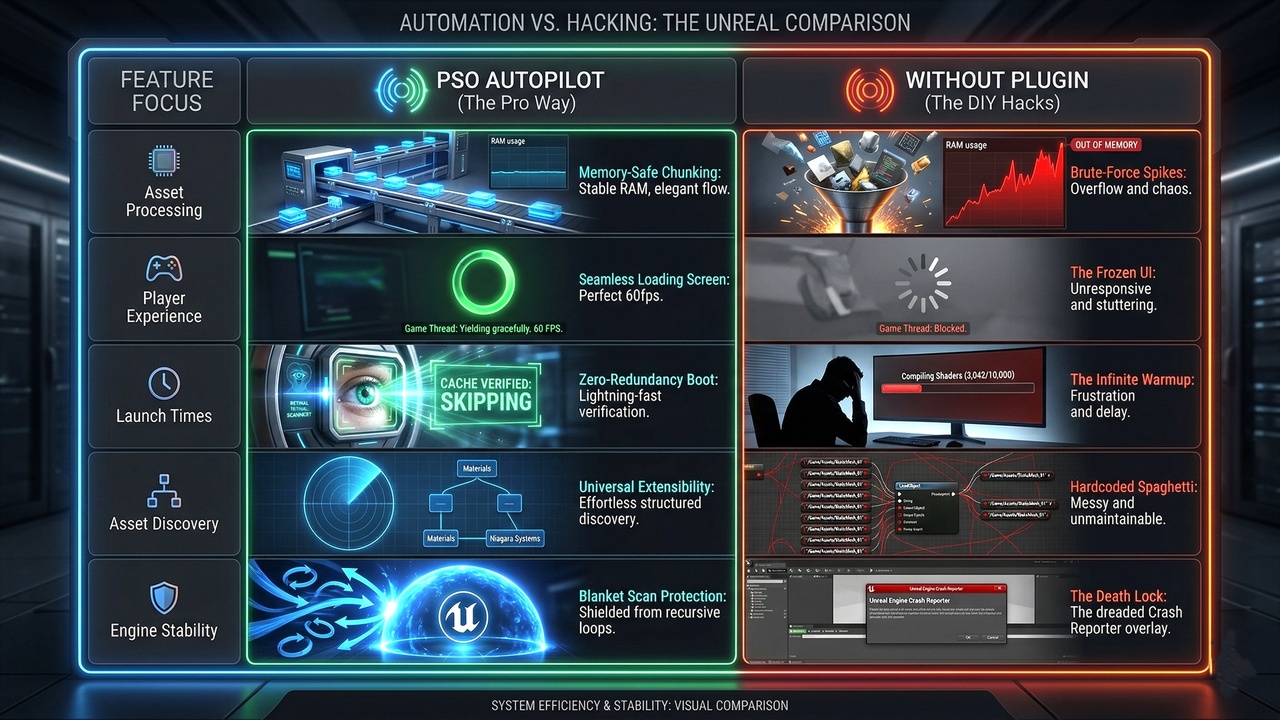
Traditional "Shader Compilation" plugins on various marketplaces try to brute-force load all of your assets at once. If you have a massive 50GB+ project, this will cause your RAM to spike, your loading screen to freeze entirely, and often results in an Out-Of-Memory (OOM) crash before the game even starts.
PSO Autopilot is different. It is designed for production stability and features a completely memory-safe, time-sliced architecture.
🚀 PSO Autopilot is a production-minded Unreal Engine startup preparation plugin that warms targeted shaders/PSOs, preloads key gameplay content, and keeps loading screens responsive without brute-force asset loading. It is a smarter, safer way to reduce first-play shader and PSO hitches in UE projects.
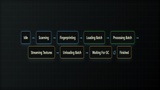
🚀 PSO Autopilot takes a controlled startup-preparation approach: it scans the content you choose, expands important references, loads assets in safe batches, requests PSO precache work, prepares textures, then releases memory before moving on. Built for teams who want fewer startup hitches without turning their loading screen into a crash risk.
———
✦ Why It Stands Out
🧩 Memory-Safe Batching Loads startup content in controlled chunks instead of brute-forcing your whole project into memory.
⏱ Responsive Loading Screens Time-sliced processing keeps UMG progress bars, animations, and status text updating while preparation runs.
⚡ Smart Cache Skip Completed startup fingerprints are remembered. If the same startup set was already prepared, PSO Autopilot can skip immediately on later launches.
🧭 Editor Iteration Mode PIE/editor preview can use Unreal’s normal shader compilation path for fast daily iteration, while packaged builds keep the production warmup flow.
📦 Gameplay Package Preload Preload your destination map/package during the loading screen so more first-run cost happens before gameplay starts.
🎨 Texture Preheat Prepares standard textures and virtual textures used by selected content to reduce first-frame texture pop-in.
🛠 Setup Wizard + Validator Guided setup, project checks, one-click fixes, loading-level generation, and protection against common packaging mistakes like accidentally cooking all of /Game.
🖥 Editable Loading Widget The wizard can create a project-owned UMG widget at /Game/PSOAutopilot/WBP_PSOAutopilotLoadingScreen, ready for your own branding.
———
✦ Best For
✔ Large Unreal projects with heavy material sets
✔ Games with noticeable first-play shader or PSO hitches
✔ Projects that need a startup loading flow without manual Blueprint wiring
✔ Teams that want packaged-build validation without painful editor iteration
✔ Marketplace, AA, indie, and technical demo projects that need a clean boot sequence
———
✦ Includes
✅ Runtime PSO Autopilot subsystem
✅ Drop-in Boot Loader actor
✅ One-node Blueprint loading flow
✅ Setup Wizard editor module
✅ Smart cache history
✅ Runtime warmup asset registration
✅ Package preload support
✅ Texture and virtual texture preparation
✅ Progress delegates for custom UI
✅ Editable default loading widget
✅ Demo boot flow and documentation
———
✦ Important Note
PSO Autopilot is not a magic fix for every possible runtime hitch. Streaming, spawning, physics, animation, Niagara, IO, driver behavior, and content outside your warmup set can still cause some stutter. Its job is focused and practical: prepare the startup-critical content you target, safely, visibly, and repeatably.
✦ Disclaimer: this plugin assumes a working knowledge of UE5 workflows, editor tooling, asset setup and so on. Custom integration, extension or modification may also require comfort reading and writing C++. If you are new to UE5 or plugin-based development, expect a learning curve. Before purchasing the Fab version, it is recommended that you explore the open-source GitHub version and the online manual first to understand the architecture, setup requirements, and integration style. This will help you determine whether the plugin fits your project and experience level.