



Description
Forest tools is AAA-quality, actor-based scattering system for Unreal Engine 5.
Designed for fast iteration and massive world assembly.
Quick to set up, easy to organize, and precise when you need control.
Overview :
If you want to build high-quality massive open worlds, and change your mind about asset placement, forest density, or biome types 50 times a day without losing progress…Forest Tools is exactly what you’re looking for.
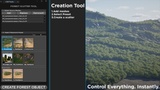
Controlled with a single interface, Forest Tools is an intuitive toolkit to create areas of objects like forests, vegetation, chaos physics scatters, and crawling ivy.
Whether it’s architectural visualizations, game worlds, or expansive cinematic environments, we made our tools accessible for users of all skill levels.
Video Guides I Discord l
Why Forest Tools?
Actor-Based Workflow - Combine independent pre-made systems like CPU and GPU scattering, vine generation, arrays, and spline tools to build environments piece by piece.
Optimized for Large Worlds - Every object is automatically instanced using HISM (Instanced Static Mesh Component). Meaning that scenes with thousands of actors perform well even on low end hardware.
Real-Time Editing - Adjust density, distribution, clustering, and biome settings directly in the viewport. Compare variations and experiment with new ideas without interrupting your workflow.
Chaos Physics Scattering - Scatter physical objects naturally using Chaos physics to create more believable environments and realistic object interactions.
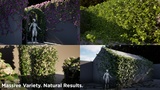
Procedural Ivy & Lianas - Generate climbing vegetation directly inside the editor with real-time feedback and built-in presets. Create rich environmental storytelling without manual asset placement.
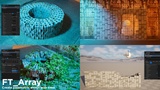
Array & Structure Tools - Create roads, fences, walls, repeating structures, and organized layouts directly in the viewport. Update them any time and see changes instantly.
Key Features:
Landscaping
Create forests, rocky terrain, overgrowth, and large-scale environments for games, cinematics, and architectural visualizations. Forest Tools works with any asset library and adapts easily to changing art direction.
Surfaces
Scatter vegetation, props, decals, and level instances across landscapes, meshes, and custom geometry. Filter placement by slope, height, and surface type to create natural-looking environments with minimal setup.
Distribution Patterns
Control density, clustering, scale variation, rotation, and placement behavior to create believable ecosystems and avoid repetitive results. Build anything from sparse grasslands to dense forests with precise control.
Actor-Based Biomes
Combine independent scatters to build flexible ecosystems. Share surfaces, rules, and areas between systems to create environments that are easy to expand, modify, and reuse throughout production.
Splines
Create roads, paths, fences, rivers, and other structures directly in the viewport. Use include and exclude splines to control where vegetation appears and update layouts at any time without rebuilding your workflow.
Perfect For
Open Worlds - Create large environments with efficient rendering and flexible procedural control.
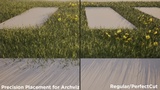
Archviz - Create clean vegetation transitions around roads, foundations, and architecture with the PerfectCut system.
Cinematics & Virtual Production - Iterate quickly and create dense environments for Lumen and Path Tracing workflows.
Tutorials & Support
Step-by-step video guides for a quick start.
Documentation
Detailed written guides covering every major system.
Direct Discord Support
Get help with setup, troubleshooting, and production questions directly from the developer.
Note: Example scenes utilize Megascans assets for demonstration. Forest Tools is compatible with any mesh library and includes sample content to get you started immediately.
Compatible with Megascans, SpeedTrees, Megaplants and custom asset libraries. Includes starter content to get you up and running immediately.