Description
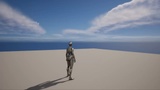
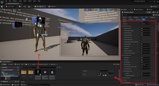
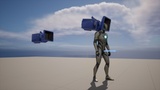
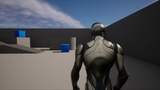
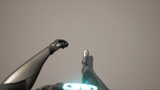
An improvement on the standard Third-Person Character Blueprint that allows switching from the third-person perspective to the first-person perspective without hiding the character body.
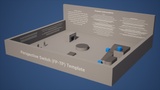
Here is a 4K video with timestamps that showcases the capabilities of the asset including gameplay from the provided demo level: Showcase Video
The asset also adds:
Zoom
Shoulder Switch
Hold to Walk / Hold to Run
Crouch
Strafe Locomotion (as an alternative to the default)
Aim Offset
'Turn In Place' Animations
Dynamic 3D Footstep Sound Effects
Idle Animations
Scripted Third-Person Camera Animations
* The animations used within the asset are modified versions from the Lyra project and use the default mannequin skeletal mesh.
It is possible to set the distance of the third-person camera along with its horizontal and vertical offsets.
Zoom functionality comes with customization. You can enter values that allow you to set minimum and maximum distance along with how much distance zoom should cover.
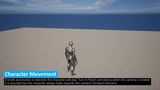
The default movement can be running or walking, and holding the related button will toggle movement between the two.
Strafe locomotion is omni (8-way) movement that utilizes eight different movement animations (walk, run etc.) to seamlessly create movement that keeps the character's head in the forwards direction while moving towards any direction. This locomotion type is the default for the first-person perspective, and optional for the third-person perspective.
Aim Offset rotates the character's head towards the direction where the camera faces. It works with both perspectives. The movement is kept to a minimum to give a realistic feel.
'Turn In Place' animations are integrated for the Strafe locomotion. When the camera is facing a direction the character is unable to look at, these animations will play to keep the character facing forwards.
The crouch functionality works with both strafe and default locomotion types. It has 'Turn In Place' animations and Aim Offset integrated.
Footstep sound effects are dynamic. It is possible to adjust the overall volume. The character's speed changes the volume multiplier. Moving while crouching is quiet while running is loud. The sound effects are 3D. They play at the location of contact. Sound effects are integrated within the animations as notifies which allows for precise calculations even when the animations blend or change speed.
* The footstep sound files within the project are added to showcase how dynamic and precise the effects are.
Idle animations play when the character doesn't move for a while. The duration is customizable along with a range for randomization. These animations work with both perspectives. They also blend with all other animations smoothly.
The asset also includes the ability to add scripted third-person camera distance changes. Examples for this functionality exist within the showcase level and video.
It is possible to customize the zoom, shoulder switch, and scripted camera animations by changing duration and curve.
* You can also disable smooth animations to use snap camera movements.
The first-person camera is connected to the head bone of the character mesh, so the functionalities within the asset can work with all character rigs that use the standard within the engine. To showcase this, the possibility of switching between Manny and Quinn skeletal meshes at runtime is added.
Please check out the showcase video for further information.
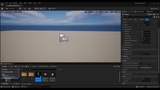
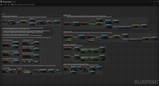
Controller support is included. Descriptions are added for the asset within the showcase level. How the script works is also explained as comments within the blueprints.
Thanks for checking out this asset, please let me know if you have any questions.