Beschreibung
OmniPivot Pro is a professional Unreal Engine editor tool for fixing, previewing, saving, auditing, and batch-editing pivot points directly inside the editor.
If you work with imported props, modular kits, doors, walls, weapons, marketplace assets, kitbash packs, or environment pieces, you already know the problem:
The asset looks fine, but the pivot is in the wrong place.
That makes snapping, rotating, scaling, animation setup, modular building, door hinges, prop placement, and marketplace preparation slower than it should be.
OmniPivot Pro gives you a cleaner pivot workflow inside Unreal Engine, with quick actor pivot tools, visual viewport picking, reusable presets, batch Static Mesh workflows, pivot audits, Details Panel controls, and safer duplicate-first baking options.
It is designed for solo developers, environment artists, level designers, marketplace sellers, beginners, and small teams who want a practical pivot tool without leaving Unreal Engine.
Main Features
Precise Pivot Placement
Move pivots to common bounds-based positions such as:
Center
Top
Bottom
Left
Right
Front
Back
Face centers
Edge middles
Corners
Custom offset positions
This helps with modular snapping, prop placement, doors, walls, weapons, vehicles, and environment assets.
Visual Viewport Pivot Picking
Use viewport hotkeys to pick pivot points directly from the selected actor.
Default modes include:
Face center picking
Edge middle picking
Corner picking
A visual indicator appears in the viewport so you can see the target pivot position before applying it.
Default hotkeys:
Ctrl + Alt + 6 — Face centers
Ctrl + Alt + 7 — Edge middles
Ctrl + Alt + 8 — Corners
Hotkeys can be changed in Unreal Engine’s Keyboard Shortcuts settings.
Dashboard Workflow
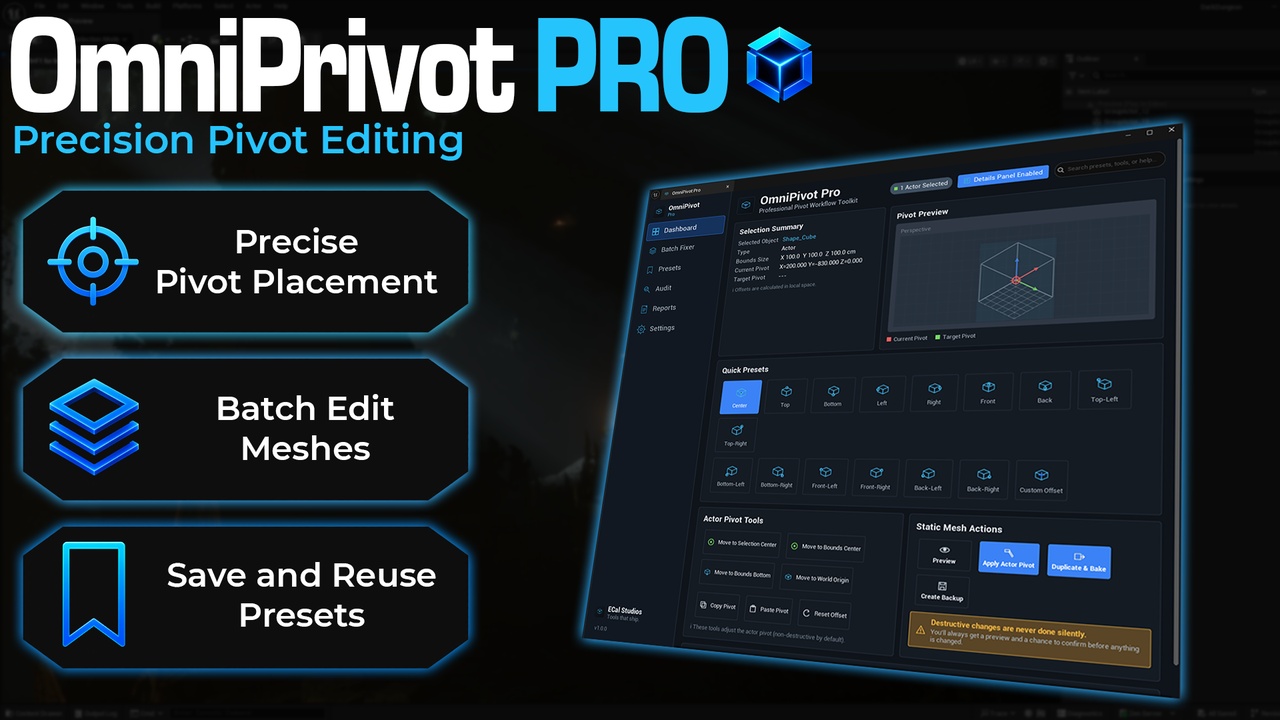
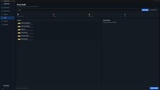
The main dashboard gives you a clear pivot workspace with:
Current selection summary
Bounds size
Current pivot position
Target pivot position
Pivot preview
Quick presets
Actor pivot tools
Static Mesh actions
Safety warnings
Help and status feedback
It is made to be easy to understand, even if you are new to pivot workflows in Unreal Engine.
Details Panel Integration
OmniPivot Pro can add compact pivot controls directly inside the Unreal Engine Details Panel.
This lets you adjust pivots while editing normal actor properties, without needing to keep the full OmniPivot Pro window open all the time.
The Details Panel controls include quick access to:
Face presets
Edge presets
Corner presets
Preview
Apply
Reset
Open full tool
Copy pivot
Paste pivot
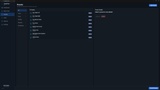
Batch Pivot Fixer
The Batch Fixer is designed for working with multiple Static Mesh assets.
It supports a safer workflow:
Select Static Mesh assets.
Analyze the selection.
Preview the batch result.
Apply changes to duplicates.
Export a summary report if needed.
Batch tools are useful for:
Marketplace packs
Modular kits
Imported asset libraries
Prop folders
Door and wall sets
Environment art cleanup
Preparing assets before sharing or selling
Duplicate-First Safety
Permanent mesh pivot changes should not happen silently.
OmniPivot Pro is built around a safer workflow where batch operations can create fixed duplicates instead of overwriting your original assets.
This helps protect your source assets while still letting you prepare clean, production-ready versions.
Reusable Pivot Presets
OmniPivot Pro includes preset management for common pivot use cases.
Example preset categories include:
Doors
Props
Modular pieces
Weapons
Marketplace pack standards
Vehicles
You can use built-in presets or create your own project-specific pivot presets.
Pivot Audit
The Pivot Audit tool helps review assets for pivot problems and inconsistencies.
It can help identify issues such as:
Door meshes without hinge-friendly pivots
Modular assets with inconsistent pivot standards
Pivots that may be outside expected bounds
Assets that may need review before packaging or handoff
This is useful before:
Marketplace submission
Asset pack cleanup
Project migration
Team handoff
Level building passes
Final production cleanup
Reports
OmniPivot Pro includes reporting tools for batch and audit workflows.
Reports can help with:
Reviewing what was scanned
Sharing cleanup notes
Tracking pivot issues
Preparing marketplace-ready assets
Documenting asset polish passes
Who Is This For?
OmniPivot Pro is useful for:
Solo developers
Indie teams
Environment artists
Level designers
Marketplace asset sellers
Kitbash users
Beginners importing Blender assets
Modular environment creators
Technical artists
Developers cleaning asset packs before production
Common Use Cases
Use OmniPivot Pro when you need to:
Fix a door pivot so it rotates from the hinge.
Move a prop pivot to the bottom center for easier placement.
Align modular walls, floors, ceilings, and corners.
Prepare marketplace assets with cleaner pivot standards.
Batch-fix many Static Mesh assets with the same pivot rule.
Create reusable pivot presets for your project.
Quickly adjust pivots from the Details Panel.
Pick corners, edges, and faces directly in the viewport.
Audit a folder for pivot consistency before release or handoff.
Why Use OmniPivot Pro?
Unreal Engine gives you pivot tools, but repeated pivot work can still become slow when you are fixing many assets, working with modular sets, or preparing content for production.
OmniPivot Pro focuses on making pivot work faster, safer, and easier to repeat.
It gives you:
A dedicated pivot dashboard
Visual snap-based workflows
Details Panel controls
Batch processing
Preset management
Audit tools
Report exports
Duplicate-first safety for permanent changes
The goal is not to replace your asset creation software.
The goal is to make pivot cleanup inside Unreal Engine much less painful.
Documentation: https://www.ecalstudios.com/omnipivot-pro/