

描述
📖 Documentation | 🎮 Playable demo | 📽️ Videos will be available later
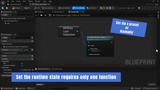
ADS Data Layer System applies a complete Runtime state to your Data Layers without requiring you to reconstruct the level’s previous state at every transition. You define which Data Layers must be loaded, activated, or unloaded in the desired final state; the plugin then applies that result and automatically unloads the ones that should no longer be present.
These states can be saved as presets and applied during play. For example, one preset can show the village and hide the plain, while another can reverse that choice when the player changes area. Manual instructions can also temporarily complement a preset for a quest, cutscene, or progression step.
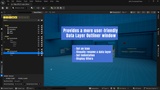
The plugin also includes a custom Data Layers window designed for better editor ergonomics. It makes Data Layers easier to organize, lets you add icons, adjust their visual indentation, and filter them to find useful elements more quickly.
Important:
A Framework is not a template. This system is part of a Framework. It provides a technical foundation, architecture, reusable tools, and integration points, but it does not automatically create create Data Layers, actors, level content, hierarchy, gameplay state choices, World Partition, streaming, HLODs, or level optimization for your project.
Before purchasing, it is strongly recommended to read at least the Foreword, System Description, and What the System Does Not Do sections of the documentation.