





Descrição
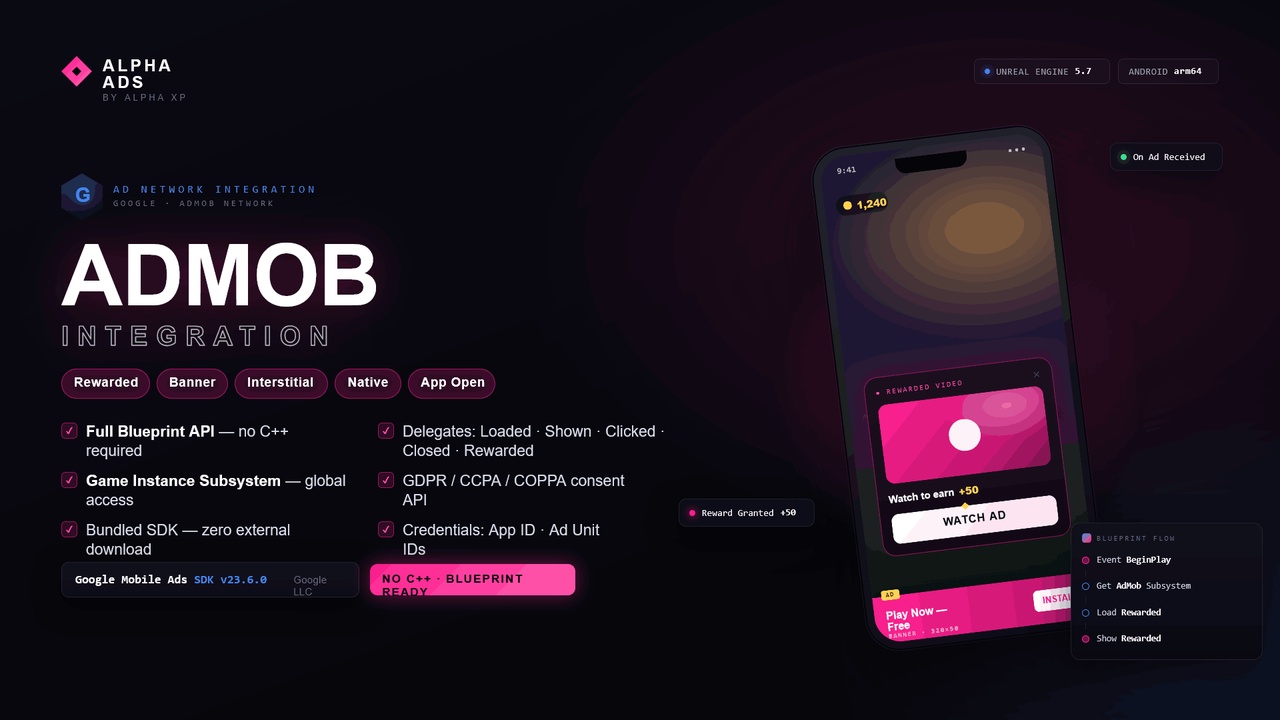
Monetize your Unreal Engine mobile games with Google AdMob — Rewarded Video, Banner, Interstitial, Native, and App Open ads, fully driven from Blueprint or C++..
Alpha Ads - Google AdMob Integration is a complete, drop-in monetization plugin that bridges the Google Mobile Ads (AdMob) SDK into Unreal Engine for Android and iOS. Load, show, and react to ads without writing a single line of native Java or Objective-C — every call and every callback is exposed as a clean Blueprint node and a C++ API.
Configure everything once in Project Settings, then call ads from anywhere through a Game Instance Subsystem, a spawnable Actor Component, or static Blueprint function nodes. Bind to lifecycle events to drive your UI, grant rewards, and track impressions..
--------------------------------------------------
AD FORMATS (5)
--------------------------------------------------
• Rewarded Video — Load, Show, and check Is Ready; fires a reward callback with the reward amount.
• Banner — Load, Show, Hide, Destroy; choose size and on-screen position at runtime.
• Interstitial — Load, Show, and check Is Ready; full-screen between-level ads.
• Native — Load native placements that blend with your UI.
• App Open — Load, Show, and check Is Ready; show an ad on app launch / resume.
--------------------------------------------------
HOW YOU CALL IT (4 access paths)
--------------------------------------------------
• AdMob Subsystem (Game Instance Subsystem) — global, world-context access to every ad call and every event delegate. "Get AdMob Subsystem" from any Blueprint and go.
• AdMob Component (Actor Component, BlueprintSpawnableComponent) — drop it on any actor to bind ad events locally.
• AdMob Functions — static Blueprint-callable nodes for every load/show/state call.
• AdMob Blueprint Library — static utility helpers (version, support checks, runtime privacy toggles).
--------------------------------------------------
BLUEPRINT / C++ FUNCTIONS
--------------------------------------------------
Rewarded Video:
• Load Rewarded Video
• Show Rewarded Video
• Is Rewarded Video Ready (pure)
Banner:
• Load Banner
• Show Banner
• Hide Banner
• Destroy Banner
• Set Banner Position
• Set Banner Size (apply before Load Banner)
Interstitial:
• Load Interstitial
• Show Interstitial
• Is Interstitial Ready (pure)
Native Ad:
• Load Native Ad
App Open Ad:
• Load App Open Ad
• Show App Open Ad
• Is App Open Ad Ready (pure)
Utility (Blueprint Library):
• Is AdMob Supported (pure)
• Get AdMob Version (pure)
• Get AdMob Provider Name (pure)
• Get AdMob Ad Unit Id (by ad type) (pure)
• Is AdMob Test Mode (pure)
• Set AdMob GDPR Consent (runtime)
• Set AdMob COPPA Compliance (runtime)
--------------------------------------------------
EVENTS / DELEGATES (bind in Blueprint)
--------------------------------------------------
Rewarded Video:
• On Ad Availability Changed (bool Availability)
• On Rewarded Video Completed (int32 Reward)
Banner:
• On Banner Loaded
• On Banner Failed (Error string)
• On Banner Clicked
Interstitial:
• On Interstitial Loaded
• On Interstitial Failed (Error string)
• On Interstitial Shown
• On Interstitial Closed
• On Interstitial Clicked
Native Ad:
• On Native Ad Loaded
• On Native Ad Failed (Error string)
App Open Ad:
• On App Open Ad Loaded
• On App Open Ad Failed (Error string)
• On App Open Ad Shown
• On App Open Ad Closed
General:
• On Ad Impression (Ad Type string)
--------------------------------------------------
PROJECT SETTINGS (Project Settings > Plugins > AdMob)
--------------------------------------------------
App:
• App Id
• Rewarded Video Ad Unit Id
Ad Units:
• Banner Ad Unit Id
• Interstitial Ad Unit Id
• Native Ad Unit Id
• App Open Ad Unit Id
Banner:
• Default Banner Size
• Default Banner Position
Privacy & Compliance:
• GDPR Consent Granted
• COPPA Compliant
Debug:
• Test Mode
• Verbose Logging
All settings are saved to DefaultEngine.ini and injected into the Android manifest automatically at build time.
--------------------------------------------------
OPTIONS / ENUMS
--------------------------------------------------
Banner Size:
• Banner 320x50
• Large Banner 320x100
• Medium Rectangle 300x250
• Full Banner 468x60
• Leaderboard 728x90
Banner Position:
• Top Center
• Bottom Center
• Top Left
• Top Right
• Bottom Left
• Bottom Right
--------------------------------------------------
TECHNICAL DETAILS
--------------------------------------------------
• Engine: Unreal Engine 5.7
• Platforms (ad delivery): Android, iOS
• Development platforms: Windows, Mac
• Code Modules: 1 — AdMob (Runtime)
• Number of Blueprints: 0 (pure C++; contains no content assets)
• Number of C++ Classes: 9 (AdMobBPLibrary, AdMobComponent, AdMobFunctions, AdMobSettings, AdMobSubsystem, AdMobTestGameMode, AdMobTestWidget, plus the IAdMob interface and FAdMob module)
• Network Replicated: No
• Cross-platform-safe: compiles into Windows, Mac, and Linux editor and packaged builds as a no-op, so desktop pipelines keep building.
• Third-party SDK: Google Mobile Ads SDK — Android v21.5.0, iOS v11.13.0 (Google LLC). Fetched via Gradle/Maven (Android) and CocoaPods (iOS) at build time; no Google source code is distributed with this plugin.
--------------------------------------------------
SETUP
--------------------------------------------------
1. Enable the plugin and restart the editor.
2. Open Project Settings > Plugins > AdMob and enter your App Id and Ad Unit IDs; set Test Mode while developing.
3. Set your GDPR / COPPA flags (or toggle them at runtime via the Blueprint Library).
4. From the AdMob Subsystem (or AdMob Component / Functions), call Load then Show for the format you want, and bind to its events.
5. Package for Android or iOS.
Documentation: https://alpha-xp5-ai.github.io/advertisement/
--------------------------------------------------
NOTES
--------------------------------------------------
• An AdMob account and valid Ad Unit IDs are required. Always test with Google's official test ad unit IDs (or enable Test Mode) before going live.
• Ads serve only on Android and iOS devices; desktop builds compile the plugin as a no-op.
• Built-in GDPR consent and COPPA compliance flags, configurable in settings and at runtime.