
Descrizione
Cleanup unused assets in your project.
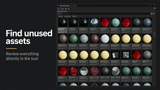
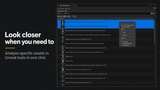
Assets Cleaner gives you a clear list of assets your project no longer uses: old prototype folders, imported packs, duplicate variations...
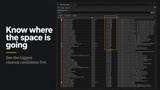
See which unused assets are taking up the most space, review everything directly in the tool, and remove the content you no longer need.
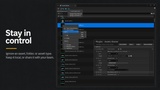
Stay in control by excluding specific assets, types, or folders, locally or team wide
A smaller, cleaner project means faster editor and is easier to maintain and collaborate on
Built for real production work
Assets Cleaner started as a solution to clean up a large AAA project that got out of hands
It has been maintained for seven years and used on professional Unreal Engine productions.
Featured by Epic as Unreal Engine Sponsored Content.
60+ customer ratings
On the Marketplace/Fab since UE4, with latest UE5 releases supported.
A simple, focused cleanup workflow without complicated steps.
What you can do
Find unused project and plugin content, identify the items with the biggest potential space savings, then move or delete the assets you select without leaving the tool. Empty folders can be removed after cleanup, and Unreal analysis tools are one click away for more details.
Directly choose an asset, class, or folder to be ignored in the tool's result. Save and manage ignored items either locally or team-wide (project's ini)
Nothing is removed until you select it and confirm.
Compatibility
Unreal Engine 4.23–4.27 and 5.0–5.8
Editor plugin for Windows, macOS, and Linux
Does not add anything to your packaged game
Documentation and support
Questions, problems, and suggestions are answered on the support thread.
Before deleting content, keep a backup or use source control.