
Descrizione
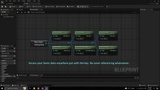
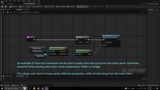
An intuitive data-driven framework for setting up, managing and accessing your game items data. Simply build your items data assets in a completely modular fashion with various custom properties, and access the desired data in code or blueprints.
You have a variety of gameplay objects in your game: weapons, foods, potions, rocks, woods, animals etc. These objects carry some data with them. Weapons have damage properties, foods have nutrition properties, and so on. Items of different types may or may not share similar data. For instance, both weapons and animals have damage properties, but animals also have health, and weapons have durability.
What is the perfect approach to have objects of vastly different classes to share the same properties? The answer is the framework offered by this plugin.
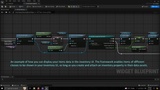
This plugin allows you to conveniently create various custom data properties and attach them to your items in a modular fashion. You can then access the data from anywhere in code or blueprint through a key without any referencing to the data assets.
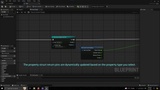
All you have to do is create structs (Blueprint or C++) that represent certain properties, create individual data assets for your items, fill them with some basic data, and attach as many custom properties to them as you want. Then use the framework’s functions and blueprint nodes to query and access your game items’ data.
With this framework, you can query items by their properties, classes, types, and static meshes, all of which are extremely optimised functions that serve as alternatives to the likes of GetAllActorsOfClass function, except being significantly faster.
You can also use this plugin as an alternative to interfaces, where you can implement certain logic only if the item contains that property. The upside is that you don’t need individual classes for each item.
In fact, this framework allows you to have a single class/Blueprint for all your items, but their behaviours would be different based on the properties you attach to them in the data assets. In a way this is very similar to how data are structured in an ECS framework.
Since this framework is based on data assets, it comes with multiple other advantages:
Data is completely separated from logic, allowing programmers and designers to work in parallel without interference.
Editing data assets does not require recompiling code.
Edits to data assets are reflected in real-time in the PIE, significantly enhancing designers workflow in balancing the items.
Editor utility widgets can be used to enhance the experience of working with data.
Very neat diffing view to see how data is changed from the last revision
Certain data within the asset can be queried in code, or seen in the editor, without loading the data asset.
Data can be seen and sorted in column view within the content browser or in the Asset Audit, giving a broad overview of multiple items data and asset properties in a nice tabular view.
Data Assets can be registered with the Asset Manager, providing more versatility in managing data when it comes to loading, cooking etc.
Data Assets require minimal C++ setup, allowing to exploit the powerful C++ property specifiers with little coding knowledge.
Having your property structs inherit from the FItemInstancedProperty base struct allows you to see only those properties in the property drop down menu when attaching properties to items (C++ only).
Use the EditCondition, EditConditionHides, and InlineEditConditionToggle specifiers to further customize how your property structs appear in the data asset (C++ only).