Description
VIDEO
DOCUMENTATION
SUPPORT
For product support, bug reports, or setup questions, join the Discord support server. I’ll respond as soon as possible:
DISCORD CHANNEL
For a complete overview of the framework and its workflow, please watch the VIDEO.
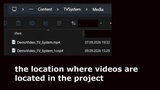
The folder is named "TVSystem".
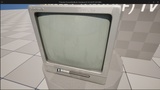
TV System is a lightweight Blueprint-based interactive television and media playback system for Unreal Engine designed to create configurable TVs, video screens, and environmental media displays through a simple and reusable Blueprint workflow.
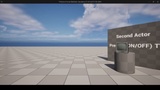
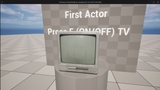
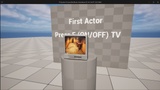
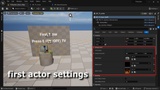
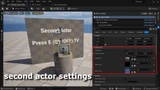
The system allows players to approach a television, display an interaction prompt, and control video playback using a configurable input action. Each placed TV actor can use its own Media Player, Media Source, Media Texture, interaction area size, and initial playback state directly from the Details Panel. TVs can start either enabled with video playback active or disabled with a separate off-screen texture, while subsequent interactions allow the player to pause and resume playback. The included Media Sound setup supports spatial audio and distance-based attenuation so video audio is positioned directly at the television and naturally fades as the player moves away. Fully Blueprint-based, easy to customize, and no C++ required.
Features
- 100% Blueprint-based system
- Ready-to-use TV Blueprint actor
- Simple drag-and-drop workflow
- Interactive video playback
- Play / Pause functionality
- Configurable starting playback state
- Start Enabled / Disabled option
- Separate powered-off screen appearance
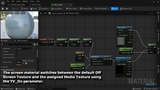
- Automatic screen material switching
- Dynamic Material Instance setup
- Configurable Media Player through the Details Panel
- Configurable Media Source through the Details Panel
- Configurable Media Texture through the Details Panel
- Individual media configuration for every placed TV actor
- Support for multiple TV actors per level
- Independent Media Player support for multiple televisions
- Independent Media Texture support for multiple televisions
- Different videos can be assigned to different TVs
- Same Media Source can be shared between multiple TVs when required
- Player proximity-based interaction
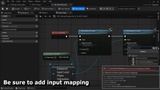
- Configurable interaction input
- Interaction prompt widget
- Automatic interaction prompt display
- Automatic interaction prompt hiding
- Configurable interaction box size
- First interaction automatically starts media when the TV begins disabled
- Pause and resume playback after media has been opened
- Optional TV button / switch sound
- Media audio playback support
- Spatial 3D audio support
- Distance-based volume attenuation
- Configurable audio attenuation
- TV audio positioned directly at the television actor
- Audio automatically follows the TV playback state
- Looping video playback support
- Customizable screen material setup
- Media Texture parameter support
- Compatible with custom television meshes using a separate screen material slot
- First-person project support
- Third-person project support
- Horror game support
- Exploration game support
- Environmental storytelling support
- Ambient media display support
- Modular and reusable workflow
- Easy integration into existing Unreal Engine projects
- Fully customizable
- No C++ required