
الوصف
Primal Doctor — Project Audit & Auto-Fix System
Primal Doctor is a fully native C++ editor plugin that scans your Unreal Engine project for structural, naming, and performance issues — and fixes the majority of them automatically. Whether you are preparing for a certification submission, onboarding a new team member, or simply trying to maintain a clean content pipeline, Primal Doctor gives you a project-wide health report in seconds and eliminates hours of manual asset auditing.
Note: Support for 5.6 will be added soon.
Support: Discord
What It Does
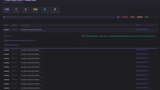
Primal Doctor runs a configurable rule-based scanner across every asset in your /Game/ tree (or a specific folder), evaluates each one against 18 built-in validation rules, and surfaces every issue in a sortable, filterable in-editor window. Each finding includes its severity level, the affected asset, a plain-English description of the problem, a suggested fix, and an optional link to documentation. When a safe auto-fix is available, a single click resolves the issue, saves the package to disk, and updates the Asset Registry — so a re-scan won't report it again.
18 Built-In Rules Across 7 Categories
Naming & Folders — Detects missing asset prefixes (T_, SM_, SK_, M_, etc.), assets placed directly in the root /Game/ folder, assets in folders that don't match their class convention, and folder hierarchies that exceed a configurable depth limit.
Textures — Flags normal maps stored with the wrong compression setting or with sRGB enabled, which causes incorrect lighting on all platforms and severe visual corruption on ASTC/ETC2 mobile targets. Auto-fix corrects both compression and sRGB in one operation.
Static Meshes & Skeletal Meshes — Detects meshes missing collision volumes, checks that Nanite is enabled on high-poly hero assets (50k+ triangles) and not wasted on sub-512-triangle props, identifies skeletal meshes with no LODs configured, reversed LOD screen sizes, and missing Physics Assets.
Materials — Detects Two-Sided materials that don't need to be (a common performance regression introduced during prototyping) and materials missing Separate Translucency where it would prevent translucency sorting artifacts.
Blueprints — Reports any Blueprint asset that currently has compile errors, which would silently fail at runtime.
Maps — Flags levels with unbuilt lighting (which disables static lighting entirely in shipped builds), World Settings misconfiguration, and maps missing a Player Start actor.
Packaging — A registry-only readiness check that surfaces common packaging blockers before you hit the Platforms menu.
Smart Scanner Architecture
The scanner runs registry-only rules on a background thread to avoid blocking the editor, then switches to a game-thread ticker for rules that must load assets. A sliding-window queue loads assets in configurable batches, and an adaptive memory manager samples platform memory every batch and automatically shrinks or grows the window size to stay within a configurable RAM ceiling (default 1 GB). Garbage collection runs between rules to reclaim memory from loaded assets. On large projects with thousands of assets this keeps the editor responsive throughout the entire scan.
Safe and Unsafe Fix Modes
Every rule declares one of four fix availability levels: None, Safe, Unsafe, or Manual Review. Safe fixes are non-destructive property changes (compression settings, Nanite toggles, LOD screen sizes, material flags) that are wrapped in a FScopedTransaction for full Undo/Redo support, saved to disk immediately, and broadcast to the Asset Registry so the fix is durable across sessions. Unsafe fixes — currently auto-rename for naming prefix violations — are hidden behind an explicit "Allow Unsafe Fix" toggle in the toolbar. Clicking it displays a confirmation dialog that explains the redirector behaviour and recommends committing to source control first. Once enabled, both "Fix This Finding" (right-click context menu) and "Fix Safe" (toolbar batch) will process Unsafe findings. The rename itself uses IAssetTools::RenameAssets, which creates a UObjectRedirector at the old path so all existing soft references continue to resolve automatically.
Configurable Profiles
Primal Doctor ships with three ready-to-use Data Asset profiles — PC, Console, and Mobile — that define naming conventions for 20 asset classes, maximum texture dimensions (4096 / 2048 / 2048), Nanite enable thresholds, and a set of excluded folders (ThirdParty, LevelPrototyping, external actor partitions). Profiles are standard UDataAsset objects stored in your project content, so they live in source control alongside your assets and can be customised per-team or per-platform without recompiling. The plugin settings (Project Settings → Plugins → Primal Doctor) expose scan memory limits, default scope, report output directory, and per-category toggles.
Reporting & Export
Scan results can be exported to CSV (for spreadsheets and CI pipelines), JSON (for custom tooling), or a self-contained HTML report with severity colour coding and per-finding detail panels — ready to attach to a Slack message or a milestone review document.
Commandlet Support
A PrimalDoctorCommandlet allows unattended project audits from the command line or CI:
UE4Editor.exe MyProject -run=PrimalDoctorCommandlet -profile=Default -output=Reports/
Exit code is non-zero if any Blocker-severity findings are present, making it straightforward to fail a build gate.
Who It's For
Solo developers who want guardrails that enforce project hygiene as the content library grows. Tech artists and leads who are preparing a project for certification, co-development handoff, or porting to a new platform. Studios that want a lightweight automated audit step in their CI pipeline without standing up a separate tooling service.