Descrição
Turn web pages into native UE interfaces.
Stop building complex forms, charts, and dashboards with UMG and Slate. Run Vue, React, ECharts, or plain HTML directly inside UE with real-time interaction with 3D scenes. Web handles data and business UI; UE focuses on real-time 3D rendering.
Full Domestic / 信创 Environment Adaptation
We've done extensive specialized adaptation for China's domestic IT environment, making this the only fully validated Web UI plugin for domestic UE projects:
Domestic CPU: Full support for ARM64 architectures including Phytium, Kunpeng, Loongson
Domestic GPU: Specialized adaptation completed for Lisuan, Moore Threads and other domestic graphics cards
Domestic OS: Tested and compatible with Kylin V10, UOS Server 20, and other domestic operating systems
Chinese Input: Complete Pinyin input, candidate words, Chinese-English switching support in Linux environment
Why Choose WebNativeBrowser?
Most UE teams face the same dilemma: the built-in Web Browser control works fine in demo stage, but runs into all sorts of problems in production — insufficient performance, poor cross-platform support, input handling issues, inability to deliver to Linux or ARM64. WebNativeBrowser was built to solve these problems.
Core Features
JS ↔ UE Bidirectional Messaging
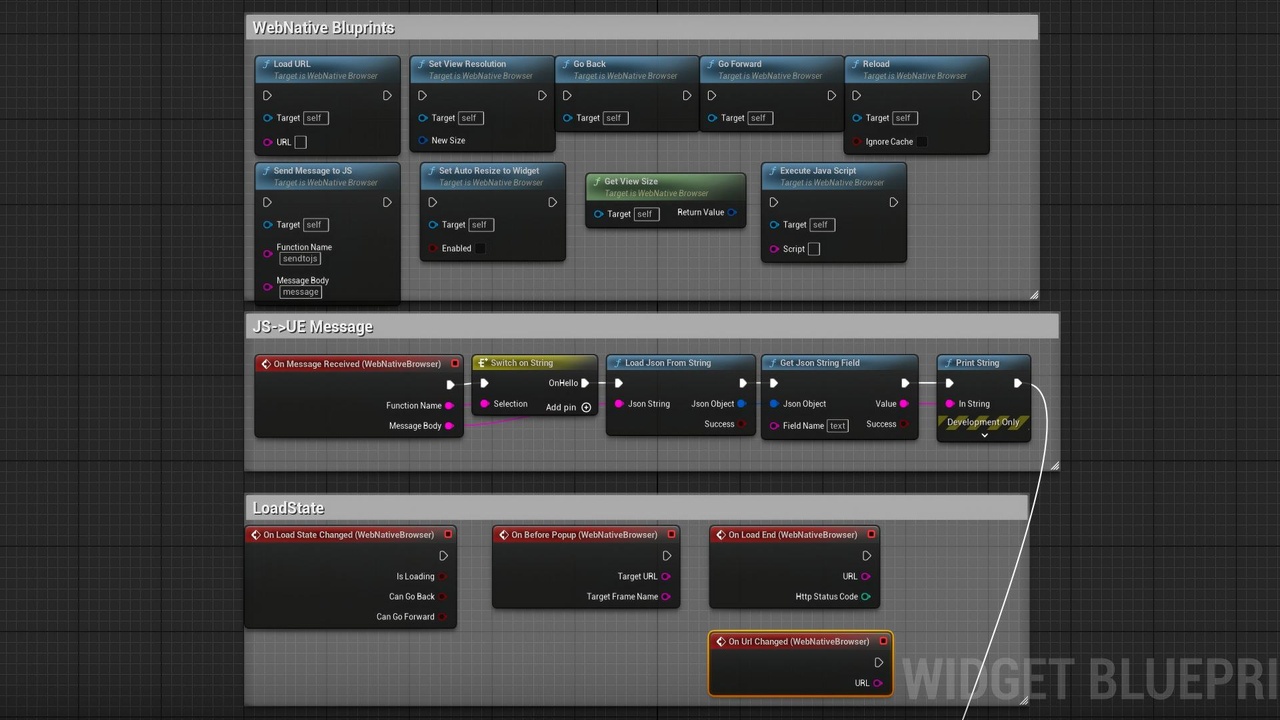
The fastest way to connect Web UI with Unreal Engine. 100,000 messages in just ~220ms, automatic JSON serialization, Blueprint & C++ dual API, JavaScript side needs only 3 methods to send and receive all messages, extremely easy to use, low migration cost.
Drag/Click Placement from Web to 3D Scene
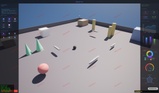
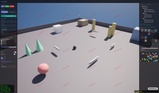
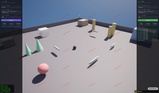
Drag items from Web UI device lists, prop panels, furniture catalogs and place them directly into the UE 3D world. Provides focus switching API to pull focus back to UE scene, platform-level coordinate conversion and mouse position retrieval.
GPU-Accelerated Rendering Engine
Direct path from CEF render process to UE5 render pipeline via GPU shared memory, zero CPU copy, zero extra VRAM allocation per frame. D3D11 / D3D12 / Vulkan multi-backend adaptive, smart frame rate, up to 120 FPS, supports 4K video and 8K applications, transparent background + configurable alpha threshold mouse penetration.
17 Out-of-the-Box Demo Pages
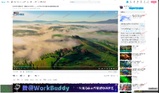
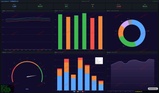
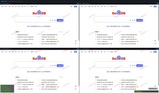
Covering all scenarios: message channel, digital twin, drag/click placement to scene, video playback, WebGL, GIS globe, WebRTC, WebSocket, iframe bridge, transparent overlay, performance stress test, input test, file upload, download management, data dashboard, dialog injection, and more.
Built-in JSON Blueprint Function Library
Complete JSON operations out of the box, no third-party plugin required (create/parse/serialize/field read-write/array traversal). Single field read takes only ~0.06 µs.
Complete Feature Specifications
Rendering & Performance: D3D11/D3D12/Vulkan multi-backend, smart frame rate, up to 120 FPS, 4K/8K support, transparent background + alpha mouse penetration.
Input & Interaction: Full keyboard/mouse/touch support, Linux Chinese input, bidirectional key event forwarding, global alert/confirm/prompt injection.
File & Download: Native file dialog (Windows) / Runtime Slate dialog (Linux, Shipping-ready), download progress bar/toast notification, JS event broadcasting.
Debugging & Logging: Remote DevTools (Ctrl+F12 / ports 9223–9262), separated plugin/CEF logs, runtime log level switching.
Permissions & Security: 18 configurable permission policies, global media/permission policies, CEF command-line argument injection.
Multi-Instance & Cloud Rendering: Multiple browser widgets + multiple packaged instances, multi-open mode with independent cache/log, compatible with UE Pixel Streaming.
Linux Specialization: x86_64/ARM64 dual architecture, GLIBC ≥ 2.17, validated on Lisuan/Moore Threads GPUs, tested on Kylin V10/UOS Server 20, memory fix (`-vmapoolevict`, RSS growth reduced 78%)
Use Cases
Digital Twin, Game & Runtime Tools, AI Application Interface, Data Dashboard, Cloud Rendering Delivery, Domestic IT Deployment.
[Windows Demo](WebNativeBrowser-WindowsDemo)
[Linux Demo](WebNativeBrowser-LinuxDemo)
Documentation & Support
Complete Wiki (13-chapter Chinese tutorial): https://github.com/starTechnology1994/uewebbrowser/wiki
Repository & Issue: https://github.com/starTechnology1994/uewebbrowser
Licensing Consultation / Business Cooperation: [email protected]
Included Resources
Blueprints: 4 - BP_DemoScene (demo level logic), BP_WebNative (UMG Widget control)
Maps: 1 - DemoMap (complete example level with 17 demo pages)
Textures: 3 - earth-night.jpg, earth-topology.png, night-sky.png (for globe demo)
Materials: 1 - 3Dwidget,Postprocess,Resolve color rendering errors in 3D web scenes
HTML Demo Pages: 17 - Covering all scenarios: message channel, digital twin, video, WebGL, WebRTC, GIS, etc.
Technical Information
Supported Engine Versions: 5.1, 5.2, 5.3, 5.4, 5.5, 5.6, 5.7, 5.8
Supported Development Platforms: Windows 10+; Linux x86_64/ARM64 (GLIBC ≥ 2.17)
Supported Target Build Platforms: Win64, Linux, LinuxArm64
Code Modules: WebNativeBrowser (Runtime), WebNativeBrowserCore (Runtime), WebNativeBrowserEditor (Editor), WebNativeBrowserVulkanBootstrap (Runtime), WebNativeBrowserFileDialog (Runtime)
C++ Classes: Yes
Blueprint Support: Yes
Network Replicated: No
Documentation: https://github.com/starTechnology1994/uewebbrowser/wiki
Example Project: Includes DemoMap level + 17 out-of-the-box demo pages