
Opis
TRAILER -- TUTORIAL -- 700+ DISCORD COMMUNITY -- SHOWCASE BUILD & EXAMPLE PROJECT -- DOCUMENTATION -- SAMPLE PROJECT SHOWCASE
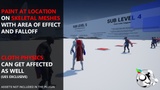
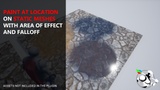
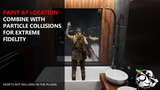
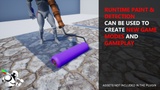
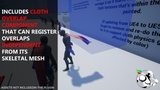
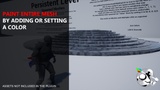
This tool makes it possible to Paint, Remove and Detect Vertex Colors in Runtime on Static, Skeletal, Spline, Dynamic, Instanced and Chaos Cloth Meshes in several different ways!
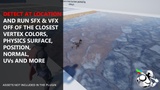
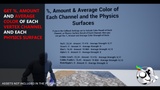
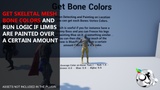
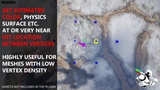
Utilize Per Vertex Info such as Vertex Color, Position, Normal, Material, UVs, Physics Surface and even Average Vertex Color, Colors in Percent, Colors of Each Bone, and much more that can enable New Mechanics, Game Modes as well as Incredible Attention to Detail!
The Plugin supports Multi Threading which makes it possible to perform multiple tasks at the same time without significant performance loss!
Showcases
-PrismaticaDev Plugin Overview Video
-Performance Showcase July 2026
-Power Wash using Vertex Colors
-Blend Characters into Backgrounds
-Use Runtime Vertex Colors in Editor Time
-Vehicle Dents using Vertex Colors
-Fake Fluid Physics and Elemental Effects
-Bendable Mesh with Vertex Colors
-Wall Banging with Vertex Colors
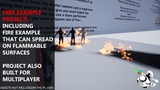
-Modular Fire Spread and Bullet Holes On Cloth
-Algae on Water
-Volumetric Cube with World Interaction
-Compare Colors to Color Snippet
-New Chaos Cloth Component Support
-Graffiti, Whiteboard & Paper Painting
-Paint Graffiti over Any Flat Surface with High Detail
-Vehicle and Paint on Wheel
-Sweat Example Using Color Snippets
-Prevent FX from Clipping Through Geometry
-Optimized Particle Painting using Randomization
-Physics, Vehicle and Character Interactions with Vertex Colors
-Paint/GetColorsWithin Simple Shape
With Ultra Dynamic Sky
-UDS + Western Town
-UDS + Echo - UDS + Line of Sight
User Showcases
-Crazy Mikes Skeletal Mesh Procedural Deforming
-3D人-3dnchus Particle Painting
-Peter Gubins Electricity Spreading
Other
-Porting Fire Example to a new Project
Post Launch Added Features
-Chaos Cloth Component Support
-Morph Target Support
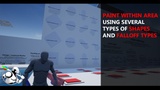
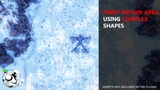
-Paint/GetColors Within Area Capsule, Cylinder & Cone Shape. Also SimpleShapes, i.e. all the Box, Spheres, Capsules off a Static Mesh or Skeletal Mesh Physics Asset.
-Lerp Color to a Target Value
-Get Colors Within Area
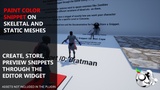
-Paint Group Snippets
-Compare Colors to Multiple Color Snippets
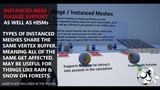
-Instanced Mesh / Foliage Support
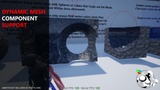
-Dynamic Mesh & Geometry Collection Component Support
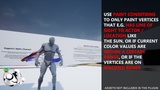
-Override Vertex Colors to Apply. So users can create their own Paint Conditions!
-Paint Using Physics Surface. So instead of hard setting the values on RGBA, you can for instance paint Water Surface, and it applies colors to whatever channel Water is registered to. If Physics Surface Families is setup, then even if it doesn't have Water, but has child, for instance Asphalt-Water, then it can apply to that instead, or vice versa, which makes this extremely useful.
-Compare Colors to Array of Colors.
-Paint & Detect with different types of Conditions. For instance Line of Sight, to the Sun for example to Dry Faster on parts of a wet Mesh.
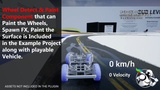
-Paint Wheels Component. A component that enables you to paint the wheels of a vehicle with what it drives over, and/or paint the surface under the wheel with whatever is on it.
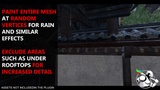
-Paint Entire Mesh at Random Vertices. Simulate for instance Rain or Snow by having the colors be applied randomly over the Mesh
+ Much More
NOTE
-Spline Mesh Vertex Painting doesn't work in Editor or Runtime in 5.2-5.4, but is fixed in 5.5!
-Geometry Collection is 5.3+, Experimental & Editor Only