




설명
Tonemapper Swapper for Unreal Engine - Preview the presets Here
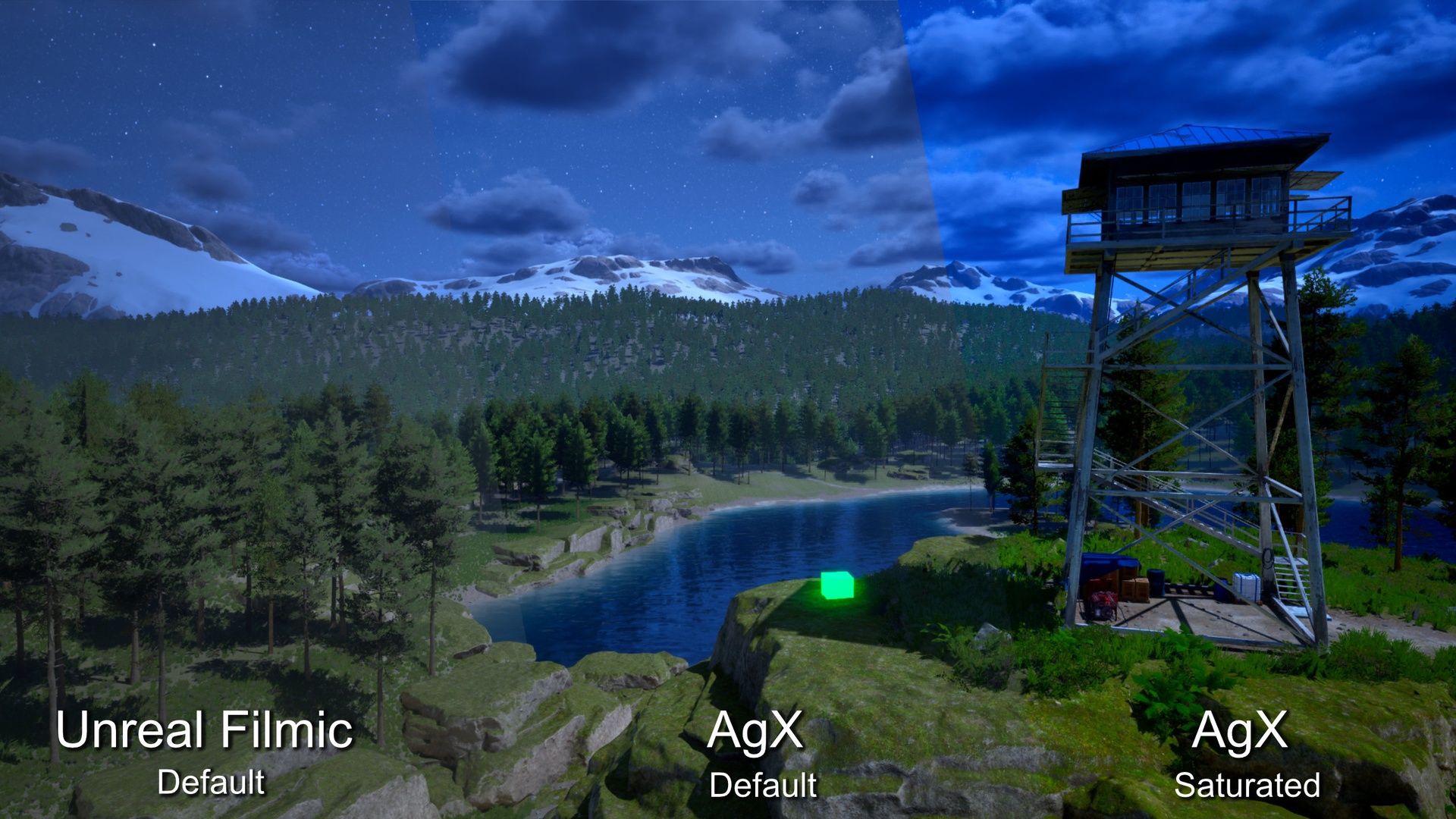
Replace Unreal Engine's default tonemapper with AgX or GT (Uchimura), two color-science-accurate tonemapping algorithms that deliver superior highlight rolloff, natural color handling, and consistent results across exposure ranges.
Note: This plugin is currently in an experimental stage and is under active development. If you encounter any issues or have suggestions, please reach out before leaving a negative review --- your feedback helps me improve the product and I'm happy to assist with any problems directly. You can contact me through the support page or the Epic Developer Community.
UPDATE May 2026 - V1.2
Added support for Linear (No Tonemap), Reinhard, Hable (Uncharted 2 Filmic) and Hejl-Burgess-Dawson
Customized plugin settings and added a dockable window to change them from outside the project settings menu
Reduced boot time optimizing shader patching
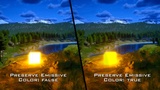
Added "Preserve Emissive Color" setting to preserve the chromaticity of bright emissive cores and their bloom halo, instead of trending to white (Mostly noticeable on AgX, which intentionally desaturates highlights)
Hidden irrelevant parameters when using a tonemapper that doesn't support them
Re-calibrated default "Pre-Exposure Bias" values across all built-in presets for better midtone parity with ACES. If you use a built-in preset (not "Custom"), expect a small change in apparent exposure after updating — your custom values are preserved. (Pre-Exposure Bias isn't part of the tonemap algorithms — it's a compensation offset I added in v1 so that switching tonemapper wouldn't force you to re-light the whole scene.)
"Auto-Recompile on Change" is now disabled by default to prevent occasional GPU device hangs (DXGI_ERROR_DEVICE_HUNG) caused by recompiling shaders while the viewport renders Lumen / shadows. Use the new "Apply Now" button in the Actions section to commit edits manually. You can re-enable auto-recompile in settings if you prefer live preview and accept the risk.
Overview
Tonemapper Swapper lets you replace Unreal Engine's built-in tonemapper with six alternative algorithms:
AgX - Originally developed by Troy Sobotka and implemented by Benjamin Wrensch (Missing Deadlines). Designed with color science principles to produce natural, photographic results, particularly in high-contrast scenes where highlights tend to clip or desaturate. NOTE: AGX on mobile can produce a bit of banding on default, GT looks significantly better on mobile even though it leans more gray.
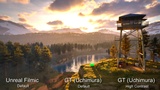
GT (Uchimura) - Created by Hajime Uchimura at Polyphony Digital and presented at CEDEC 2017 ("HDR theory and practice"). A highly configurable tone curve with separate controls for toe, linear section, and shoulder, offering precise control over the entire tonal range.
Reinhard - The classic operator from Erik Reinhard's "Photographic Tone Reproduction for Digital Images" (2002). Available in two variants: Jodie (parameter-less, fast, good for general use) and Extended (with configurable white point for film-like response).
Hable (Uncharted 2 Filmic) - The parametric filmic curve published by John Hable in his GDC 2010 talk "Uncharted 2: HDR Lighting". Seven parameters (A through F plus white point W) give precise control over toe, shoulder and linear midsection of a film-emulation curve.
Hejl-Burgess-Dawson - The parameter-less filmic curve developed by Jim Hejl, Richard Burgess-Dawson and used during the Half-Life 2 / Source engine era. Fast, no controls beyond exposure, gives a recognizable HL2-era filmic look.
Linear (No Tonemap) - Passthrough mode with no tone curve applied. Useful for HDR output workflows, debugging, or when you want to handle tonemapping externally.
Khronos PBR Neutral - Developed by the Khronos Group as the recommended neutral tone mapper for glTF and PBR content. A hue-preserving operator that keeps material albedo faithful: it leaves saturation and hue untouched and only compresses highlights past a configurable knee, so colors round-trip consistently across viewers that implement it (e.g. three.js' NeutralToneMapping, Google's model-viewer). Ideal for product visualization and asset showcases where color accuracy matters more than a stylized look. NOTE: it presumes normally-exposed content and intentionally preserves deep shadows, so very dark scenes look darker than with other operators. Raise Pre-Exposure Bias to compensate.
Key Features
Plug & Play - No programming/coding skills needed, just activate the option, per project, easily revertable.
One-click tonemapper switching - Toggle between AgX, GT, and Unreal's default tonemapper from Project Settings, with automatic shader patching and recompilation
AgX look presets - Choose from Default (neutral), Saturated (punchy), or fully Custom looks with per-channel ASC CDL controls (Slope, Power, Offset)
GT look presets - Choose from Default, High Contrast, or fully Custom with controls for contrast, linear section start/length, black tightness, and pedestal
Configurable EV range (AgX) - Adjust shadow and highlight clipping through Min/Max EV parameters for full control over the dynamic range
Post Process Volume compatibility - Color grading from Post Process Volumes is re-applied after tonemapping, so your existing workflows are preserved
In-memory shader override - Engine shaders are served from memory at runtime, keeping your engine installation completely clean with no file modifications
How It Works
The plugin overrides Unreal's PostProcessTonemap.usf and PostProcessCombineLUTs.usf engine shaders in memory, replacing the default tone curve with the selected algorithm. It disables conflicting engine operations (gamut expansion, blue correction, tone curve) that would interfere with the custom tonemapper's output. All changes are applied in memory and no engine files are modified.
Settings
All parameters are accessible from Project Settings > Plugins > TonemapperSwapper:
Tonemapper Mode: AgX, GT (Uchimura), or Unreal Default
AgX Calibration: Look preset (Default / Saturated / Custom), Min EV / Max EV, Saturation, Slope / Power / Offset (per-channel ASC CDL)
GT Calibration: Look preset (Default / High Contrast / Custom), Pre-Exposure Bias, Max Brightness, Contrast, Linear Start, Linear Length, Black Tightness, Pedestal
Ideal For
Virtual production and LED stage workflows
Cinematic and film-quality rendering
Archviz and product visualization requiring accurate color reproduction
Game projects wanting a more filmic or photographic look
Any project where Unreal's default tonemapper produces unwanted highlight clipping or color shifts
Technical Details
- Module Type: Editor
- Platforms: Windows (Win64)
- No runtime overhead: Shader patching happens at editor startup (or after the tonemapper switch), not per-frame
- Based on: Troy Sobotka's AgX (MIT License) and Hajime Uchimura's GT tonemapper (CEDEC 2017)
Support
This plugin is experimental and actively maintained. If something doesn't work as expected, please get in touch --- I'd much rather help you solve the issue than have you walk away frustrated: