

Description
Loading Screen Pro
✉️ Support: [email protected]
⚙️ Versions: UE 5.1 - 5.8
🔍 About
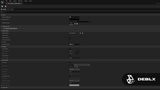
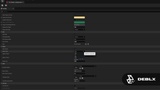
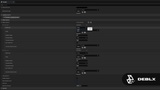
A professional, Slate-based loading screen system for Unreal Engine. Replace the default black screen with a polished, fully animated loading experience — no C++ required. Configure everything from a single Data Asset and see the result instantly with the built-in preview window.
🛠️ What it does
Visual Styles
3 progress bar styles — Bar, Segmented, Stepped
4 spinner styles — Ring, Arc, Bars (macOS-style), Dots (bouncing)
Custom spinner texture — use any PNG instead of the built-in styles
Ken Burns effect — slow cinematic zoom on each slide
Vignette, letterbox bars, and screen fade-in for a cinematic look
Media & Slideshow
Image slideshow with 6 transition effects — Fade, Slide Left/Right, Fade to Black, Zoom In, Cut
Optional static background image — great for quick setups without a full slideshow
Shuffle & loop support, per-slide custom hints, per-slide transition sounds
Animated dot indicator showing the active slide
Audio
Background music with configurable volume and fade-in duration
Per-slide transition sound effects
Music plays during loading and stops automatically after the level loads
HUD Elements
Hints / tips system with random or sequential cycling and smooth fade transitions
Studio / game logo with configurable position, size, and opacity
Custom overlay text (game title, level name, etc.)
Loading percentage display
Workflow
One-click Quick Setup button in Project Settings — creates and assigns a default Data Asset automatically
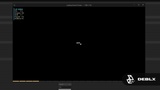
In-editor preview window — 1280×720 live preview including animations and music, no PIE required
Color presets (Dark, Minimal, Cinematic, Bright) — one-click theme starter
Per-level loading screen overrides — assign different assets to specific maps
Blueprint API
Show / Hide Loading Screen — trigger loading screens manually from Blueprint
Set Loading Progress — push a custom progress value for Blueprint-driven loading sequences
On Slide Changed — event fired every time the active slide changes
On Loading Screen Shown / Hidden — hook into the loading screen lifecycle
⚡ Get started
Open Project Settings → Plugins → Loading Screen Pro
Click ✚ Create & Assign Default Loading Screen Asset
The asset opens automatically — add images, hints, music and more
Click ▶ Preview Loading Screen in the asset to see it live
Hit Play — the loading screen appears automatically on every level transition
💬 Feedback & Support
Found a bug or have a feature idea? Reach out — we respond fast and ship fixes quickly. Feature requests are always welcome.
🛒 Check out our other products → fab.com/sellers/Deblx