説明
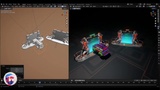
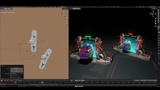
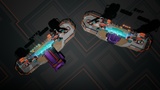
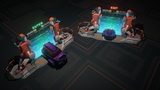
A fully modeled, textured, and functional portal system created entirely in Blender.
This portal is more than just a visual asset it is both a high-quality 3D model and a working teleportation system powered by Blender Geometry Nodes. Every part of the model, design, and setup has been created from scratch.
Features
• Fully modeled and designed in Blender.
• High-quality baked textures included.
• Ready for export to GLB and GLTFformats with baked materials.
• Can be used as a standalone portal prop in games, renders, or interactive scenes.
• Includes a fully functional Geometry Nodes teleportation system.
• Supports real-time object transfer between two locations inside Blender.
• Procedural portal energy material with customizable colors.
• Compatible with custom textures and materials if you want to create your own look.
How to Use
1. Locate the Move System Collection
In the Outliner, find the collection named:
Move Subject
Inside this collection you will find:
• Portal In
• Portal Out
These objects control the teleportation system.
---
2. Assign the Subject Object
Select Portal In.
Go to the Modifier tab and locate the Geometry Nodes modifier.
In the Object Input field, select the object you want to use as the portal subject.
This can be any mesh object that you want to move through the portal.
3. Assign the Same Object to Portal Out
Now select Portal Out.
Again, open the Modifier tab and locate the Geometry Nodes modifier.
Select the same object in the corresponding Object Input field.
Both portals must reference the same object for the system to work correctly.
4. Control the Object Safely
Inside the Move Subject collection, you will find an empty object named:
Control Subject
This empty is linked to the portal system and is intended to control the movement of the subject object.
Use this empty to:
• Move the object
• Rotate the object
• Scale the object
• Position the object around the portal
• Do not transform the original object directly.
Moving, rotating, or scaling the original object can disrupt the Geometry Nodes setup and may cause visual defects or unexpected behavior.
The Control Subject empty exists specifically to provide a safe and stable way to manipulate the object while preserving the portal system.
Material Customization
The portal energy effect uses a procedural material setup.
You can easily:
* Change portal colors.
* Adjust emission intensity.
* Modify the appearance to fit your scene.
* Replace the material with your own textures if desired.
The asset is designed to be flexible and easy to integrate into different artistic styles and projects.
If you enjoy using this asset, please consider leaving a rating or sharing your feedback.
Your feedback helps improve future updates and supports further development of similar tools and assets.
Thank you for your support.