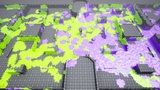
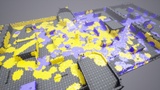
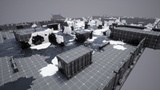
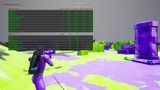
Opis
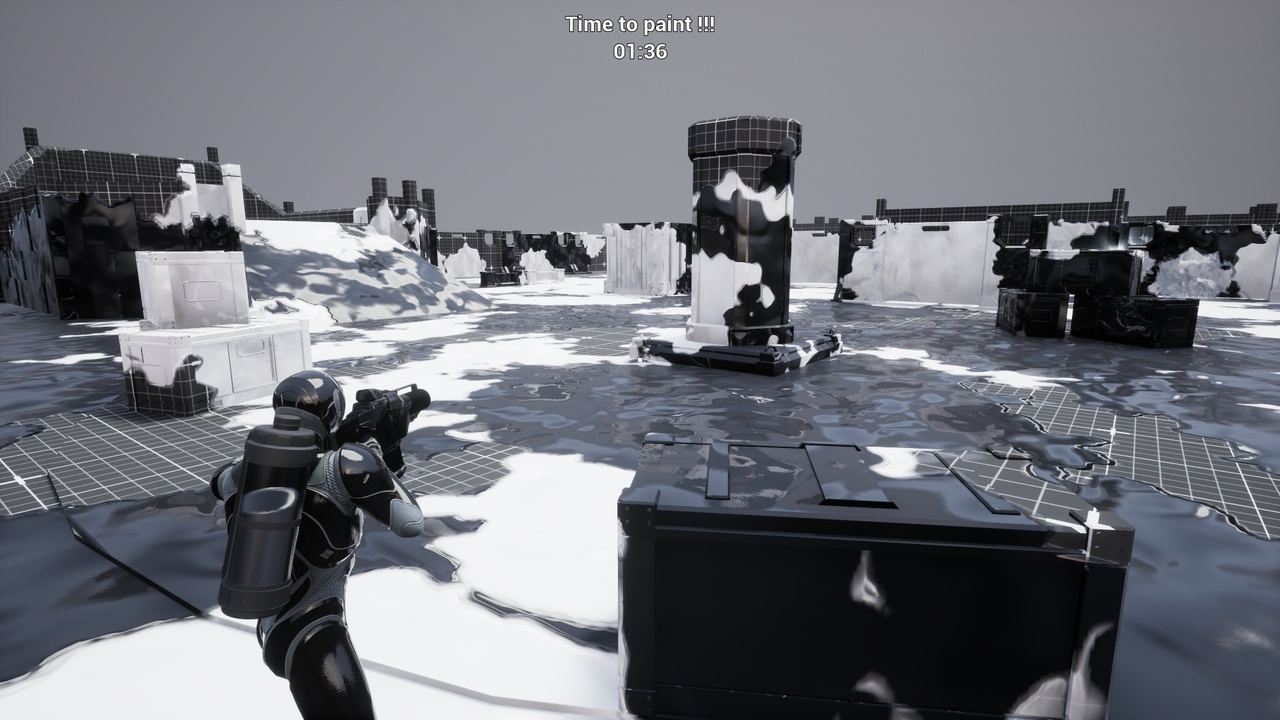
Ink Warfare System is a multiplayer paint shooter framework for Unreal Engine, designed to help developers create dynamic paint-based gameplay with team colors, runtime mesh painting, paint coverage logic, radial hit effects, and performance debugging tools.
The system was built for projects that need paint, ink, slime, splashes, team territory control, or surface-based gameplay feedback directly inside Unreal Engine.
Gameplay
It is ideal for:
- Multiplayer paint shooter games
- Territory control games
- Paintball-style gameplay
- Team-based combat games
- Dynamic surface coloring systems
HIGHLIGHTS
- Runtime mesh painting system
- Multiplayer-friendly paint hit workflow
- Team-based color support
- Radial paint hit system
- Configurable ink size, strength, falloff, and behavior
- Paint coverage and team percentage logic
- Static Mesh painting support
- UV1 unwrap workflow
- Support for meshes with multiple material slots
- One paint texture per paintable asset
- Custom material function included
- Blueprint-exposed gameplay functions
- Performance debug tools included
- Demo project included
- Documentation and demo download available
Documentation and demo project download:
For support, questions, bug reports, or implementation help, use the official Discord support link:
RUNTIME PAINTING
Ink Warfare System allows Static Meshes to be painted during gameplay using radial paint hits.
Each paint hit can apply team color data to the target mesh, allowing players, weapons, abilities, projectiles, or gameplay events to visually modify the environment.
The system can be used to create paint splashes, ink trails, territory zones, team-colored surfaces, gameplay scoring areas, or visual feedback for combat and movement.
TEAM COLORS
The system supports team-based colors and can be used with multiple teams.
Paint data is stored and processed in a way that allows the material to visually blend between the original surface and the painted team color.
This makes it possible to create gameplay rules based on which team controls a surface, how much of an object is painted, or which color is currently dominant.
MESH SETUP
Ink Warfare System uses a UV-based unwrap workflow.
By default, the system expects the mesh to have a valid UV1 channel. In many cases, Unreal Engine already generates this channel as the lightmap UV, which makes the setup simple for many Static Mesh assets.
The UV1 channel is important because it allows the system to support meshes with multiple material slots while still using only one paint texture for the entire asset.
This avoids the need to create and manage a separate paint texture for each material slot.
MATERIAL SETUP
The plugin includes a dedicated material function for the paint system.
This material function handles the internal paint filtering and color blending used by Ink Warfare System.
It receives the paint data and blends it with the original material, allowing developers to create their own custom shader style while still using the Ink Warfare paint workflow.
This makes it possible to control:
- Base color blending
- Team color influence
- Paint visibility
- Paint intensity
- Material-specific visual style
- Custom surface appearance
PERFORMANCE DEBUG
Ink Warfare System includes performance debug tools to help analyze runtime cost.
The debug system exposes cycle counters and average timing information, making it easier to identify which part of the paint workflow is consuming performance during gameplay.
To view the performance debug stats, use:
stat InkWarfareSystem
This can help evaluate the cost of paint registration, radial hit processing, render target updates, and other internal paint steps.
INCLUDED DEMO PROJECT
A demo project is included and available through the documentation/download link.
The demo can be used to:
- Test the system
- Inspect the setup
- Review the material workflow
- Understand the Blueprint integration
- See how paintable meshes are configured
- Test gameplay examples
- Study the performance debug tools
IMPORTANT NOTES
Ink Warfare System currently focuses on Static Mesh painting.
Skeletal Meshes are not supported.
Nanite is not fully supported.
Nanite may work in some cases, but because Unreal Engine can internally recalculate or modify the rendered mesh representation, it may cause inconsistencies during the bake or unwrap process and can produce visual mismatches in the final painted result.
For best results, use regular Static Meshes with a valid UV1 channel.
RECOMMENDED USE
For best results:
- Use Static Meshes
- Use a valid UV1 channel
- Avoid Skeletal Meshes
- Avoid relying on Nanite for paintable gameplay-critical meshes
- Use the included material function
- Test the performance debug stats during gameplay
- Use the demo project as a reference setup