Descrizione
Find broken Blueprints before they break your build.
A Blueprint compile error is annoying during development. During cooking, packaging, CI, or before release, it can cost an entire build.
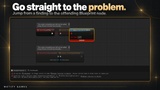
Blueprint Health Doctor scans your project for Blueprint compiler problems before they become expensive. It compiles every Blueprint in scope, identifies errors and warnings, categorizes the problem, and points you directly to the affected node.
No automatic fixes. No asset modifications. No hidden changes.
Scan. Find the Blueprint. Find the node. Fix it.
Documentation: Download
PROJECT-WIDE BLUEPRINT HEALTH SCANS
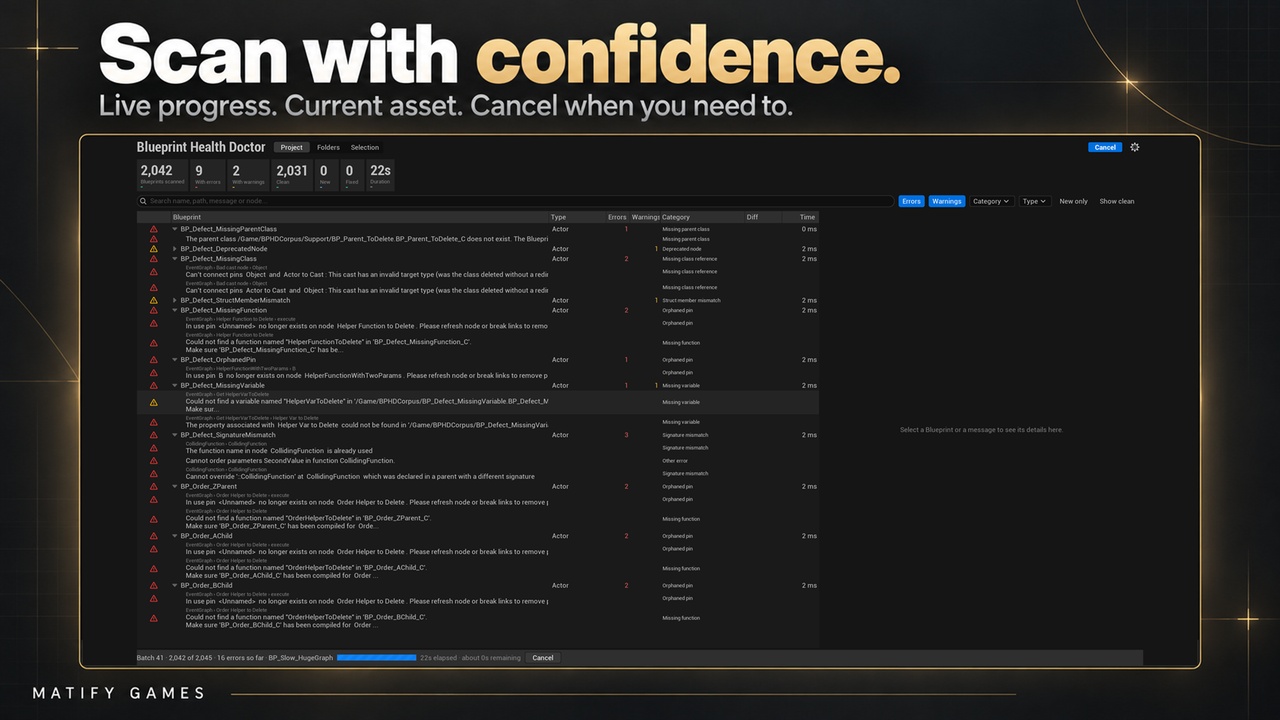
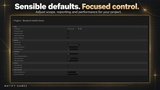
Press Scan and Blueprint Health Doctor checks every Blueprint in the selected scope in dependency-aware order.
The scan runs in a separate Unreal Editor process, keeping your main editor usable. If a problematic Blueprint crashes the compiler process, the background process is affected instead of the editor session containing your unsaved work.
Each finding includes:
Affected Blueprint
Affected node
Unreal's original compiler message
Severity
Diagnostic category
Practical guidance
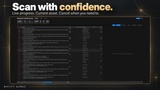
Instead of digging through compiler output, you get a structured list of problems you can work through immediately.
SAFE BY DESIGN — NOTHING IS MODIFIED
Blueprint Health Doctor is a diagnostic tool.
Blueprints are loaded and compiled in memory, the results are recorded, and the scan state is discarded.
The plugin does not save assets, modify graphs, dirty packages, change Content files, or perform automatic repairs.
That means you can scan projects with uncommitted work without intentionally changing your working copy.
Automatic fixing is deliberately excluded. Blueprint problems can be highly project-specific, and a wrong automated edit can create more work than it saves.
The plugin finds and explains the problem. You stay in control of the fix.
14 DIAGNOSTIC CATEGORIES
Findings are classified into 14 problem categories, including:
Missing functions
Missing variables
Missing class references
Missing parent classes
Reinstanced parent classes
Deprecated nodes/functions
Orphaned pins
Struct member mismatches
Override/interface signature mismatches
Packages that cannot be loaded
Compiler crashes
Compile timeouts
Unclassified findings
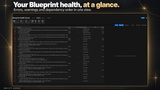
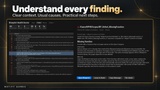
The details panel explains the category, common causes, and how to investigate it in the Blueprint Editor.
If a finding cannot be classified reliably, Blueprint Health Doctor reports it as unclassified and preserves the full compiler message instead of guessing.
STRUCTURAL CLASSIFICATION
Categories are not based only on English compiler-message text.
Where possible, Blueprint Health Doctor inspects the affected node and Blueprint structure directly. A missing target function, orphaned pin, or struct mismatch can therefore be identified from what is actually wrong in the graph.
This also makes classification less dependent on editor language or compiler-message wording changing between engine versions.
BASELINES — FOCUS ON WHAT CHANGED
Large projects often contain known warnings that are not going to be fixed immediately.
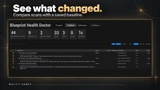
Save a baseline and future scans can distinguish between findings that are:
New
Still Present
Fixed
Filter the report to see only what changed.
Baselines can be stored in the project's Config folder and committed to source control, allowing the entire team and CI pipeline to compare against the same accepted state.
Findings keep their identity using asset, graph, node, and message information, so rearranging a graph does not automatically make an old issue appear new.
CI & BUILD SERVER SUPPORT
Run the same scan headlessly:
UnrealEditor-Cmd.exe "C:\Path\To\YourProject.uproject" -run=BPHDScan -Out="C:\Reports\scan.json" -FailOn=Errors -unattended -stdout
Reports use standard UTF-8 JSON with a documented schema, making them easy to process with Python, Node.js, jq, or CI systems.
You can fail builds on errors, warnings, or findings that are not part of the baseline.
Exit codes:
0 — Clean
1 — Findings detected
2 — Scan failed or could not complete
Exit code 2 covers cases such as cancellation, timeout, invalid/empty scope, unreadable baseline, or report-writing failure. This keeps CI from treating an unsuccessful scan as a clean project.
FAST EDITOR WORKFLOW
Scan:
The whole project
One or more folders
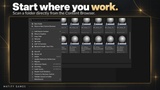
Selected Content Browser assets
Directly from the Content Browser right-click menu
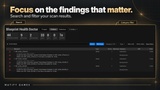
Filter by:
Search text
Severity
Category
Blueprint type
Search matches asset name, path, compiler message, and node title.
Double-click a finding to open the Blueprint with the affected node centered.
After fixing it, re-check that single Blueprint instead of rescanning the entire project.
You can also export to JSON or CSV, cancel scans while keeping findings already discovered, and detect stale/incomplete results or baselines from another project.
BUILT FOR LARGE PROJECTS
Blueprint Health Doctor processes Blueprints in batches and releases loaded assets before moving on, preventing scan memory from intentionally growing with every Blueprint inspected.
In one synthetic test containing 10,000 Blueprints:
Blueprint Health Doctor peak memory: 2.1 GB
Unreal CompileAllBlueprints peak memory: 4.5 GB
Blueprint Health Doctor: 123 seconds
CompileAllBlueprints: 128 seconds
This is one test on one machine, not a performance guarantee. It demonstrates the plugin's batch-oriented design for large projects.
WHAT IT IS — AND IS NOT
Blueprint Health Doctor focuses specifically on Blueprint compiler health.
It is not a lint/style checker, performance profiler, dependency analyzer, cook-log analyzer, packaging-log analyzer, C++ compiler, or automatic repair tool.
Everything described on this page is included functionality — not planned future features.
TECHNICAL
Editor-only
Pure C++ source
Three Editor modules
No third-party dependencies
No network access
No required content or sample project
Works with Blueprint-only and C++ projects
Batch-based scanning
JSON and CSV export
Headless commandlet
CI-friendly exit codes
Baseline comparison
Separate-process scanning
Stop discovering broken Blueprints at the worst possible time.
Blueprint Health Doctor gives solo developers and teams a fast, safe, repeatable way to check Blueprint compiler health before issues reach packaging, CI, QA, or release.
Full documentation, including category details, command-line reference, baseline workflow, and JSON report schema, is provided separately and linked from this listing.