Описание
Minimap System
Tutorial: https://youtu.be/ZKwBEYRGUfk
Document: https://docs.google.com/document/d/1RKzgTl1yfvhEZ42R5_7KPhLKmOXMW8_2WkZjdGj1rvM/edit?usp=sharing
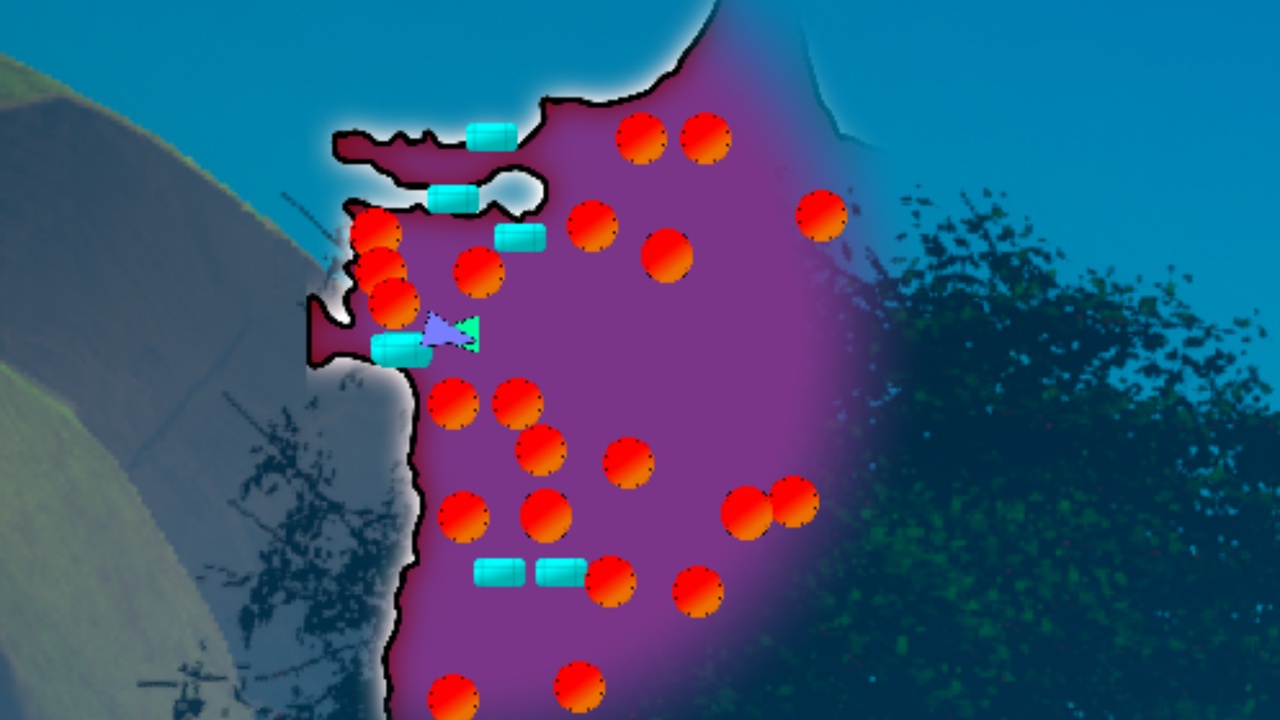
A production-ready minimap plugin for Unreal Engine 5.7+. Drop in a capture actor, create a widget, and you have a working minimap with dynamic icons, fog of war, and fullscreen map support -- all configurable from Blueprint.
Core Features
Orthographic Capture System
Scene capture actor with configurable orthographic width, height, and resolution
Auto-calculate bounds from actor position or manually define them
Layer filtering to control exactly which actors appear in the capture (show-only or hide specific layers)
One-click editor buttons: Center Over Level, Auto Detect Landscape Bounds, Capture and Export
Dynamic Icon System
Add a single component to any actor to display it on the minimap
10 built-in marker types: Player, Enemy, Ally, Quest Marker, Point of Interest, Collectible, Waypoint, Objective, Vendor, Custom
Per-icon customization: color, texture, size, render priority, rotation, pulse animation, fade-in
Distance-based visibility with minimum and maximum range
Clickable icons with tooltip support and custom data fields for gameplay integration
Fog of War
CPU-side exploration grid with GPU texture upload
Configurable reveal radius, unexplored opacity, and explored dimming
Per-icon fog settings: hide in unexplored areas, persist after exploration
Save and load fog state for persistent exploration across sessions
Fog enter/exit Blueprint events on each icon
Fullscreen Map
Toggle between corner minimap and fullscreen map with independent size and view radius
Configurable map coverage for fullscreen zoom control
Blueprint events for open/close to handle custom transitions and UI
Texture Export
Export the captured minimap to PNG, JPG, or EXR
Async or synchronous export
Configurable output path and filename
Custom Icon Widgets
Subclass the included icon widget for fully custom icon visuals
BindWidget support for icon image and optional background
Blueprint events for icon type changes, texture updates, and component linking
Icon pooling for performance
Technical Details
Blueprint-First Design: Every property is exposed to Blueprint. Every function is callable from Blueprint. No C++ required.
Performance Optimized: Icon pooling and recycling, configurable update rate, max icon cap, distance culling.
7 Blueprint Events on icon components for visibility changes, fog transitions, type changes, and per-frame tick.
13 Runtime Functions on icon components for querying state and changing appearance at runtime.
Material Parameter Collection driven -- the widget automatically writes player position, zoom, view radius, map size, rotation, and fog parameters to your MPC every tick.
UE5.7 Compatible: Fully tested and packaged for UE5.7 with all required Category specifiers.
What's Included
MinimapCaptureActor (bounds calculation, scene capture, layer filtering, texture export)
MinimapDisplayWidget (main minimap UI with icon rendering and fog of war)
MinimapIconComponent (attach to any actor for minimap representation)
MinimapIconWidget (subclassable widget for custom icon visuals)
MinimapFogOfWarManager (exploration tracking with save/load support)