
الوصف
Game Nugget #2: UseIt
The UseIt interaction system provides easy drop-in-and-play interaction for any actor, with tuning and features to customize the interaction for your game's specific style and needs. This works with Game Nuggets interfaces to activate the provided animation and reposition features, as well as any active Game Nugget objects and easy ways to trigger interactive behaviors on your own blueprints, all to make the game development process faster and easier.
Game Nuggets Introduction & Preview: https://youtu.be/elY7bKxOJWA
Game Nuggets provide a head-start for Unreal game developers by providing a suite of common systems as modular packages that work with each other and with your custom blueprints. Core systems available with every Game Nugget include a settings configuration manager that easily expands to work with any system, and a suite of interfaces and functions that make it easy for blueprint systems to communicate with each other.
Each Game Nugget offers a distinct feature set along with shared system features to make game development easier. Combine the Game Nuggets you need with your own art and blueprints to make your unique 3D game. Game Nugget systems are carefully engineered for easy "drop-in" uses, with versatile and powerful options to make them fit your project's needs.
Demonstration maps for each system include examples and notes. Each system folder includes a .txt file overview, and the Game Design Game discord channel includes online video links at https://discord.gg/NJmzKD5fFK
UseIt Introduction and Setup:: https://youtu.be/TMA0pit1ORw
Unique Features
These unique features are only available with Game Nugget package #2: UseIt.
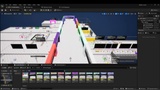
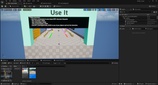
Drop-In Use Components - Add a UseIt User component to any character (pawn), and a UseIt Opportunity component to any actor. That alone is enough to begin interacting in simple ways. Tuning and script functions make it easy to customize and expand as needed for your game. The demo map includes dozens of examples that showcase the built-in options.
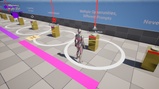
Attach Points:- A special attach point component makes it easy to link an object to a character's sockets. The example provided creates an interactive pickup-and-drop object the character holds in their hand.
Core Features
These features come with all Game Nugget packages. If you want these core features but not the unique features above, look for a different Game Nugget pack that aligns with your needs.
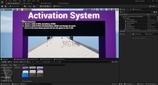
Activation Interfaces - A variety of shared blueprint interfaces that distill common game system needs into consistent functions. These interfaces allow systems to activate behavior, operate state machines, pass parameters, manipulate progression - and more! Through the use of shared interfaces, a single blueprint can trigger behavior in many actors and components of different types, without even knowing what those actors and components are.
"Auto-Initiating" System Managers - The core system manager blueprint can spawn itself when needed by a user, or defer to an in-world placement with customized tuning. This makes it very easy to create system managers for Game Nuggets and your own project systems.
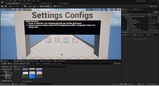
Settings Configurations - Applies system-specific settings for any number of game configurations, easily expanded to work with your project's systems. A common use is to ensure debug elements visible in development mode will all be globally hidden when running a demo or release build.
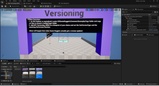
Version Management - A simple version tracking interface allowing system users to confirm the system version matches their expectations. Game Nuggets use this to track updates and bug-fixes as needed, but it can also be added to your project's custom systems or even used to track a project version.
Common Features
These features come with many (not all) Game Nugget packages, and used for examples in the demonstrations and showcase maps.
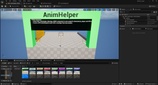
Animation Helper - A drop-in component to receive and coordinate animation requests from interactive objects (or any script) to a character or other animating object.
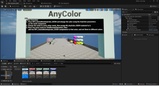
Any Color - Materials that change color settings from parameters, along with functions, mesh components, and actors designed to easily place any-color mesh in your game objects and levels.
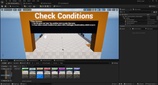
Check Conditions - Blueprint components organized to unify a variety of condition requests for use by any system.
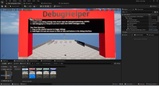
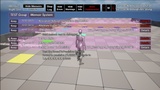
Debug Helper - A powerful debugging system that captures text and geometric debug elements and organizes them with an on-screen display by categories and importance, allowing users to hide and show the messages they want to review, filter debug messages with text screens, and expand individual items for added details. Debug elements automatically timeout based on tunable settings, and the entire debug panel can be hidden and shown with simple on-screen controls.
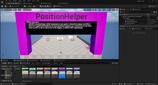
Position Helper - A drop-in component that allows any actor to receive and coordinate repositioning requests, to move itself to a given location and rotation, within a tunable tolerance, using navigation, sliding, or teleport to reach the destination.
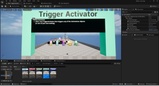
Trigger Activator - A trigger designed to work with the Game Nugget activation interfaces, making it easy to assemble triggered gameplay with just a few clicks.
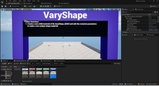
Vary Shape - Materials that create simple shapes for UI debug elements and progression circles, along with functions that make it easy to modify these shapes form script.
Pack Contents:
38 Blueprint Actors
29 Blueprint Components
19 Blueprint Interfaces
27 Data Assets (mostly for debugging and settings)
6 Materials with 13 Material Instances
3 Static Meshes
13 Maps for demonstration