Açıklama
Quick Links
Supports Unreal 5.0-Current
Make Your Characters Visible, No Matter What Blocks the Camera
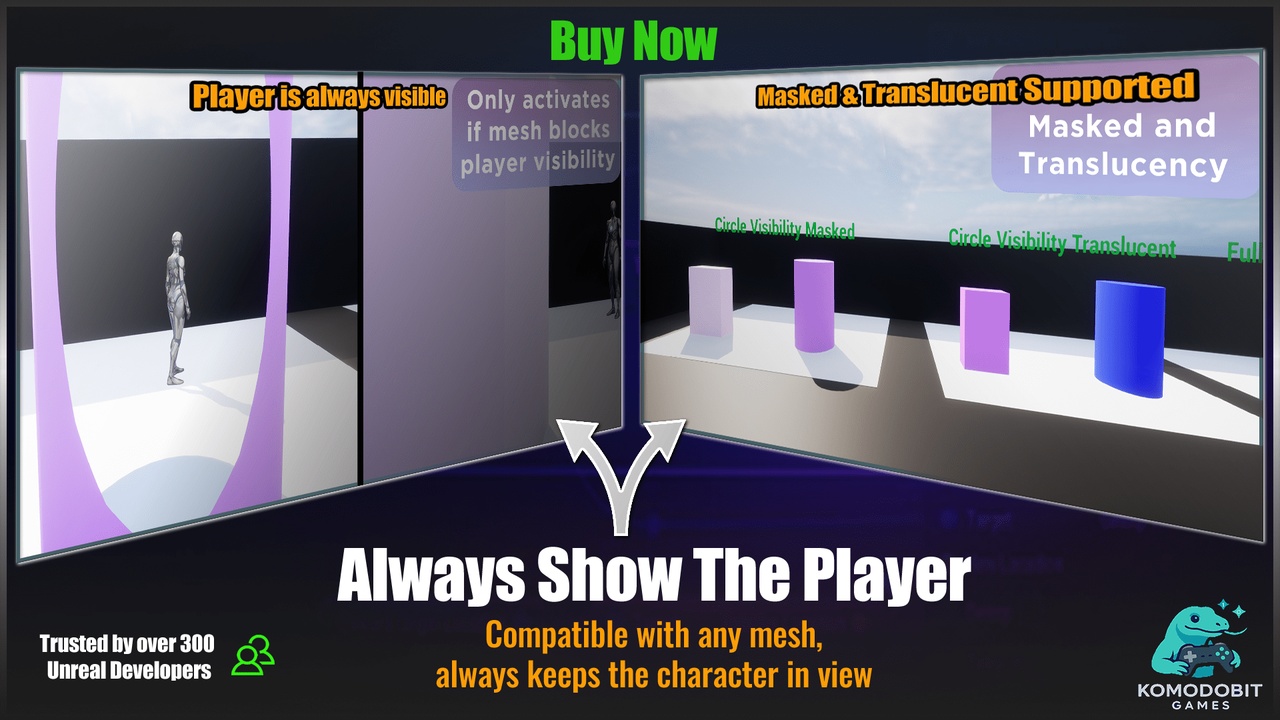
Mesh Occlusion Visibility Pro solves one of the most common readability problems in third-person and top-down games. When the camera moves behind a wall, pillar, tree, or any other mesh, you can fade or stylize those objects so the player stays visible at all times.
AAA games do this constantly, but tutorials often break in real projects. This system gives you a reliable, polished, customizable way to handle occlusion properly.
Works With Any Mesh, Any Material, Anywhere
The shader works with:
static meshes
skeletal meshes
masked or translucent materials
Nanite assets
the player camera, the editor viewport, and Sequencer
If there is a camera, the effect can be applied.
Smarter Than Basic Tutorials
Most online tutorials simply fade meshes whenever the player gets close.
This causes constant flickering and immersion breaks.
This system uses a component that detects actual occlusion:
only hides a mesh when the camera view is blocked
keeps objects visible when they should be
works even in complex environments with many overlapping actors
You get clean visibility with no guessing or distance hacks.
Customize the Look
You can choose how occluding meshes should appear:
soft fade
masked dissolve
colored glow edges
translucency
stylized shimmers
subtle or dramatic styles
The effect is easy to adjust directly from your parent material.
Simple to Add
Just drop the material function into your parent material, add the component to your character (optional), and you’re done.
A full demo map is included so you can learn by example.