描述
yShade - Easy Cel Dither Shading
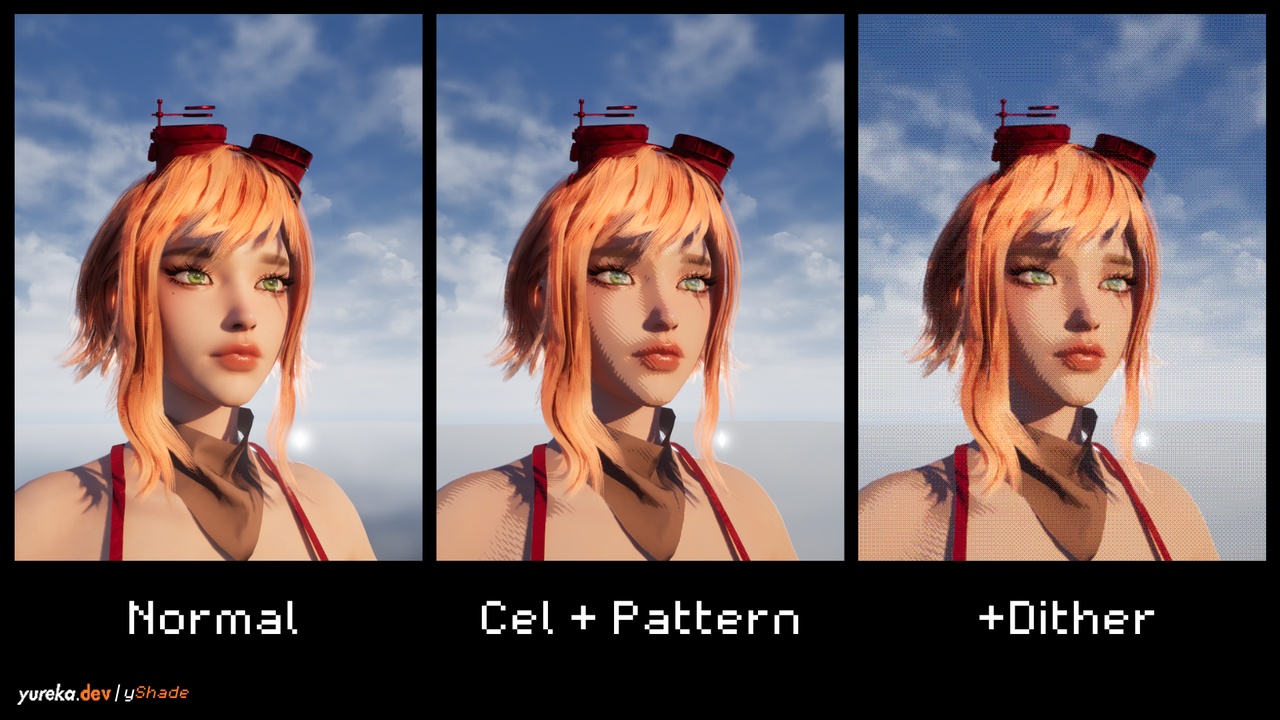
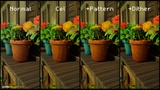
Create cel-shaded, comic-book, halftone, retro, and pixel-inspired visuals directly from your existing Unreal Engine scene.
yShade combines lighting-aware cel shading, procedural halftoning, outlines, and final-screen color dithering in one native C++ plugin.
NO BP_CELDITHER. NO MF_CELDITHER. NO MATERIAL EDITS.
Enable the plugin, select a preset, and tune the result live from Project Settings. No Blueprint actor, Material Function, Post Process Material, or Post Process Volume is required.
// WHY YSHADE IS EASY TO INTEGRATE
No required Blueprint setup actor.
No Material Function added to parent materials.
No replacement materials or Specular-channel hijacking.
No required textures, maps, or content assets.
Existing opaque materials retain their textures and properties.
All patterns are generated procedurally in shaders.
Live Project Settings controls with presets and factory reset.
Blueprint, C++, Actor Component, and console-variable APIs.
The cel/halftone and final-screen dithering passes are independent. Use either effect separately or combine them into a complete stylized rendering pipeline.
// CEL SHADING AND SURFACE HALFTONING
The cel pass analyzes deferred scene data before post processing. Lighting bands respond to the lighting, shadows, ambient contribution, and indirect lighting already present in the scene.
Features include:
Adjustable lighting bands, midpoint, distribution, softness, shadow lift, and strength.
Lighting-only or final-color quantization.
Shadow and highlight tint controls.
Dedicated metallic shading and stylized specular controls.
Optional rim lighting.
Depth, normal, and optional albedo outlines.
Separate sky banding and sky-pattern controls.
Surface-stable world-space triplanar projection.
Optional screen-space projection.
Distance-scaled pattern size with smooth transitions.
Per-object pattern selection through Custom Stencil.
Debug views for lighting, patterns, normals, stencil values, and outlines.
// TEN PROCEDURAL PATTERNS
Bayer 8x8
Round dots
Square dots
Lines
Crosshatch
Diagonal lines
Concentric circles
Triangles
Clustered noise
Spiral
// FINAL-SCREEN DITHERING AND COLOR REDUCTION
The independent dithering pass runs after tonemapping, allowing color reduction to target the final displayed image.
Features include:
Six ordered and noise-based dither patterns.
Bayer 2x2, Bayer 4x4, and Bayer 8x8.
Interleaved gradient, white-noise, and blue-noise patterns.
Uniform color steps or a custom color palette.
Gamma, linear, and luminance-only quantization.
Optional monochrome rendering and tint.
Saturation, contrast, pre-gamma, strength, and blend controls.
Adjustable low-resolution pixel grid.
Optional box-filtered downsampling.
Grid stabilization and pattern animation.
Multiple debug views.
// READY-MADE PRESETS
Cel presets:
Balanced
Clean Anime
Comic Halftone
Ink Crosshatch
Soft Toon
Off
Dithering presets:
Balanced
Subtle Color
Retro Pixel
4-Color Handheld
Animated Grain
Off
Presets are editable starting points, not locked modes. Each settings page also includes factory-reset controls with Undo support.
// FAST SETUP
Enable yShade and restart Unreal Editor.
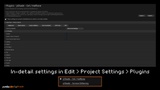
Open Project Settings > Plugins > yShade - Cel / Halftone.
Select a preset or configure the cel controls.
Open yShade - Screen Dithering.
Select a preset or configure final color reduction.
Play or package the project.
Settings update live in supported editor viewports. No yShade actor needs to be added to a level.
// RUNTIME CONTROL
Project-wide defaults through Project Settings.
Blueprint-callable world subsystems.
Optional Actor Components for temporary world overrides.
Public C++ settings, component, and subsystem APIs.
Console variables under r.YShade.Cel.* and r.YShade.Dither.*.
TECHNICAL INFORMATION
Product type: Unreal Engine Code Plugin.
Version: 1.0.0.
Engine version: Unreal Engine 5.4.
Locally validated: Win64, DirectX 12, SM6.
Modules: one Runtime module and one editor-only module.
Required Blueprint actors: 0.
Required Material Functions: 0.
Required materials and textures: 0.
External dependencies: none.
Development and Shipping builds: supported.
C++ and shader source included.
REQUIREMENTS AND LIMITATIONS
Cel shading requires Deferred Shading and SM5 or newer.
Forward Shading and mobile rendering are not supported by the cel pass.
The cel pass affects opaque materials; translucent materials are not supported.
Substrate GBuffer layouts are not fully supported.
Final-screen dithering requires ES3.1 feature level or newer.
World-space triplanar patterns can soften around diagonal surfaces.
Experimental moving-object stabilization is disabled by default and may produce temporal trails.
Blueprint-only projects require a supported native compiler when packaging from source.
Test every target platform and RHI used by your project.
INCLUDED
Runtime and editor C++ source.
Cel, halftone, outline, sky, and dithering shaders.
Project Settings integration.
Presets and factory-reset controls.
Blueprint and C++ runtime APIs.
Console variables and debug views.
Getting Started, Runtime API, and Packaging documentation.
Characters, environments, meshes, materials, and other assets shown in promotional media are not included.
DOCUMENTATION AND SUPPORT
Created by yureka.dev
Copyright (c) 2026 Yureka. All Rights Reserved.