Descrizione
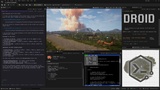
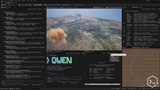
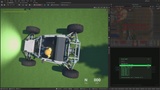
Transform Unreal Engine into a full AI-powered development platform. Run Claude Code, OpenAI Codex, Google Antigravity CLI, Hermes Agent, OpenClaw, and other terminal programs right inside the editor. Connect to Unreal's bleeding-edge MCP Server for full AI-assisted editor control. Execute Perforce and Horde commands. Split your terminal into panes with persisted sessions using tmux. SSH into remote servers, use WSL, and edit files with Vim — all without leaving the editor.🎙️Code with your voice using Windows voice typing.
Every serious studio is already running AI coding agents and Octree Terminal is how you run them inside Unreal. No makeshift plugins or wrappers. Just the real, industry-standard CLIs tools directly in the editor, exactly as their creators intended. Pair them with Epic's official Unreal MCP Server and your agent gets full engine control out of the box.
🌏 Now supporting Simplified Chinese.
💬 Stay in the loop — follow our Discord for official announcements and updates!
🛠️ Compatible CLI Programs
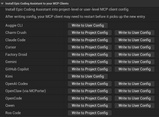
Works out of the box with all your favorites. Terminal can automatically configure each client's MCP server connection — zero manual setup:
Augment Code ( Auggie CLI )
Claude Code
Crush
Cursor CLI
Factory Droid
Google Antigravity CLI
Git Bash
Github Copilot CLI
Hermes
Kimi Code
psmux ( tmux in PowerShell )
Mermaid ASCII (Terminal nodes)
Microsoft Edit (Mouse support)
OpenAI Codex
OpenClaw
Opencode
Perforce CLI
Qwen Code
Unreal Horde CLI tools
Vim
WSL
and many more...
🤖 AI-Powered Development Workflows
AI agents write code in-editor — Claude Code, Codex, and Antigravity CLI generate Blueprints, scaffold features, and refactor C++ while you stay in the engine
Parallel development efficiency — Let your CLI tools code for you while you playtest your game
MCP-powered engine control — Your AI agent controls the editor directly through Epic's official Unreal MCP Server
Deep engine-code research — Inspect your project and Unreal Engine's codebase to surface answers instantly
Remote development — SSH into servers, edit config files with Vim or Nano, execute scripts remotely
Full TUI application support — Interactive terminal applications with mouse support like Microsoft Edit
Supports major shells — PowerShell, Command Prompt, WSL, Bash
🏗️ Game Studio Tooling
Perforce workflows — Run p4 sync, edit, submit, and reconcile commands without leaving the editor
Git with AI tools — Modern version control combined with AI-assisted development
Horde CLI access — Trigger builds, monitor status, and download artifacts from Epic's build system
Unreal Commandlets — Execute cook, package, resave, DDC, and custom automation commandlets directly
Multi-tool workflows — Run your AI assistant in one terminal while monitoring builds and version control in others
🛡️ TOS-Compliant - No Risk to Your AI Subscriptions
Other Unreal AI agent plugins route your prompts through third-party wrappers, potentially violating the Terms of Service of providers like Anthropic. Anthropic has already begun enforcing its TOS and banning accounts that use unofficial agents. Octree Terminal instead provides a platform for the real, official CLI tools, exactly as each provider ships and supports them.