
Opis
Ryan Picker Page
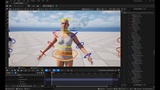
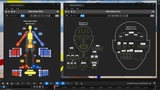
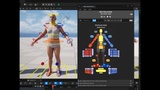
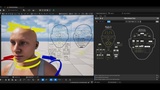
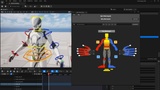
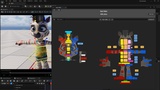
Includes Picker Pages for the Epic MetaHuman Body and Face, Epic Mannequin and the Epic Zebra control rigs.
RyanPickerPage is an editor plugin that lets you build custom picker pages for animating Control Rig controls and Actors directly inside Unreal Engine
No external tools
No hand-wired Blueprint UI.
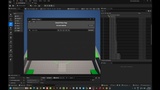
A single Editor Utility Widget (opened from the Tools menu) gives you a canvas where you place, arrange, and configure picker widgets that drive a character's Control Rig controls or level actors.
Edit Mode to lay out and configure the page and make your own custom adjustments
Live Mode to pick and use the various buttons and widgets to help with animation, selecting actors, or running python scripts
Widget Types
Selection Button
Select Control Rig controls
Select any Actors in the level
Select other Buttons, which can be useful in situations where you want both single and multi selections of controls.
Run python scripts on click.
1D Slider
Drives a single transform channel (translate/rotate/scale) within a defined range
2D Slider
Drives two channels at once from a single drag handle
Toggle
Two-State switch
Can toggle Boolean Anim channels, used for IK/FK switching or other rig states
Can toggle the visibility of widgets in the picker to match what controls are visible in the rig
Toggles can also be grouped and work like radio-buttons.
Labels
You can create your title or text areas, there's also a dynamic feature so the label changes based on what the current control rig is.
Images
Add pictures to the background, and you can move around, offset, zoom in or out so you can the image set just the way you want.
Other Features
Drag-and-drop layout with align, distribute, and nudge tools
Layered Widgets, so they can stack on top of each other
Copy/cut/paste, undo/redo, and Z-order layer management
Multi-widget bulk-apply editing and per-widget Attribute Editor sidebar
Outliner panel, for reordering widget stack, rename widgets, order by Type or Group
Mirror Pose tool for building and maintaining symmetric layouts
Bookmarks for jumping between saved canvas views Control Rig & Target Actor Integration
Interactive Selection Mode keeps picker widgets in sync with your Control Rig / level selection in both directions
Optional per-button Python scripting hook for custom logic
Building animator-friendly rig control pickers without touching Blueprint
Speeding up posing and animation workflows on complex Control Rigs
Create your own custom picker page widgets that contain your own blueprint graphs
Save & Load
Pages are saved to JSON files, so you reload them later and share with others
Create your own libraries of picker pages in any folder you want, it's not tied to a project
Support & Updates
A Help Menu with easy to find links to Documentation and Bug and Feature Request reporting.
Ongoing updates and improvements are planned to expand functionality and refine workflows over time.