Описание
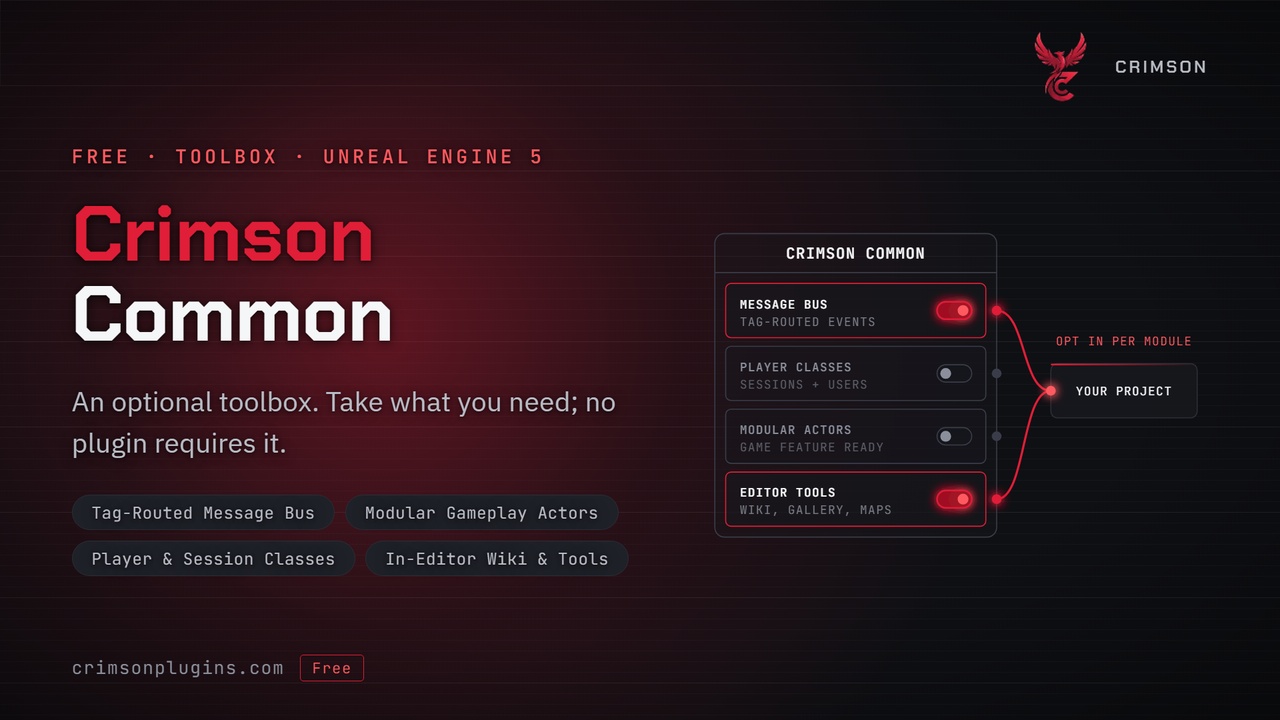
The free companion to the Crimson Plugin Suite: the in-editor wiki, a message bus, CommonGame-style player classes and modular actors, in one optional plugin.
Every Crimson plugin is standalone. None of them depends on CrimsonCommon or on each other, so you can buy and install only the systems you need. CrimsonCommon is the optional extra that goes alongside them: the documentation, the editor tooling and a set of general-purpose gameplay framework classes that any project can use, with or without other Crimson plugins.
Install it to get the Crimson wiki inside the editor. The wiki covers every plugin in the suite, including the ones you have not installed, so you can read how a system works before you add it. Full C++ source is included, and custom Blueprint nodes give designers the same messaging tools as C++.
✨ FeaturesIn-editor wiki — searchable documentation for every Crimson plugin, with Blueprint and C++ examples side by side. Plugins you have not installed are marked, so the wiki also works as a guide to the rest of the suite.
Message bus — a game instance subsystem that routes any struct payload by gameplay tag, with exact or parent-tag channel matching. Senders and listeners never reference each other.
Blueprint messaging nodes — Listen For Crimson Messages and Broadcast Message expose the bus to Blueprint with typed payloads.
Player classes — CommonGame-style game instance, local player and player controller, plus session and user subsystems built on Online Subsystem.
Modular actors — character, pawn, player controller, player state, game mode, game state and AI controller bases that accept components added by Game Features, a drop-in replacement for Epic's ModularGameplayActors.
Editor utilities — a Common Maps toolbar menu for opening your frequently used levels, a widget authoring library, and the DevTools Gallery, a live reference for the SlateIM dev-tool components.
Full source — read, debug and step through everything it does.
No paid dependencies — built only on plugins that ship with the engine.
Nothing depends on it. Every Crimson plugin compiles and runs without CrimsonCommon, so adding or removing it never breaks another plugin.
The message bus is a tool for your own code. The Crimson plugins expose their events as their own delegates, and you can forward those onto the bus if you want one central event stream.
Runtime, editor and node code are separate modules, so a shipping build carries only the runtime classes. The wiki and editor utilities never reach a packaged game.
Install the plugin from Fab, enable it in Edit > Plugins and restart the editor. Fab ships it prebuilt, so it works in Blueprint-only projects.
If you copy the source into your project's Plugins folder instead, the project must be a C++ project so the editor can compile it. To convert a Blueprint-only project, add any C++ class from the editor.
Open the wiki from the Tools menu.
To use the message bus in C++, add CrimsonCommon to PublicDependencyModuleNames in your module's Build.cs and call UCrimsonMessageSubsystem. In Blueprint, use the Broadcast Message and Listen For Crimson Messages nodes in any graph.
To use the player classes or modular actors, set them (or your subclasses) as your project's game instance, local player, player controller or character.
It depends on these engine plugins: Gameplay Tags Editor, Modular Gameplay, Online Subsystem, Online Subsystem Utils and SlateIM. They all ship with Unreal Engine, so nothing has to be downloaded separately. If your project explicitly disables any of them, turn it back on. The plugin uses no third-party libraries, external SDKs or paid plugins.
⚠️ LimitationsThe plugin includes no content, maps or demo project.
The wiki, the DevTools Gallery and the editor utilities are editor-only.
The engine plugins listed above are enabled together with CrimsonCommon, even if your project does not use the features they provide.