Descrição
Website with Manual, Tutorials and more: Here
Discord Channel: Here.
All rd Tools: Here.
Note: Unlike most Professional versions, rd Tools Pro licenses give you a license for unlimited seats within your company/studio.
Current rdSplatTools Version is 1.00 (24th October 2026).
rdSplatTools is an Unreal Engine plugin (2 editor modules (Main EditMode and optional MCP module in 5.8) and 2 runtime modules (subsystem and optional PCG system)) that allows you to paint areas of your level with multiple layers and convert them into a tight, compressed SplatMap that resides in CPU memory.
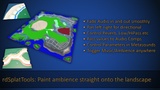
Paint your ambient sound directly onto your landscape, complete with falloff and directional panning
Control audio effects such as reverb and/or filters from painted areas
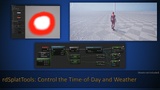
Paint areas onto the landscape to control the weather or time of day
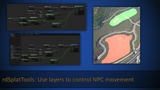
Paint Fences and Boundaries in any complex shape directly onto the landscape for controlling NPCs
Use Painted areas to control foliage and/or actor spawning
Use Painted areas to control your MCP creations from the editor (UE5.8+, separate download on request)
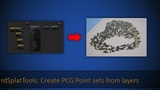
Use Painted areas to control your PCG generation
The painted areas can have an adjustable falloff, or be just on or off. The Falloff can be a dome around the mask edge or fall-off inside or outside the edge. This Falloff can be adjusted at any time, setting a falloff of 0 resets the mask to a hard edge which can then be re-edited as often as you wish.
Reading the Splats is as simple as adding a call to one function in your player character BP (2 if you also want interiorness). They only execute if the player has moved, and the call only needs to be called at most, once per frame
Each rdSplatMap can either be an entire level or be split into tiles (WP levels split from their setup). They don’t take a huge amount of memory.
They can be converted to or exported as tiles at any time too if you want to save more runtime memory (for devices like the Switch 1). Each tile has a small skirt to ensure that reading around pixels doesn’t need to load other tiles.
They can also be optionally cropped to just their painted area providing less memory usage. You can also load them in at smaller resolutions for scalability. (There are numerous and detailed memory reporting functions)
The rdSplatMaps can be asynchronously loaded at any time during editing or playback. It’s easy to assign rdSplatmaps for layers such as caves and load them in when entering the cave.
From your painted rdSplats, you can:
Get the strength of the rdSplat layer/s at a location (0.0-1.0)
Get the direction towards the densest part of the rdSplat layer/s (0-360)
Get the strength of the gradient of the rdSplat layer/s (0.0-1.0)
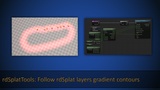
Step around the contour of the gradient of a rdSplat layer (path follow)
There are also utility functions to Load/Reference rdSplats and find the “interiorness” and “wall distance” of structures to use in combination with these rdSplat functions.
The rdSplat values can also be combined in your code to use multiple rdSplats for a specific use – for instance combining the max of an Oceans Water Edge rdSplat with a large falloff with an Ocean Area with 0 falloff gives the same effect as an Ocean Area with falloff without the extra memory needed.
There are also MCP(5.8+ separate download) and PCG compatible functions to read from rdSplat layers or return points within a painted layer/s.
UE5.6+ has the PCG Module, so either disable the rdSplatTools PCG Module in the uplugin file or enable the PCG plugin in your project.
UE5.8 rdSplatTools can support MCP, request a download link on the Recourse Discord server