

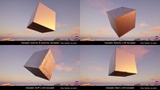
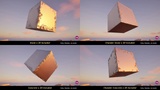
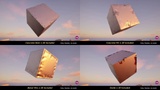

Açıklama
Edge Decal Studio + 4K Decal Pack (240+ different decals)
Edge Decal Studio is corner detail with one click.
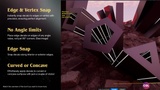
A powerful and easy-to-use solution that allows for precise placement of edge decals using vertex snapping and shortest path detection.
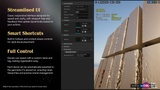
This plugin enables artists and level designers to quickly and accurately apply edge decals along the corners and edges of meshes, improving visual fidelity and blending while saving valuable development time.
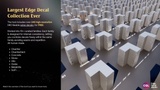
Included with the tool is a high-quality pack of over 240 unique 4K edge decals, specifically crafted for next-gen visuals. All decals are tileable and seamless, ensuring no repetitions and flawless integration into your projects.
Features:
Edge Decal Studio with vertex snapping and shortest path algorithms among other placement methods.
Intuitive interface & Shorcuts for fast and precise decal alignment along object corners.
Includes 240+ unique edge decals in 4K resolution, ready to use.
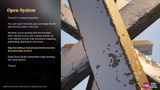
Optimized for performance and designed for next-gen quality visuals.
Decals Included:
2x Chamfer
20x ChamferDent
20x ConcreteDent
20x Concrete
20x Stone
20x ConcreteHit
20x Oxide
20x ChamferDetails
20x ChamferConcrete
20x ChamferStone
20x MetalHits
20x ChamferScratch
20x ChamferSciFi
Levels Included:
EdgeDecalStudio_Demo (Materials Overview)
Looking for Surface Decals too? Please, check out Surface Decal Studio
Edge Decal Studio updated to 2.1.0!
Added auto-alignment button: aligns decals automatically to corners. Manual alignment option remains available.
Decals can now be placed on edges of any angle value.
On-screen UI shows whether auto-alignment is on or off.
On-screen UI shows whether Decal Shape A or Decal Shape B is in use.
Cursor helper now has a slider to adjust its size.
Decal helper now also has dark color for better visibility on bright surfaces.
Removed scale limit for decals.
Removed stretch limit for decals.
Speed improvements.
Edge Decal Studio updated to 3.0.0!
Added Edge Chain: follows a chain of connected edges in a single click.
Added All Edges: applies decals to every edge of a mesh at once.
Added Intersection: automatically finds the intersection between overlapping meshes and places the decal along it.