설명
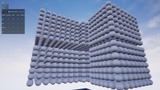
📊 Capture FPS, hitches and gameplay events in the editor or a shipping build.
🎥 Video Overview | 📖 Written Documentation | 🛠 Video Tutorials | 💬 Support | ⭐ Reviews & Questions
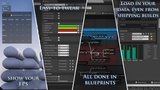
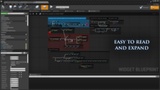
FPS & Hitch Tracking Tool combines an in-game performance HUD with an Editor Utility Widget for reviewing saved play-session data. Track framerate, visualize hitches and add your own events so performance problems have context. A live FPS counter tells you that something happened; it does not always tell you when, how often or what was nearby. This tool lets you capture a session, save the results and inspect them afterward in the editor, even when the data came from a packaged or shipping build.
⭐ Why Use It?
Keep performance data from real play sessions: Do not rely on a momentary counter alone.
See hitch patterns: Review saved timestamps and time-between-hitch information.
Add gameplay context: Record your own events and potential nearby actors.
Use it outside the editor: Capture data in packaged and shipping builds.
Adapt the UI: Hide elements or extend the visualization modes.
✨ Key Features
In-game HUD for current, highest, lowest and average FPS
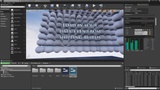
Hitch count and hitch visualization
Time-based FPS capture
Multiple display modes with room for custom commands
Custom event recording
Editor Utility Widget for loading saved sessions
Hitch-event and potential-actor context
Time-between-hitches overview
Individually hideable HUD elements
⚙️ Technical Details
Blueprint-only project
Five Blueprints
Editor Utility Widget included
Editor Utility plugin is not required
Development support includes Windows and macOS; see Fab's Included Formats for the complete current compatibility list
📚 Documentation & Support
Written documentation and four focused videos cover the overview, HUD customization, FPS capture and hitch events. Support is available through Discord.Check out all pack reviews and questions on Orbital Market!The FPS & Hitches tool allows you to add an fps meter to your screen that can record hitches, visualize them and record events in the editor or in any build, even shipping.
There’s an accompanying editor utility widget that will allow you to read all the data saved during play-sessions.
Videos:
Documentation:
Used in the following project(s):