Описание
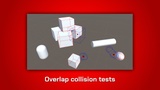
Tool extension for the Unity Editor that visualizes all casts and overlap tests in the scene view for fast debugging. It will also display the hit results and requires no code modifications.
Additional technical support: Discord
Documentation: Link
Product benefits
• Visualizes casts, overlap tests, and their results (hit points, colliders)
• Works with standard Unity functions, no code modification required
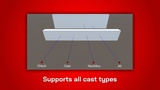
• Supports all cast types (check, cast, all, noAlloc)
• Shows casts for the whole project, including not self-programmed like in external plugins
Intuitive visualization
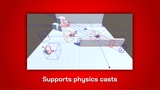
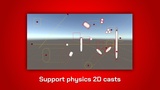
Visualizes the casts and overlaps in a simple, but efficient way. Displays the origin, cast volume, and the resulting hits. Uses color coding for the different cast types to help distinguishing between them.
Compatibility
Works with the standard Unity casts (Physics, Physics2D). No additional code changes are necessary to use this visualization module.
Customizable
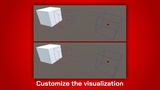
Customize the colors for the various visualization types to your liking. Control which module's casts are visualized to keep track of what you are working on. Choose between different cast volume visualizations like 'line' and 'wired body'
Provided visualizations
Physics
Linecast
Raycast
BoxCast
CapsuleCast
SphereCast
CheckBox
CheckSphere
CheckCapsule
OverlapBox
OverlapSphere
OverlapCapsule
Physics2D
Linecast
Raycast
BoxCast
CapsuleCast
CircleCast
OverlapBox
OverlapCircle
OverlapCapsule
OverlapArea
OverlapCollider
OverlapPoint
Limitations
Only in Editor
The visualization is only displayed in the editor. The plugin uses editor functions to draw all the visualization and they are not available on published builds.
Mac with Apple Silicon Chip
This plugin is based on the Harmony library which didn't support the apple M1 and M2 silicon chip sets. Macs without those chips are fully supported.
License
This asset uses Harmony under MIT license;
see Third-Party-Notices.txt file in package for details.