الوصف
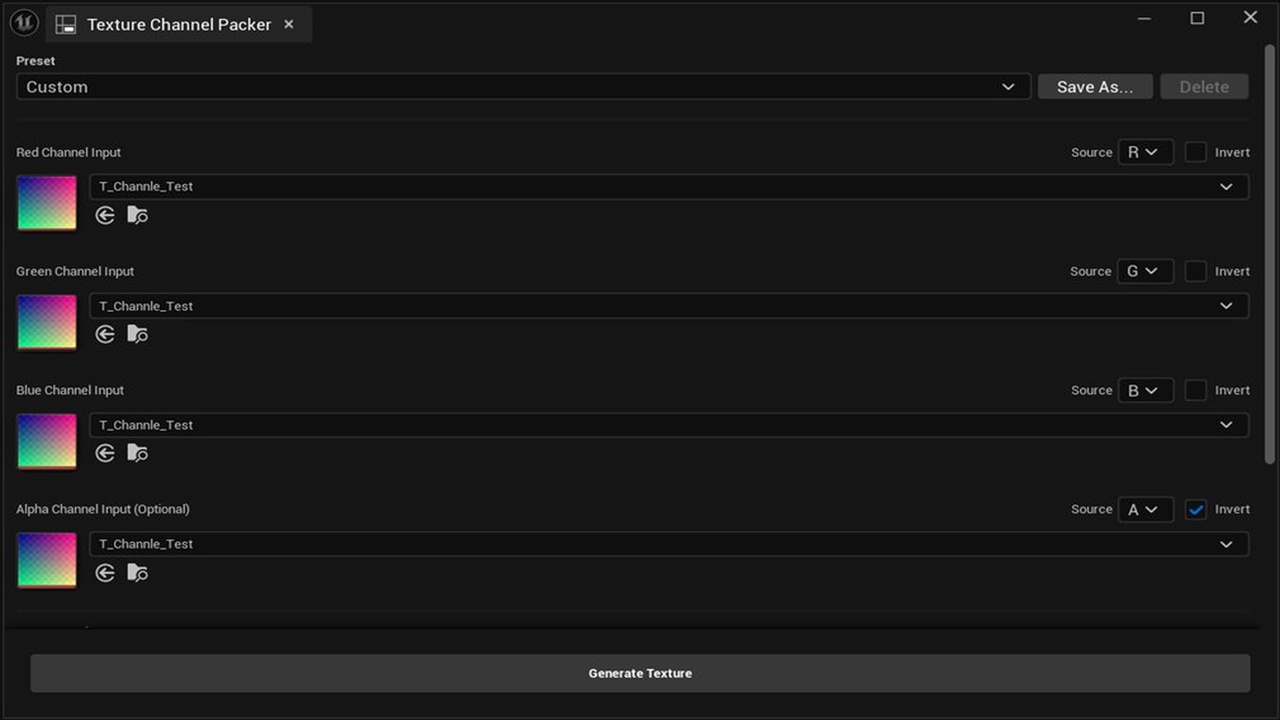
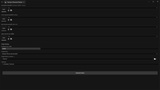
Texture Channel Packer is an essential editor tool designed to streamline your material workflow by efficiently packing separate grayscale textures (Ambient Occlusion, Roughness, Metallic, etc.) into the Red, Green, Blue, and Alpha channels of a single output texture.
Stop wasting time resizing textures in Photoshop! This plugin automatically handles resolution mismatches and optimizes your assets for better performance and memory usage.
Key Features:
Quick Access: Available directly from the Tools menu in the Unreal Editor.
4-Channel Packing (RGBA): Pack up to four textures into one. Perfect for standard ORM (Occlusion, Roughness, Metallic) workflows.
Unpack Mode: The reverse workflow — split any packed texture back into per-channel grayscale assets. Selecting a source instantly previews its R/G/B/A contents, likely-unused channels (uniform value) are detected and excluded automatically, and output names follow the active preset's suffixes (e.g. AO / Roughness / _Metallic)
Preset Management: Save, load, and share channel-packing configurations. Includes built-in ORM and MRA presets, and custom presets are stored as JSON files in Saved/TextureChannelPacker/Presets/ so you can share setups across your whole team. Channel labels and the output suffix update automatically when you switch presets.
Source Channel Selector: A per-slot R/G/B/A dropdown lets you choose which channel to read from each input texture. Source data straight from a color or already-packed texture (e.g. swap just the Green/Roughness channel of an existing ORM map) without splitting it first.
Live Preview: Inspect a low-resolution composite of the packed result before generating an asset. A View dropdown switches between the RGB composite and any single channel (R/G/B/A) as grayscale, so data packed into Green/Blue/Alpha can be checked individually. The preview renders linear (sRGB off) to match the final asset.
Smart File Naming: Automatically generates the output filename from your input textures and the active preset's suffix (e.g., inputs T_Wood_AO, T_Wood_R → output T_Wood_ORM, or MRA / Packed depending on the preset).
Auto-Resizing: Automatically resizes input textures to match your target resolution using a multi-threaded box filter. Only the selected channel is resized, keeping it fast and memory-efficient.
Drag & Drop: Simply drag textures from the Content Browser into the input slots.
Extended Format Support: Supports 16-bit Grayscale, 32-bit Float (SDF), and RGBA32F textures without precision loss. All four channels of RGBA32F inputs are preserved.
Overwrite Confirmation: Prevents accidental overwrites with a confirmation dialog when the output asset already exists.
Cancellable Progress: A progress dialog with a Cancel button gives you full control over long operations.
Invert Toggle: Flip channel values (255 − Value) per channel — convert Roughness to Smoothness without editing source textures.
Non-Square Output: Set Width and Height independently for UI atlases and other non-square use cases.
Convenient Workflow: A Path Picker (folder icon) lets you choose the output directory straight from the Content Browser, and Toast Notifications give instant success/error feedback.
Optimization Ready:
Generates Linear Color textures (sRGB = false) by default.
Compression presets — choose from Masks (Recommended), Grayscale, or Default for instant setup.
Multi-threaded processing for fast packing operations.
Memory-optimized processing (supports up to 16K textures, with a memory warning for resolutions above 8K).
Localized UI: Interface automatically switches between English and Japanese based on your editor settings.
Why use this tool?
Save Texture Samplers: Reduce material complexity and avoid the "Texture Sampler out of bounds" error by combining 3–4 textures into one.
Save VRAM: Loading one packed file is more memory-efficient than loading multiple separate files.
Organized Project: Keep your Content Browser clean and clutter-free.