

Descrição
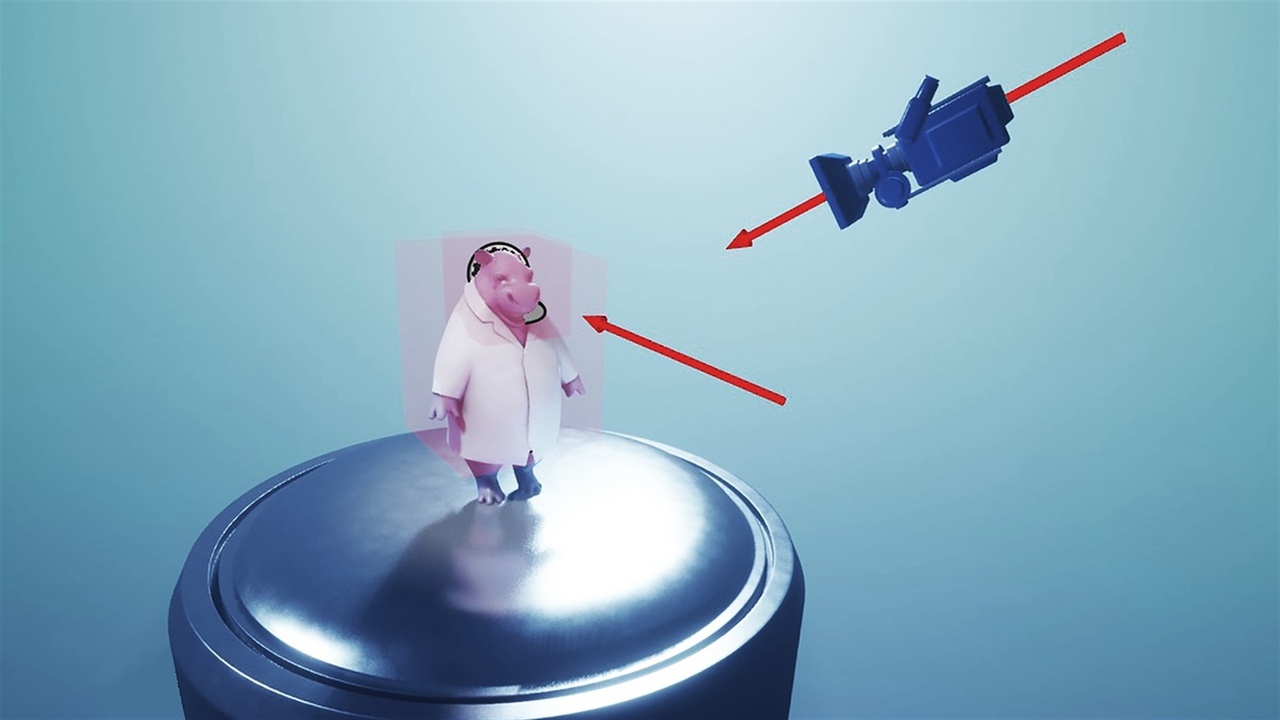
Orbit Camera lets players inspect a character, product, building or scene from any angle without turning your project into a camera framework.
Place the Orbit Camera actor, press Play and use the built-in controls. Everything important is exposed in the Details panel, so the plugin is just as practical in a Blueprint-only project as it is in a C++ project.
Add optional Stages when you need saved viewpoints. Each Stage can define its own focus point, movement boundary, pitch range, dolly range, collision and transition behavior. This makes it easy to move between a full view and close-ups without maintaining several separate camera setups.
FEATURES
- Orbit, pan, dolly and focus controls
- Mouse and keyboard, gamepad and touch support out of the box
- Adjustable analog dead zone, speeds, inversion and touch sensitivity
- Multiple Stages with individual limits and smooth transitions
- Collision-aware dolly
- Optional Enhanced Input overrides
- Optional external Camera Actor support
- Example map and native controls overlay
- Blueprint-callable controls and settings
- Full native C++ source with editor-first setup
- Offline documentation included in the plugin
DEFAULT INPUT
- Mouse: right-drag orbit, middle-drag pan, wheel dolly, click or F to focus
- Gamepad: right stick orbit, left stick pan, triggers dolly, bottom face button focus, shoulders or D-pad change Stage
- Touch: one-finger orbit, two-finger pan, pinch dolly, tap focus, three-finger swipe to change Stage
UPGRADING FROM THE BLUEPRINT EDITION?
Make a backup before updating and follow the included migration guide. Redirects cover the original classes, settings and supported function names. Customer-authored Blueprint graph logic still needs to be reviewed manually.
SHOWCASE
https://www.youtube.com/watch?v=dn5LSp6kEYg
DOCUMENTATION
Included inside the plugin's Documentation folder
SUPPORT / DISCORD