


描述
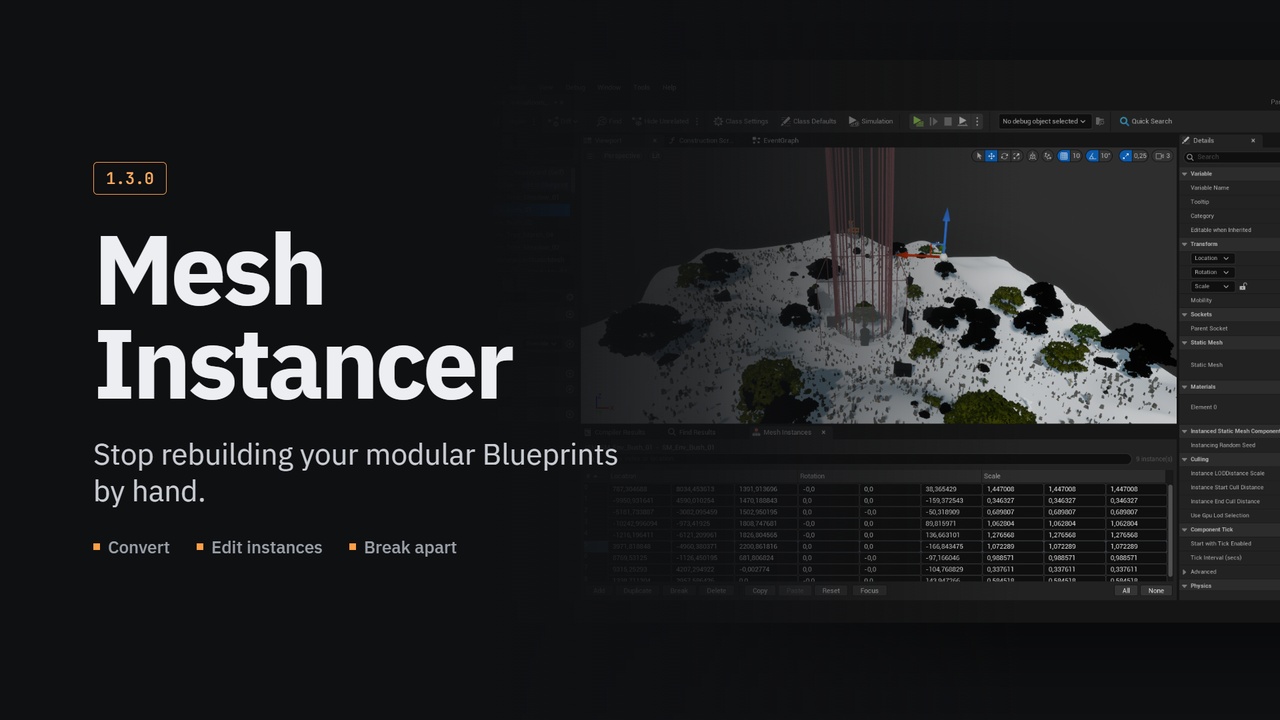
Stop rebuilding your modular Blueprints by hand. Mesh Instancer collapses selected static mesh components into hierarchical or plain instanced static mesh components, from a right click in the Components panel, with every instance exactly where its component was.
Documentation
You can find plugin docs here, along with docs for all other plugins i made.
Information
Unreal can convert static meshes to instances. It just cannot do it where you actually built them: Merge Actors → Instancing works on actors already placed in a level, spawns a brand new actor to hold the result, and never touches a Blueprint's component hierarchy.
So the job falls to a person. Add the HISM. Assign the mesh. Copy the first component's transform into the instance array. Then the second. Then the twenty-eighth. Delete the originals. Discover you dropped a material override somewhere. Do it all again next week when the layout changes.
This plugin turns that into two clicks and a dialog you can read.
And Then You Can Actually Edit Them
Converting is half the job. The other half is clicking one instance three weeks later and nudging it. Unreal can already do that, it selects and gizmo-moves individual instances in both the Blueprint editor and the level viewport. What stops it is a flag called bHasPerInstanceHitProxies that defaults to off and is not exposed anywhere in the editor UI, so instances built by code are exactly the ones you cannot touch.
Mesh Instancer sets it on everything it makes, offers a one-click fix for everything you already have, and adds the panel the engine never did: every instance listed, its selection tied to the viewport both ways, transforms editable by number, and duplicate and delete on the selection.
Features
Convert to Instanced Mesh in the Components panel context menu - Hierarchical or plain Instanced
Works in the Blueprint editor and on actors selected in the level, from the same entry
One component per unique mesh and material set, so overrides survive instead of being silently dropped
Instance transforms composed from the hierarchy, sockets included, the viewport looks identical afterwards
A confirmation dialog that shows the whole plan: what will be created, what will be left alone and why, and which graph nodes still reference a component about to be deleted
Keep the originals instead of deleting them, hidden, with collision off, so they do not render over their own instances
Every refusal reported with its reason; nothing skipped silently
The whole conversion is one transaction - a single Ctrl+Z puts it all back
Per-user settings for confirmation, deletion, mobility, minimum group size and name prefixes
Select and move individual instances in the Blueprint editor and the level viewport, which the engine supports but cannot do for code-built components until the hit proxy flag is set
Enable Instance Editing for components made before this, or added by hand
The Mesh Instances panel: every instance listed, two-way selection sync with the viewport, editable transforms, duplicate and delete
Rebindable commands in Editor Preferences → Keyboard Shortcuts, and console commands for scripting
Twenty-nine automation tests, including two that drive a real construction script end to end