
描述
The PlayerPrefs Editor enables easy access to the player preferences over a simple UI. It allows to view, add, remove and modify entries on the development machine.
Version: 1.2.5
Additional technical support: Discord
Documentation: Link
Product benefits
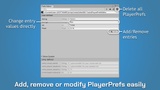
Add, remove and edit PlayerPrefs
Intuitive visual editor
Works with standard Unity PlayerPrefs
Monitors changes from code
Supports all editors (windows, linux, mac)
Lightweight dockable for full integration in your workflow
Supports both skins (personal, professional)
Intuitive Visual Editor
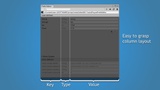
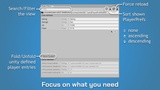
Simple layout for fast overview of all PlayerPref data. Apply filters/searches on your data to keep track of what you’re working on.
Native Integration
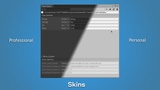
The standard Unity dockable window can be flexibly placed, wherever it helps to be productive. It comes with support for both personal and professional skins, so you can match your perfect color scheme.
Compatibility
Works with the standard Unity PlayerPrefs. No additional changes are necessary to use this editor.
Monitoring
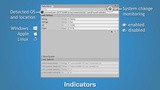
The Plugin detects changes and automatically refreshes the view, keeping you up to date.
Limitations
MacOS
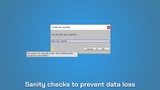
Due to technical on MacOS it take time to update the persistent file that stores the PlayerPrefs. To avoid inconsistent data the plugin will show a loading screen until the data can be fully refreshed. Sorry for the inconvenience.