

Opis
Procedural Building Generator
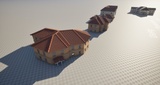
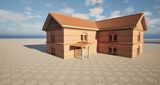
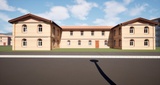
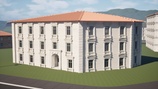
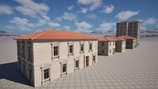
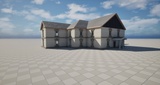
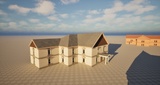
Take your environment creation to the next level with Building Generator, a powerful tool designed to automate complex architectural layouts with a primary focus on advanced procedural roof generation. At its core, the plugin utilizes a robust straight skeleton algorithm, enabling you to effortlessly generate realistic pitched, hipped and gable from any base footprint.
It can be used in the editor for full artistic control or to generate entire procedural cities at runtime, giving flexibility for both manual and automated workflows.
Tutorials and Videos
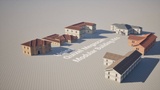
Compatible with Megascans Modular Building Meshes
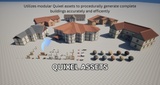
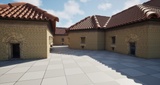
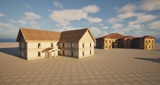
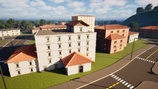
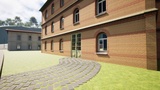
The generator is designed to work seamlessly with Megascans modular building meshes from Quixel, providing a wide variety of realistic assets to use. The plugin also includes multiple examples of modular building meshes to help you get started quickly. You can also import your own custom meshes to tailor buildings to your specific requirements and achieve the desired aesthetic.
Flexible Roofing Options: Flat, Hipped, and Gable Roofs
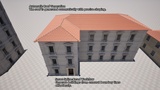
Our procedural building generator offers a variety of roofing styles to suit any architectural vision. All roof types come with adjustable parameters for dimensions and height, giving you precise control over the shape and size to match your design needs. Roofs are generated with very precise accuracy and adapt to any level of complexity.
Roof Types and Specific Features:
Flat Roofs:
Utilize dynamic meshes optimized for low triangle counts, ensuring efficiency and precise shape control.
Adjustable parameters include outset, inset, vertical offset, material selection, and UV scale, allowing for detailed customization.
Hipped and Gable Roofs (Pitched roofs):
Both roof types are generated procedurally and offer advanced customization options.
Hipped Roof: All sides slope downward.
Gable Roof: You can choose which sides to become a triangle wall between intersecting roof pitches. or with other gable option using PCGEx all sides that align or perpendicular with the front side of the building can be gable wall
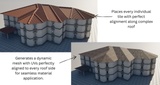
For both Hipped and Gable you can choose to use a material on a dynamic mesh or spawn roof tiles static meshes.
Materials: Select from a variety of materials to give each roof a unique appearance.
Tiles as Static Meshes: Spawn individual roof tiles as static meshes arranged in a grid layout, matching the typical pattern of real roof tiles. with Nanite handling Instanced meshes efficiently, you achieve high performance without compromising visual quality.
Control Over Gable Sides: Choose which sides of the building with gable walls, providing additional design flexibility.
American Style Buildings with Garages and Porches
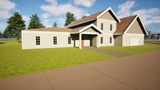
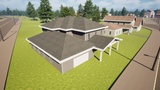
The generator supports American style homes, complete with garages, porches, and other signature features. These elements are created procedurally and follow the same modular workflow, giving you clean control over placement, size, and variation.
Procedural City Generation
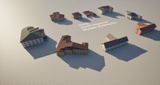
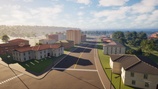
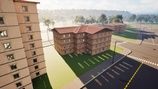
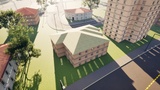
Generate entire cities using PCG with support for runtime spawning and endless variation. Buildings can be created in two primary ways:
Sampled Points: Each PCG point can be generated from a grid, landscape sampling, or spline interior sampling, producing unique buildings with their own procedural shapes.
Spline Components: Entire groups of spline components can be converted into buildings. These splines can also be imported from real-world data using my other tool, Road Generator, which supports OSM integration.
Every building receives a data asset that defines the modular meshes used in its construction. The data asset comes from a preconfigured building control parameter, which is the only step you need to set up in advance based on the modular meshes you plan to use.
You can add material variations and roof variations including automated gable roof types hipped or flat roofs for near unlimited combinations. There is no limit to the number of buildings generated. Hundreds of buildings can appear in only a few seconds, even at runtime.
This procedural building generator enhances your workflow in Unreal Engine by providing efficient, flexible, and detailed building creation capabilities. It is ideal for developers and artists seeking to streamline their design process while maintaining full control over building aesthetics and performance.
Unlimited Building Shapes with Spline-Based Design
This option is meant for artists who want full manual control inside the editor. You can draw a spline, shape it however you want, and the tool will generate a building that follows that exact outline. There are no limits on complexity. Even very complex shapes and roof layouts are handled cleanly, and the entire structure is produced in less than a second.
Adjustable Building Height
Set the building's height with a single parameter, and the tool will accommodate as many floors as possible within the specified dimension. This feature enables quick adjustments and the ability to add numerous floors efficiently. In city generation mode, you can also set a minimum and maximum height, and each building will receive a random height within that range.
Real-Time Performance and Ease of Use
The procedural building generator is built for speed and responsiveness. Entire buildings are generated in less than 0.2 seconds, delivering instant results even for complex structures. Every adjustment whether changing height, shape, or assets updates in real time, allowing you to iterate quickly and see results immediately.
This high level of performance ensures a smooth workflow, enabling artists and developers to focus on creativity rather than waiting for lengthy computations.
Detailed Control Over Building Elements
Gain extensive control over specific modules such as walls, windows, doors, trims, and corners. Adjust placement, scale, and rotation with ease, allowing for precise customization to meet your project's needs.
Dependencies:
Procedural Content Generation Framework (PCG) Geometry Script Interop
Procedural Content Generation Framework (PCG)
Geometry Script
Gallery Notes:
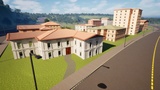
All Roads shown in the gallery were generated procedurally in minutes using the Road Generator tool.