
Descrizione
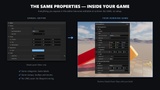
Unreal's Details panel only exists in the editor. Runtime Details Panel builds the same
thing inside your running game, straight from your own UPROPERTY declarations.
Point it at any UObject and it reads your properties through reflection and generates the
UI for you — the categories you declared, the display names, the tooltips, the clamp
ranges, the enum dropdowns. You write no UI code and you create no UMG asset.
WHY IT IS NOT JUST A REFLECTION LOOP
Unreal strips property metadata at cook time. In a packaged build, the API to read
Category, DisplayName or ClampMin does not even exist. A naive runtime inspector shows
raw variable names in one flat list, and only in the editor does it look right.
This plugin bakes that metadata into a data asset while you are still in the editor, and
the runtime reads the asset. Baking runs automatically whenever a Blueprint compiles, so
in normal use you never think about it. A console command re-bakes on demand, and a second
command tells you exactly which property drifted if anything is out of date.
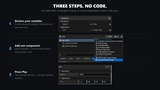
THREE STEPS, NO CODE
1. Declare variables the way you already do, and mark them Instance Editable.
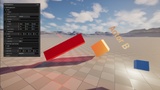
2. Add the Runtime Details Panel component to your actor.
3. Press Play. Your variables are there, grouped and labelled as you declared them.
The mouse cursor is turned on for you while the panel is visible and put back the way it
was when it closes — a default project hides it, which would otherwise leave you looking
at a panel you cannot click.
CLICK TO SELECT
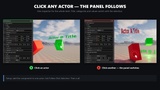
Turn on Follow Click Selection and one panel follows whatever actor you click, the way the
editor's Details panel follows the outliner. Clicks on the window go to the window, so
dragging a value never re-targets the actor behind it. Actors with nothing to edit are
skipped rather than selected, so you keep the selection you had.
APPLYING EDITS
The panel writes into your property. To make values that need a function call take effect —
scale, materials, text, lights — implement the Runtime Details Panel Editable interface and
you are called automatically, whatever opened the panel. In Blueprint that is one interface
and one event node.
WHAT IT IS FOR
In-game level editors, debug and cheat menus, product configurators, art review builds, and
QA tools that ship inside the game rather than beside it.
WHAT IT IS NOT
It is not a replacement for your game's UI. It is a developer-grade inspector — dense,
functional, and styled like the editor.
Edits are not persisted. The panel writes into the live object and never touches your level,
your assets or your class defaults. If your project needs settings to survive a restart, the
interface above gives you the hook to save them your own way.
Features:
- Runtime Details panel generated from UPROPERTY reflection, no UI code required
- Cook-safe metadata baking: categories, display names, tooltips and clamp ranges survive packaging
- Automatic re-bake on Blueprint compile; RDP.BakeMetaData and RDP.CheckMetaData console commands
- Diagnostic that names the exact class, property and field when baked data drifts
- Drop-in component — no UMG asset, no Blueprint wiring, no manual class registration
- Click-to-select inspector mode that follows the actor you click
- Draggable window with collapsible categories; multiple objects in one window
- Mouse cursor handled for you and restored when the panel closes
- IRDPEditable interface so edits reach your object no matter which panel made them
- Sample actor and sample component covering every supported type
- Hide individual properties from the runtime panel with meta = (RDPHidden)
Code Modules:
- RuntimeDetailsPanel (Runtime)
- RuntimeDetailsPanelEditor (Editor)
Number of Blueprints: 0
Number of C++ Classes: 8
Network Replicated: No
Supported Development Platforms: Windows (Win64)
Supported Target Build Platforms: Windows (Win64)
Documentation: included in the plugin — Docs/MANUAL.md and Docs/RuntimeDetailsPanel-Manual.pdf
Example Project: not required. A sample actor ships with the plugin; place it and press Play.
Supported property types: bool, int32, int64, uint8, float, double, FString, FName, FText,
FVector, FVector2D, FRotator, FLinearColor, FColor, enum class, TEnumAsByte.
Important/Additional Notes:
- Not supported in v1: TArray, TMap, TSet, nested structs, FTransform, object and asset
references, multi-object editing, undo/redo. Unsupported properties show a notice in the
panel rather than being silently dropped.
- Engine-owned properties are outside the default bake scope. The panel is for the
properties you declare on your own classes.
- Edits are not saved to disk. See the description.
- UE 5.8 only at launch. Other engine versions on request.