Description
A reusable, plug-and-play blueprint component that replaces Unreal's built-in Timeline node with a more modular, flexible system — no more duplicated timeline logic in every actor.🔧 Setup Instructions
---------------------
1. Open your Unreal Engine 5 project.
2. Drag the folder `AC_ETimeLine` into your project’s `Content/` folder.
3. Done! You can now add the component to any actor.🎮 How to Use the Component
---------------------------
1. Add `AC_ETimeLine` to your actor.
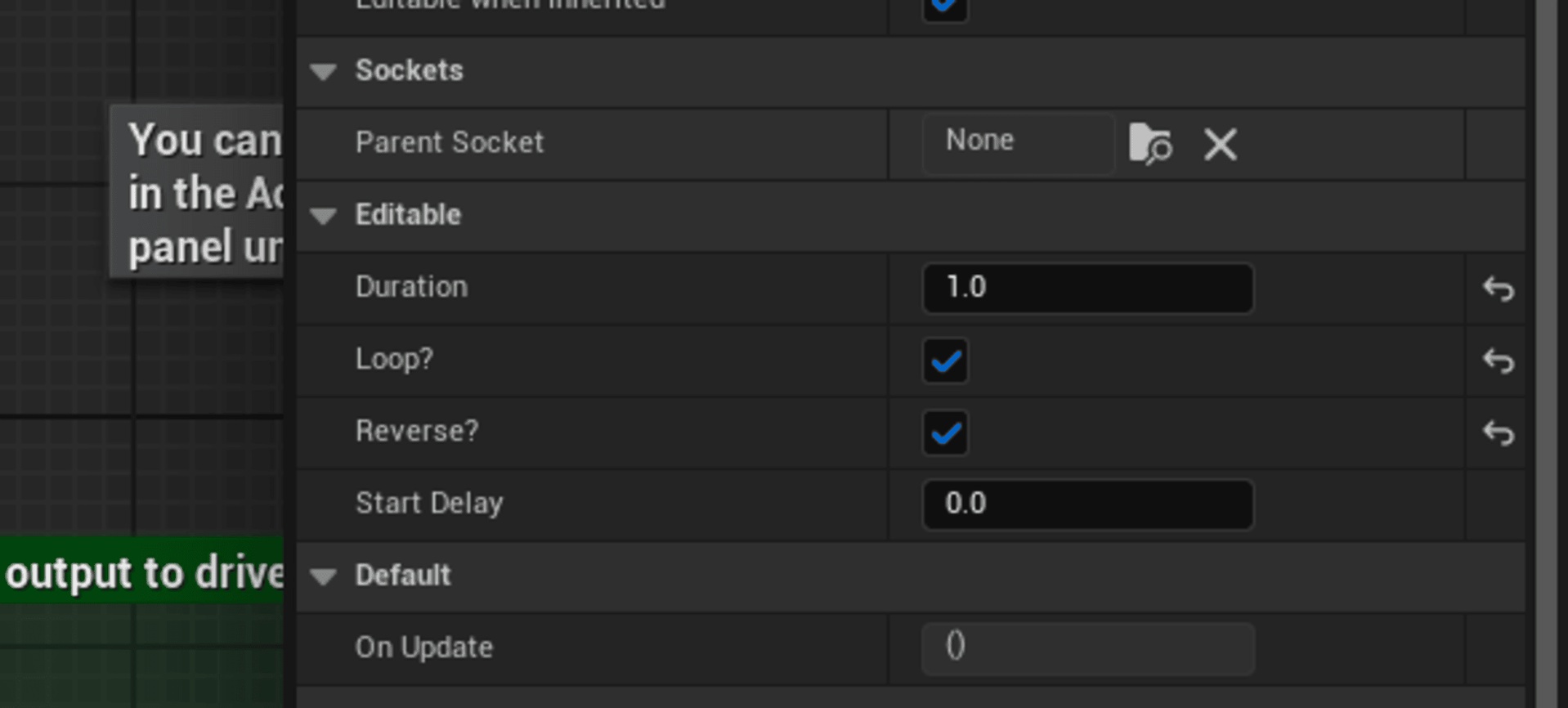
2. In the Details panel, configure the settings:
- Duration: How long the timeline lasts (in seconds)
- Loop: Should the animation restart?
- Reverse: Should it play backward after finish?
- UseWorldSpace: Should transforms be applied in world or relative space?
3. Bind to the `OnUpdate(float Alpha)` event dispatcher.
4. Use the Alpha (0–1) to drive Lerp functions or timeline-based changes.
5. Call `PlayTimeline()` to start the animation.📌 Tips
-------
- You can use this to animate any property, not just transforms (material params, UI, light intensity, etc.).
- This system is lightweight and fully Blueprint-based — no plugins or C++ required.
- Combine this with your custom logic to build powerful behavior quickly.If you find this useful, consider rating it or sharing it with others.