
Descrição
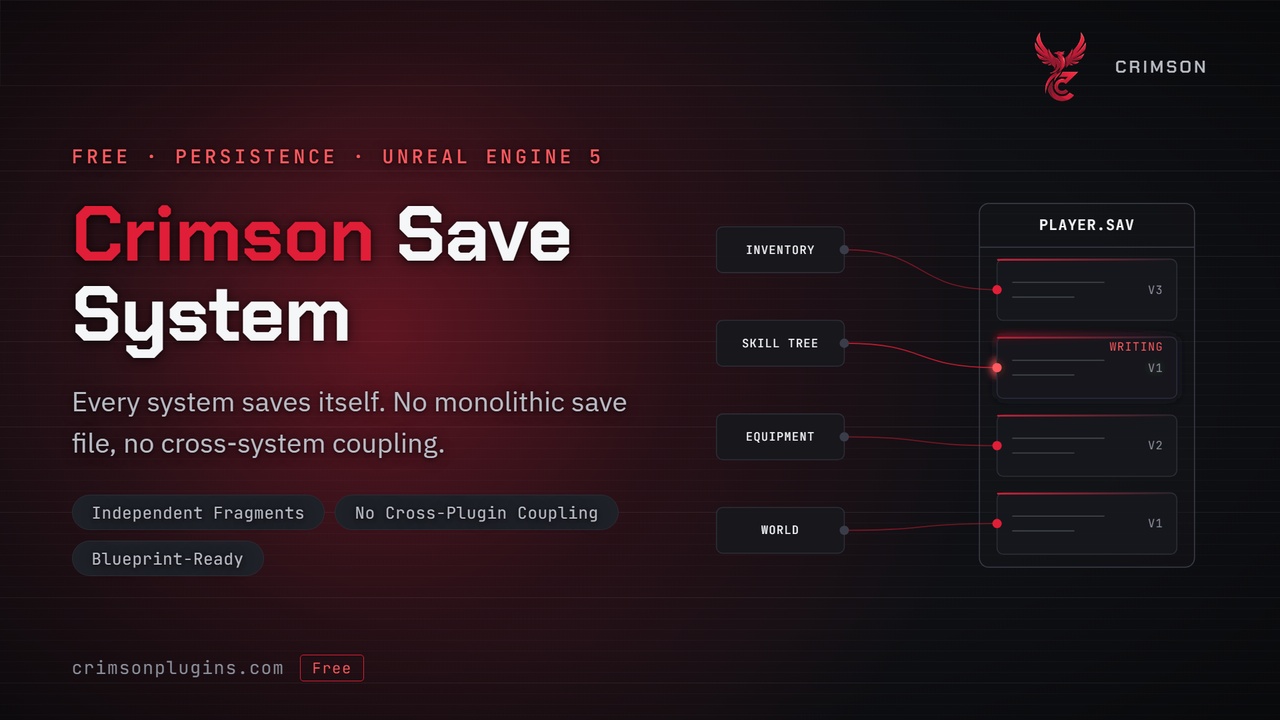
Keep player progression and world state across sessions without maintaining one giant save class.
This plugin is fully standalone and requires no other Crimson plugin. For the in-editor wiki (documentation for this plugin and the rest of the suite) and extras such as the message bus, player classes, modular actors and editor utilities, download the free CrimsonCommon plugin from Fab.
Most save systems start as a single save object. Every new feature edits it, every edit risks breaking existing saves, and before long saving is the part of the project nobody wants to touch. Multiplayer makes it worse: whose data is this, and who is allowed to write it?
Crimson Save System builds each save from small, independent fragments, so every system stores only the data it owns. Each fragment declares whether it belongs to the world, to one player in this save, or to a player's profile across servers, and players are identified by a stable ID rather than by connection order. World actors persist automatically: implement one interface, mark the properties to keep, and they are captured and restored on every save, including streaming levels and World Partition. It all works from Blueprint or C++.
✨ FeaturesFragment-based save data — each system saves its own fragment, so adding a saved feature never means editing a central save class. Properties marked SaveGame are saved automatically, with no fragment code needed.
Automatic world persistence — any actor that implements the saveable actor interface keeps its transform, SaveGame properties, component state, references to other actors and optional custom data. Destroyed actors stay destroyed and runtime-spawned actors come back.
Streaming and World Partition — each level's state is captured when it unloads and restored when it streams back in.
Multiplayer-ready — saves are server-authoritative, each player's data is stored under a stable profile ID, and players who join late or disconnect are loaded and saved automatically.
Save slots — named manual slots, rotating auto saves and quick saves, slot headers with your own metadata, playtime tracking, and "save on quit" with no extra call.
Asynchronous saving and loading — fragments are written and read in the background.
Versioning and migration — each fragment carries a version number and an upgrade hook for older saves.
Pluggable storage — the default uses the platform's own save system (PC and consoles, including platform cloud sync), a file provider writes to any folder you choose (for example a Steam Auto-Cloud path), and a small subclass targets your own backend such as Steam Cloud, EOS or a web server.
Blueprint and C++ access — save, load, manage slots and implement the interfaces from either.
Game Feature support — a GameFeatureAction gives player controllers their save identity, so feature plugins stay self-contained.
Editor tools — a Delete Save Game toolbar menu that removes one save file, one folder or one whole slot while you iterate, left out of packaged builds.
Ownership stays local — each feature owns its save data, so removing or changing one feature doesn't touch the others.
What to save and where to store it are separate — the save logic never touches files, so moving saves to the cloud or a console never changes gameplay code.
Nothing to place in levels — the save subsystems start with the game, so there is no manager actor to forget.
Built for multiplayer from the start — the server decides what is saved, and a player's data follows the player, not their connection order.
Install the plugin from Fab, enable it in Edit > Plugins and restart the editor. Fab ships it prebuilt, so it works in Blueprint-only projects.
Review Project Settings > Crimson > Save Game Manager: world-state capture, auto-save counts, the storage provider and multiplayer behavior.
For world state, implement the saveable actor interface on an actor and mark the variables to keep as SaveGame. It is captured on every save.
For a gameplay system, implement the saveable system interface on its component or subsystem, give it a fragment name, and register it with the save manager when it starts.
Call the save, load and slot functions on the save manager from Blueprint or C++.
For multiplayer, add the Add Crimson Save Profile Identity action for your player controller, and notify the save manager when players log in and out.
It depends on the engine's Game Features and Modular Gameplay plugins, which ship with Unreal Engine and are enabled with it. If your project explicitly disables either, turn it back on. The runtime module ships with your game; the editor module is left out of packaged builds. The plugin uses no third-party libraries, external SDKs or paid plugins.
⚠️ LimitationsWindows (Win64) only.
The plugin contains code only. It includes no example maps, Blueprint assets or sample content, so you connect it to your own actors and systems by following the documentation.
Saving is server-authoritative: clients cannot start a save in a networked game.
World state for every visited level is held in memory while the game runs, so very large open worlds with many saveable actors use more memory.
Steam Cloud API, EOS Player Data Storage and custom servers need a small custom storage provider; the plugin ships the platform and file providers.