Descripción
Tuto: https://youtu.be/MxqkJOwif_w
Here is the link of docs: https://drive.google.com/file/d/1pz9TH3A13_7mCfW8rJo0SmWDjBPen-Es/view?usp=sharing
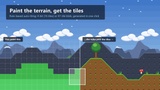
Build levels by painting them, not by placing tiles one at a time.
Smart Tilemap Builder adds a full editing mode to the level viewport. You paint terrain; the plugin picks the right tile, stacks the depth layers, and rebuilds the collision - live, and every stroke is a single undo step.
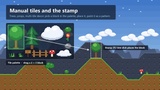
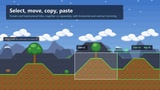
Seven tools, all on shortcuts Brush (B), Eraser (E), Fill (G), Rectangle (R), Stamp (T), Select (M), Sprite (P). Hold Shift to erase with any tool, Ctrl+click to eyedrop the terrain or tile under the cursor. Select gives you drag-to-move, copy/cut/paste, delete and mirroring, on terrain and hand-placed tiles independently.
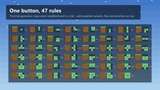
Auto-tiling that you configure once 4-bit (16 tiles) or 8-bit blob (47 tiles) neighborhood matching. One button generates the whole rule set from a standard sheet. Add weighted variants for visual variety - the draw is seeded per cell, so it never flickers and survives undo. Rules support priorities, per-neighbor Filled / Empty / Ignore conditions, and per-variant flips. Terrains can weld to each other or stay separate.
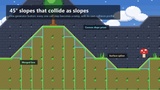
45° slopes that collide as slopes One button generates the slope rules and their collision profiles: every one-cell step you paint becomes a ramp. Presets cover 45°, the four 30° halves, or custom left/right heights. The character walks up the incline instead of climbing an invisible staircase.
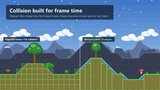
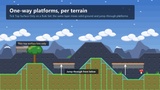
Collision designed for frame time Aligned tiles merge into the smallest possible set of boxes - a hundred tiles in a row become one collider. Slopes become convex prisms. Any terrain can be marked one-way, so platforms you jump through from below sit on the same layer as solid ground. Top surfaces are also emitted as tagged splines, ready for ledge detection or AI patrol paths.
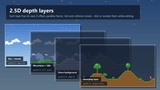
2.5D depth and parallax Stack depth layers with their own Z offset, parallax factor, tint and collision mode. While editing, dim or isolate the other layers so you can see what you are doing; the display is restored on exit and before every save.
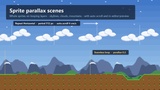
Sprite parallax scenes For decor that isn't made of tiles - skylines, clouds, mountain ranges. Place whole sprites on layers that loop infinitely, drift on their own, and preview their scrolling in the editor without pressing Play.
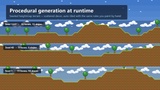
Procedural generation at runtime Every painting operation is exposed to Blueprint and C++. Ready-made passes generate seeded heightmap terrain and scatter decor on flat ground, so you can build roguelike levels at BeginPlay with the same rules you paint by hand.
Included Demo tile sheets, pre-configured Rule Sets, looping parallax sprites and a playable demo map. A user guide (Markdown + PDF) covers sheet preparation, rules, slopes, platforms and troubleshooting. The source PNGs and their index tables ship too, so you can match your own art to the expected tile order.