描述
🧩 Omni Pool System - Advanced Actor Pooling and Grid-Based Activation
Overview
Omni Pool System is a powerful and flexible actor pooling and spatial activation manager for Unreal Engine.
It’s designed to dramatically improve performance in large, open-world, or procedural environments by recycling actors efficiently and activating them only when needed based on the player’s grid position.
Instead of constantly spawning and destroying hundreds (or thousands) of actors like coins, AI, vehicles, or interactables, Omni Pool keeps a pre-allocated pool of actors in memory and dynamically reuses them as the player moves through the world.
Core Features:
⚙️ Advanced Actor Pooling
Maintain a reusable pool of actors instead of spawning/destroying them repeatedly.
Automatically activate and deactivate actors based on player proximity.
Works with any actor class - coins, pickups, AI, destructibles, etc.
🗺️ Grid-Based Streaming System
Divide your world into grid cells for spatial organization.
Automatically activates nearby cells around the player.
Supports adjustable activation radius (layer count) for fine-grained control.
Ideal for large open worlds or infinite procedural maps.
🧠 Data-Driven Loading
Automatically detects and records actor locations in the editor.
Saves grid and actor location data to a JSON file (OmniPoolData.json) inside the project’s Saved folder.
Seamlessly loads precomputed locations at runtime - no editor dependencies.
🎨 Debug Grid Visualization
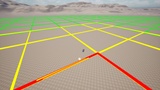
Built-in debug grid renderer with color-coded visualization:
🟥 Red: Current player grid
🟨 Yellow: Nearby active grids
🟩 Green: Inactive grids
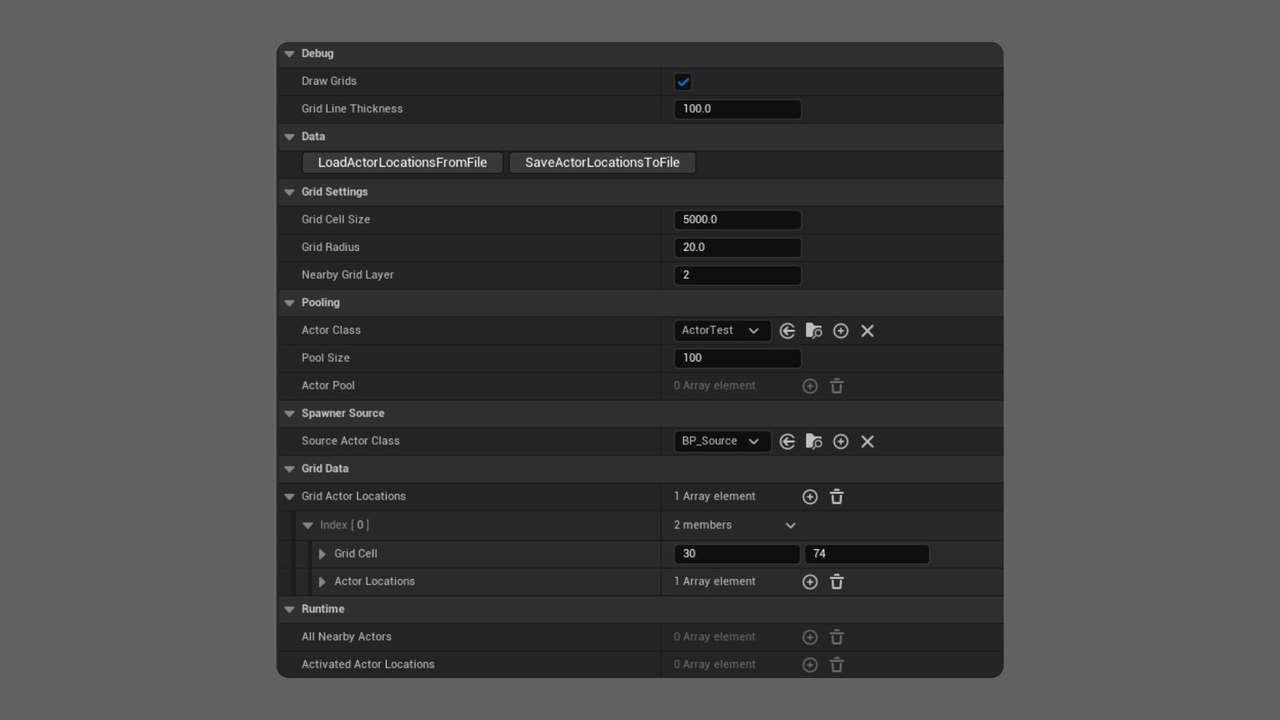
Adjustable grid line thickness, radius, and activation layers.
No flickering or overlap - precise, non-overlapping debug rendering.
Use Cases
Open-world games - handle coins, pickups, or collectibles efficiently.
Racing or exploration games - spawn traffic, checkpoints, or item boxes near the player.
Survival or sandbox titles - dynamically stream in enemies, loot, or resource nodes.
Simulation or RTS projects - manage large numbers of units, vehicles, or props without constant spawning.
Editor Utilities
Select any actor subclass to scan (e.g., your Coin or Pickup Blueprint).
Press a single button in the editor to save all actor locations to JSON.
No manual placement data required - the plugin automatically computes grid positions for each actor.
The saved data is then reused at runtime for optimized spawning and pooling.
Performance Benefits
Prevents garbage collection overhead from spawn/destroy cycles.
Reduces network replication cost by limiting active actors.
Keeps memory usage predictable and stable.
Perfect for mobile and open-world PC games alike.
Technical Details
Written entirely in C++ for maximum performance.
Works in both single-player and multiplayer contexts (with authority checks).
Fully exposed to Blueprints for easy integration and debugging.
Modular and extendable - you can easily add custom pooling logic, data formats, or actor types.
Example Workflow
Select your custom Actor Blueprint as the Source Actor Class.
Click “Save Actor Locations” to auto-generate OmniPoolData.json.
On game start, the plugin loads that data and initializes an actor pool.
As the player moves across the grid, Omni Pool activates or deactivates actors dynamically.
Use the debug grid to visualize active and nearby cells in real-time.