


الوصف
Keep weapon and potion data in one list, even when they use different structs.
Blueprint Instanced Struct adds nodes to read, change and find that data by type. Choose struct types directly on Get and Set nodes, check what each entry contains and work with arrays in Blueprint. No C++ required.
The nodes use Unreal Engine's Instanced Struct type. Each value holds one struct at a time, and each entry in an array can hold a different type. This is useful for inventory items, game events and data you want to save from several systems.
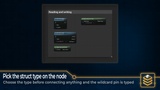
Choose the type directly on the node
Pick your struct on Get Struct Value or Set Struct Value. The pin changes to that type, so you can connect it or split it into individual fields. You can also let a connected struct pin set the type for you.
Find the data you need
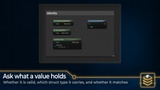
Check which struct type a value contains.
Find the first entry of a type, such as a weapon.
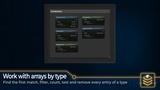
Filter an array to get all entries of one type.
Count matching entries or remove them from the array.
Compare values, clear them or create a new value with the struct's defaults.
Convert values to text and back
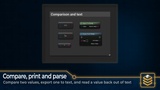
Use Export To String to turn a struct's type and values into text for your own save system. Use Parse From String to read them back. To String provides a readable summary for debugging.
Use your existing structs
The plugin supports structs made in Blueprint and C++. It works with existing Instanced Struct values from your project. Enable it and find the nodes under Instanced Struct. Full C++ source is included.
Also available in Blueprint Unchained: get this plugin together with Blueprint Quaternion, Blueprint Subsystems and Blueprint Project Settings in one package.
Documentation: Blueprint Instanced Struct documentation
Support: ask questions, get help and suggest features in #blueprint-instanced-struct on Discord.