설명
The merge Unity's own tool gives up on.
Merging .unity scenes and .prefab files is where team projects break. Unity's built-in
UnityYAMLMerge only handles edits to different objects. The moment two people edit the same
GameObject or component, it gives up, and a hand-fixed merge corrupts the scene.
Conflux does that merge, safely.
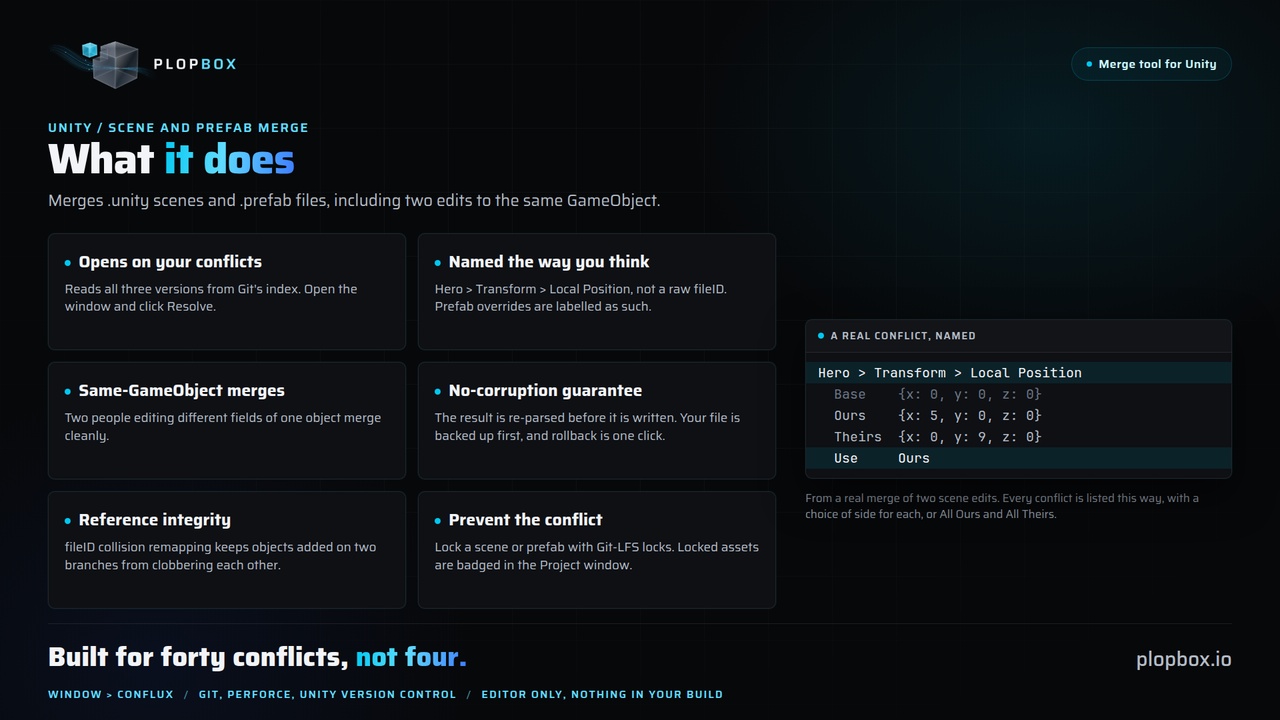
Opens on your actual conflicts
Git already keeps all three versions of a conflicted scene. Conflux reads them straight from
the index, so resolving is: open the window, click Resolve. No hunting down three file
versions by hand.
Conflicts named the way you think
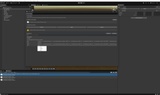
Not "FieldValue @ 1334374232:m_Name", but "Player/Weapons/Turret > Transform > Local
Position > X". Prefab overrides are labelled as such, and nested prefabs and variants resolve
by name instead of raw fileIDs.
Resolves same-GameObject conflicts
Two people editing different fields of the same object merge cleanly. This is the exact case
UnityYAMLMerge cannot resolve.
No-corruption guarantee
Every apply is validated by re-parsing the result and comparing it byte for byte, and your
file is backed up first. A failed merge leaves the original untouched. Rollback is one click.
Reference integrity
fileID collision remapping keeps objects added on two branches from clobbering each other.
Nested prefab overrides and variant chains are handled.
Built for forty conflicts, not four
Take all Ours or all Theirs at once, filter the list by object or property, and settle one
Object's conflicts in a click.
Fits the workflow you already have
One command wires Conflux in as a Git merge driver, so git merge just resolves scenes.
Perforce and Unity Version Control are supported through their external merge tool settings.
The same CLI runs in CI.
Prevent the conflict instead
Lock a scene or prefab so only you edit it at a time. Locked assets are badged in the Project
window, and opening a scene someone else holds warns you.
What you get
Unity package: visual merge window, file locking, merge history dashboard, self-test
Sample Base/Ours/Theirs scenes to try it on
Full offline manual, plus online documentation
Conflux-merge, the optional command line tool for Git, Perforce and Plastic automation
Requirements
Unity 2022.3 or newer. Windows, macOS or Linux. No package dependencies, no third-party code,
and nothing ships in your game build. The optional CLI needs the .NET SDK 8 or newer; the
in-Editor features work without it.
Documentation https://plopbox.io/en/products/conflux/docs
Support [email protected]
Publisher website https://plopbox.io
Security contact [email protected]