



Описание
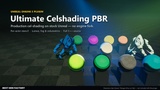
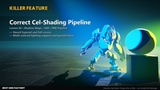
Ultimate Celshading PBR adds a cel-shading pass to stock Unreal Engine 5. It runs after the lighting, so Lumen global illumination, shadow maps, screen-space reflections, exponential height fog and volumetric fog are already in the image it turns into tone bands. You decide which actors get the look with one number - the Custom Depth Stencil Value on a mesh component. Everything else in the scene stays standard PBR.
No engine fork, no changes to your materials, no post-process material setup. The plugin is one runtime C++ module and one compute shader, and the full C++ and USF source is included.
Setup in three stepsEnable the plugin (Edit > Plugins > Rendering) and restart the editor.
On a mesh component tick Render CustomDepth Pass and set CustomDepth Stencil Value to 1.
Place a Celshading Volume, set its Stencil Slot to 1 and pick a preset in Active Preset.
Every stencil value from 1 to 255 is its own layer with its own volume and style, so characters, props and backgrounds can each have a different look in the same frame. Or switch a volume to Affect Whole Screen and skip the per-actor setup.
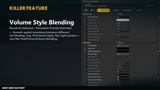
What it doesCelshading Volume: global or bounded with a smooth falloff and priority blending, the way a Post Process Volume works. Every style and lighting field has its own override toggle and blends on its own.
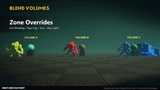
Zone lighting: while the camera is inside a volume it can override the Directional Light, the Sky Light and the Exponential Height Fog. The original lighting comes back when the camera leaves.
Tone bands: band count, cutoffs and a lit-detail control that keeps PBR texture detail in the lit areas.
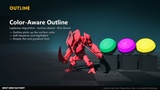
Outline: adaptive Laplacian lines on creases and silhouettes, optionally tinted by the surface color, plus an outside silhouette halo.
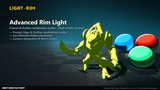
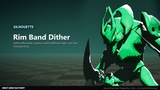
Rim light: directional cone with Fresnel weighting, an optional sun-anchored mode and gating by the outline. Rim band dither gives a solid contour that fades out in halftone dots.
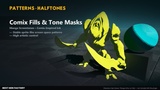
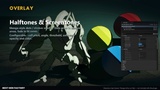
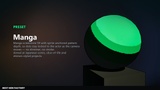
Halftone: manga screentone dots that grow in shadow and fade in light.
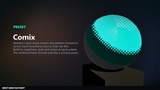
Band Mask: comic-style dithering along band edges, from round dots to 45-degree strokes, with optional sprite anchoring so the pattern sticks to the actor instead of the screen.
Metallic and emissive paths: metals stay readable as metal after quantization, and emissive surfaces stay bright instead of being cut into bands.
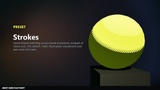
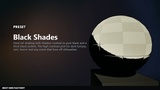
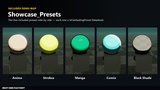
Five presets as DataAssets: Anime, Black Shade, Comix, Manga, Strokes. Save any volume's look as a new preset from its Details panel.
Custom Details panel with feature tabs and per-group reset.
73 console variables (r.Celshading.*) for project-wide defaults and debugging.
Works with Nanite meshes: they take the Custom Depth Stencil like any other mesh.
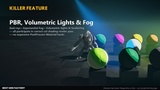
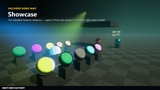
Showcase: ten labelled feature stations (PBR with fog and volumetrics, color-aware outline, halftone, rim light, band masks, zone lighting, full-screen mode, multi-layer stencil, metallic and emissive).
Showcase_Presets: the five presets side by side.
Both use movable lights only and need no lighting build. Fab installs the plugin into the engine, so in the Content Browser settings tick Show Engine Content and Show Plugin Content, then open UltimateCelshadingPBR Content > Maps.
Documentationhttps://nextgenfactory.dev/ultimate-celshading-pbr/docs.html - install, setup, every property and console variable, and step-by-step tutorials.
RequirementsDeferred renderer with Shader Model 5 or higher (tested on DirectX 12, SM6). Not supported: the mobile renderer, Forward Shading, Substrate materials, UEFN.
Packaging a Blueprint-only project builds a small C++ executable for it, as with every code plugin, so the packaging machine needs Visual Studio 2022 with the Game development with C++ workload.
Media noteThe characters in the images and the video are Epic Games' Paragon characters (free on Fab). They are not included with this plugin.