Opis
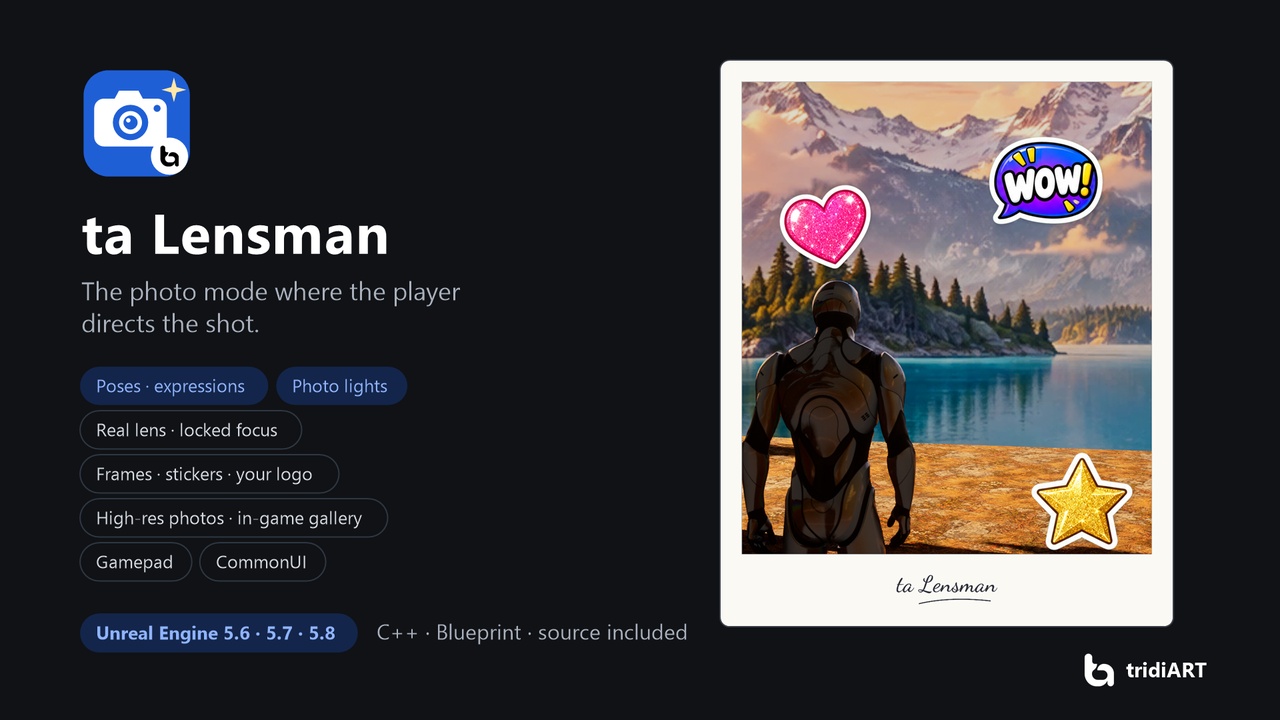
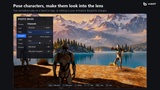
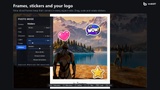
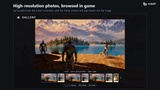
A photo mode where your players are the art director. Free cameras and depth of field are only the start: with ta Lensman players pose your characters, make them look into the lens and smile, place their own lights, and finish the picture with frames, stickers and your game's logo. Photos are saved in high resolution and browsed in an in-game gallery.
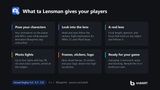
It works the moment the plugin is enabled: press P in game. It plays fully with a gamepad, fits into games that use CommonUI, and everything is data: one profile asset decides what your players get, and the whole menu can be driven from Blueprint or C++ if you want your own UI.
Personal license $19.99, Professional license $39.99 (studios and companies, see the Fab EULA).
FeaturesCamera: free camera or orbit around a character, with a distance limit, collision, speed and roll. Focal length in millimetres. Pause, freeze (time dilation, so skies and effects keep updating), slow motion or keep the world live.
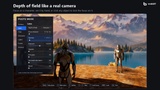
Lens: depth of field with auto focus, focus on a character, manual focus, or lock focus on any object by clicking it; the lock follows the object while the camera moves. Aperture, exposure, vignette, film grain, chromatic aberration, bloom.
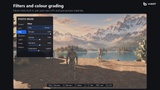
Filters: eleven built-in looks plus your own (colour grading values, LUTs, post process materials), with strength, contrast, saturation and white balance.
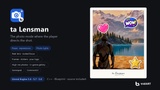
Poses: your animations play on the player and nearby characters, even while the game is paused. Poses run on a stand-in copy, so your Animation Blueprints are never touched and everything goes back exactly as it was.
Look at the camera and expressions: head and eyes follow the lens; eight built-in expressions (Smile, Laugh, Surprised, Angry, Sad, Wink, Pout, Eyes closed) for ARKit, Character Creator or VRoid style morph targets.
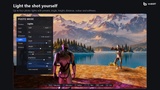
Photo lights: up to four lights aimed at the selected character, with presets (key, fill, rim, top, under, colour accent), angle, height, distance, brightness, colour and softness.
Frames, stickers and logo: eight nine-sliced frames that keep their corners in every aspect ratio, twenty-five stickers to place, scale and rotate, and your logo (on the Polaroid frame it sits in the wide bottom border).
Composition: aspect ratios for screens and social media (16:9, 2.39:1, 3:2, 4:3, 1:1, 4:5, 9:16) and guides (rule of thirds, golden ratio, centre, diagonals, grid).
High-resolution photos: PNG or JPEG up to eight times the screen resolution, with frame, stickers and logo drawn into the image.
In-game gallery: thumbnails loaded in the background, full view, date and size, delete.
Gamepad and keyboard: switches on the fly, with button prompts that show the keys actually mapped. Enhanced Input with editable input assets.
CommonUI: in games that route input through CommonUI, photo mode becomes the active layer above your menus and returns to the menu it was opened from. Prompts can use your CommonInput controller icons.
Your rules: Lensman Area volumes block photo mode or keep the camera in a box; block it during cutscenes from code; hide markers with a tag; actors can react when photo mode opens and closes. Game UI is hidden automatically.
Your UI: restyle the screen in a Widget Blueprint, design your own layout with named widgets, or build a new screen on the data API.
Localizable texts, Blueprint and C++ API, multiplayer-safe (local to the player taking the photo).
Enable the plugin and press Play, then P. Photo mode opens with the default profile (frames, stickers and shutter sound included).
Make your own profile (Data Asset > TALensman Profile, or duplicate DA_Lensman_Default), add your poses, filters, frames, stickers and logo, and set it in Project Settings > Plugins > ta Lensman.
To open photo mode from your own menu, turn off Add Open Key and call Enter Photo Mode.
Controls: WASD move, right mouse look, wheel zoom, Z / C tabs, arrow keys to change values, Space take photo, G gallery, H hide the menu, Esc exit. Gamepad: sticks move and look, LB / RB tabs, D-pad to change values, Y take photo, View gallery, X hide the menu, B exit.
SupportedUnreal Engine 5.6, 5.7 and 5.8. Runtime plugin for Windows, Mac, Linux, Android and iOS (tested on Windows). C++ source included; Blueprint-friendly API. Needs Enhanced Input; CommonUI is enabled with the plugin.
Documentation: https://tridiart.com/docs/lensman/ Support: https://tridiart.com/contact/