
الوصف
Stop building the same menus from scratch. Start building your game.
TRY BEFORE YOU BUY
Experience OneClick in action before making a purchase!
▶ [WINDOWS DEMO - DOWNLOAD]
▶ [MACOS DEMO - DOWNLOAD]
▶ [FULL VIDEO DEMONSTRATION — WATCH VIDEO]
▶ [80+ THEME PRESETS - WATCH VIDEO]
DOCUMENTATION & TUTORIALS
Everything you need to get started, customize your menus, and integrate OneClick into your project.
PDF DOCUMENTATION — [View Documentation]
VIDEO TUTORIALS — [Watch YouTube Playlist]
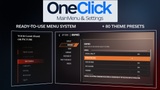
OneClick is a complete, ready-to-use Main Menu & Settings System for Unreal Engine, designed to save development time without sacrificing flexibility or visual quality. With 80+ ready-made theme presets, extensive customization options, and a data-driven configuration system, you can create a menu that truly fits your game.
KEY FEATURES
Complete Menu System
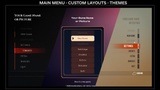
Ready-to-use Main Menu, Pause Menu, Settings screens, confirmation dialogs, and customizable menu entries.
80+ Theme Presets
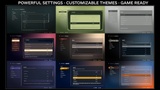
Choose from a wide variety of visual styles - modern, minimal, horror, sci-fi, retro, sports. Every theme is customizable to match your game's identity. Supports widescreen and ultrawide displays with flexible, resolution-adaptive layouts.
Powerful Settings System
Built-in display and graphics settings, language options, subtitles, and audio-related controls. Settings are saved and restored between sessions.
Data-Driven Configuration
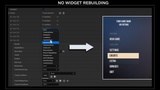
Add, remove, rename, and configure menu entries through Data Assets. Define actions, customize behavior, and organize your menus without constantly modifying Widget Blueprints.
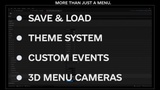
Save & Load System
Ready-made Save, Load, Continue, and Delete interfaces with customizable save slots and integration options for your game's own save data.
Keyboard, Mouse & Gamepad
Built-in navigation and input support for different control methods.
Custom Events & Widgets
Connect your own Blueprint logic, trigger Level Sequences with Unreal Sequencer, launch custom gameplay events, and integrate your own widgets.
3D Menu Cameras
Use in-game cameras to create immersive menu backgrounds and cinematic menu presentations.
Easy Feature Integration
Extend the settings system with additional options, including upscalers like DLSS, FSR or connect other game-specific features through Blueprints.
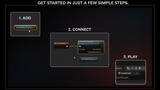
QUICK & EASY SETUP
Getting started is simple:
1. ADD - Add the OneClick Menu Component to your Player Controller.
2. CONNECT - Call the Start One Click Menu function on BeginPlay.
3. PRESS PLAY - You're ready to go!
No complicated setup. No need to build the entire UI system yourself.
WHAT'S INCLUDED?
Complete Blueprint-based menu system.
80+ customizable theme presets.
Main Menu, Pause Menu, and Settings interfaces.
Save & Load UI with example integration.
Custom actions and widget integration.
Configurable menu animations and transitions.
Example project content.
Setup guides and technical documentation.
BONUS — EDITABLE GRAPHICS SOURCE FILES
All graphical elements used in the included menu themes are also provided in an Adobe After Effects project!
The graphics are built using editable Shape Layers, allowing you to modify shapes, colors, and visual elements or create your own variations.
No need to recreate the graphics from scratch.
Adobe After Effects is only required if you want to edit the supplied graphics source files. It is not required to use OneClick in Unreal Engine.