Opis
SDL Enhanced Input
Bridges SDL3 gamepad and joystick input into Unreal Engine's Enhanced Input system, unlocking full support for controllers that UE doesn't handle natively — including DualSense adaptive triggers, motion sensors, touchpad, racing wheels, flight sticks, arcade controllers, and Nintendo Wiimotes.
The Problem
Unreal Engine's built-in input system only recognizes a limited set of standard gamepads. DualSense adaptive triggers? Ignored. Gyroscope and accelerometer? Not exposed. Touchpad? Invisible. Racing wheels, flight sticks, and arcade controllers? Partially supported at best. Wiimotes? Not even on the radar.
The Solution
SDL Enhanced Input uses SDL3 — the industry-standard input library trusted by thousands of games — as a bridge into UE's Enhanced Input system. It registers as a standard IInputDevice, so all inputs flow through the same Input Actions and Mapping Contexts you already use. No engine modifications, no hacks.
Supported Devices
PlayStation — PS3, PS4, PS5 with adaptive triggers, touchpad, motion, LED
Xbox — 360, One, Series with trigger rumble
Nintendo — Switch Pro, Joy-Cons, GameCube adapters
Racing Wheels — Logitech G29/G920+ with force feedback and RPM LEDs
Flight Sticks & HOTAS — Full axes, buttons, hats, force feedback
Arcade Sticks — Full button and stick support via raw joystick
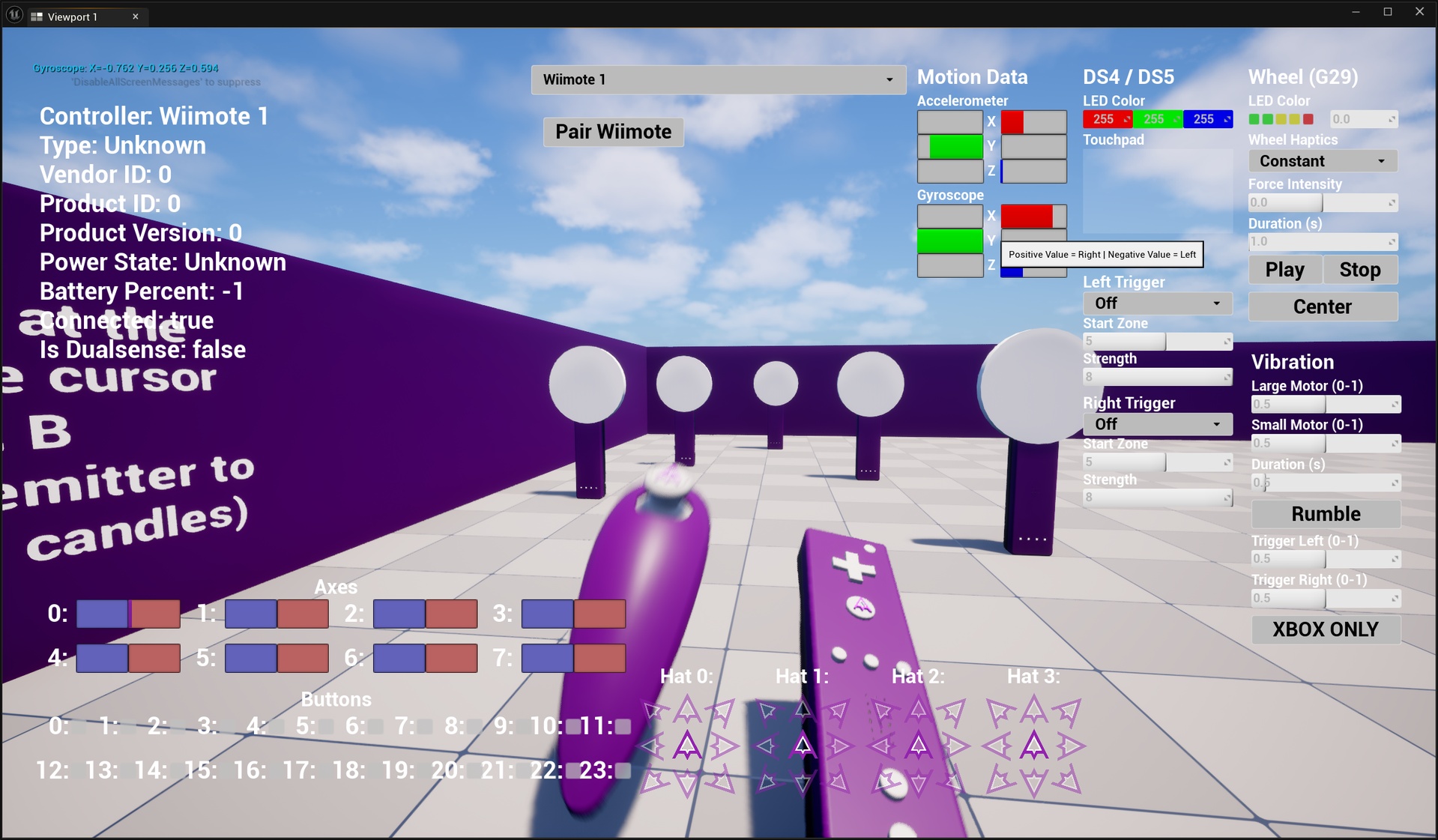
Wiimote — BT scanning, buttons, accel/gyro, Nunchuck, IR tracking (Windows)
Generic HID — Up to 24 buttons, 8 axes, 4 hats on any SDL device
Key Features
DualSense Adaptive Triggers — Feedback, Weapon, Vibration effects with full parameter control from Blueprint
Motion Sensors — Gyro + accel as Enhanced Input axes with auto-calibration and deadzones
Touchpad Input — Two-finger position tracking, touch state, click on DualSense/DS4
Advanced Haptics — 11 force feedback types (Constant, Sine, Spring, Damper, Ramp...) with handle-based lifecycle and capability queries
Racing Wheel LEDs — Logitech RPM LED bitmask patterns or tachometer percentage
LED Control — Lightbar color on DualSense, DS4, Switch Pro, and others
80+ Custom FKeys — Joystick axes/buttons/hats, motion, gamepad extras (Guide, Misc1-6, Paddles), touchpad, Wiimote IR
Battery & Device Info — Query type, name, VID/PID, battery %, connection state
Virtual Joystick — Simulate buttons/axes via console for testing without hardware
Connection Events — Blueprint delegates for connect/disconnect with device info
Multi-Controller — Up to 8 gamepads + 4 joysticks, optional "force all to Player 0"
Configurable SDL Drivers — HIDAPI, DirectInput, RawInput, WGI tuning from Project Settings
CommonUI Ready — emits per-device hardware identifiers and triggers CommonUI's input-type autodetect on stick movement, so button icons and menu navigation follow the active controller (setup guide included)
Raw Joystick Anti-Drift — configurable center deadzone that filters worn or uncalibrated stick drift at the source, tunable per-player at runtime and separate from the Enhanced Input gameplay deadzone
Console Commands
SDL.WiimoteScan [sec] — Start BT scan for Wiimotes
SDL.SetLED R G B [slot] — Set lightbar color
SDL.SetTrigger type [params] — DualSense adaptive trigger effect
SDL.Haptic type [str] [dur] [slot] — Play haptic effect
SDL.SetWheelLED pattern [slot] — Logitech RPM LEDs
SDL.SimButton / SDL.SimAxis / SDL.SimDestroy — Virtual joystick
Example Content (160+ Assets)
5 Input Mapping Contexts — Gamepad, Motion, Touchpad, Wiimote, Joystick
40+ Input Actions — Every button, axis, sensor, touchpad input
Debug UI Widgets — Real-time axes, buttons, hats visualization
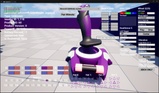
3D Controller Models — DualSense, G29, Wiimote, Flight Stick with per-button highlighting
Example Level — Playable demo showcasing all features
How It Works
The plugin loads SDL3 dynamically at startup and registers as an IInputDevice. Each tick, it polls SDL for events and translates them into FKey messages through UE's input pipeline. Gamepads map to standard FGamepadKeyNames (existing actions work out of the box) plus custom FKeys for features UE doesn't expose. Raw joysticks give direct access to every axis, button, and hat.
Slot ranges distinguish device types: 0-7 for gamepads, 100+ for Wiimotes, 200+ for raw joysticks. Wiimotes use a separate direct HID connection with background BT scanning.
FAQ
Does this replace UE's built-in input?
No. It registers alongside native input. Standard buttons map to FGamepadKeyNames, so existing actions work unchanged.
Does this modify engine files?
No. SDL3 is loaded as a dynamic library at runtime.
Can I use this with local multiplayer?
Yes. Up to 8 gamepads + 4 joysticks, each on a separate player slot.
Can I test without a physical controller?
Yes. SDL.SimButton and SDL.SimAxis simulate a virtual joystick with 24 buttons and 8 axes.
Does the Wiimote work on macOS/Linux?
Not currently. Wiimote uses Windows Bluetooth APIs. The rest of the plugin could support other platforms once SDL3 builds are provided.
Documentation & bug reports?