





Описание
Hyper Online Integration
One provider-neutral Unreal Engine plugin for Steam, Epic Online Services, crossplay, sessions, dedicated servers, progression, voice, commerce, and deployment.
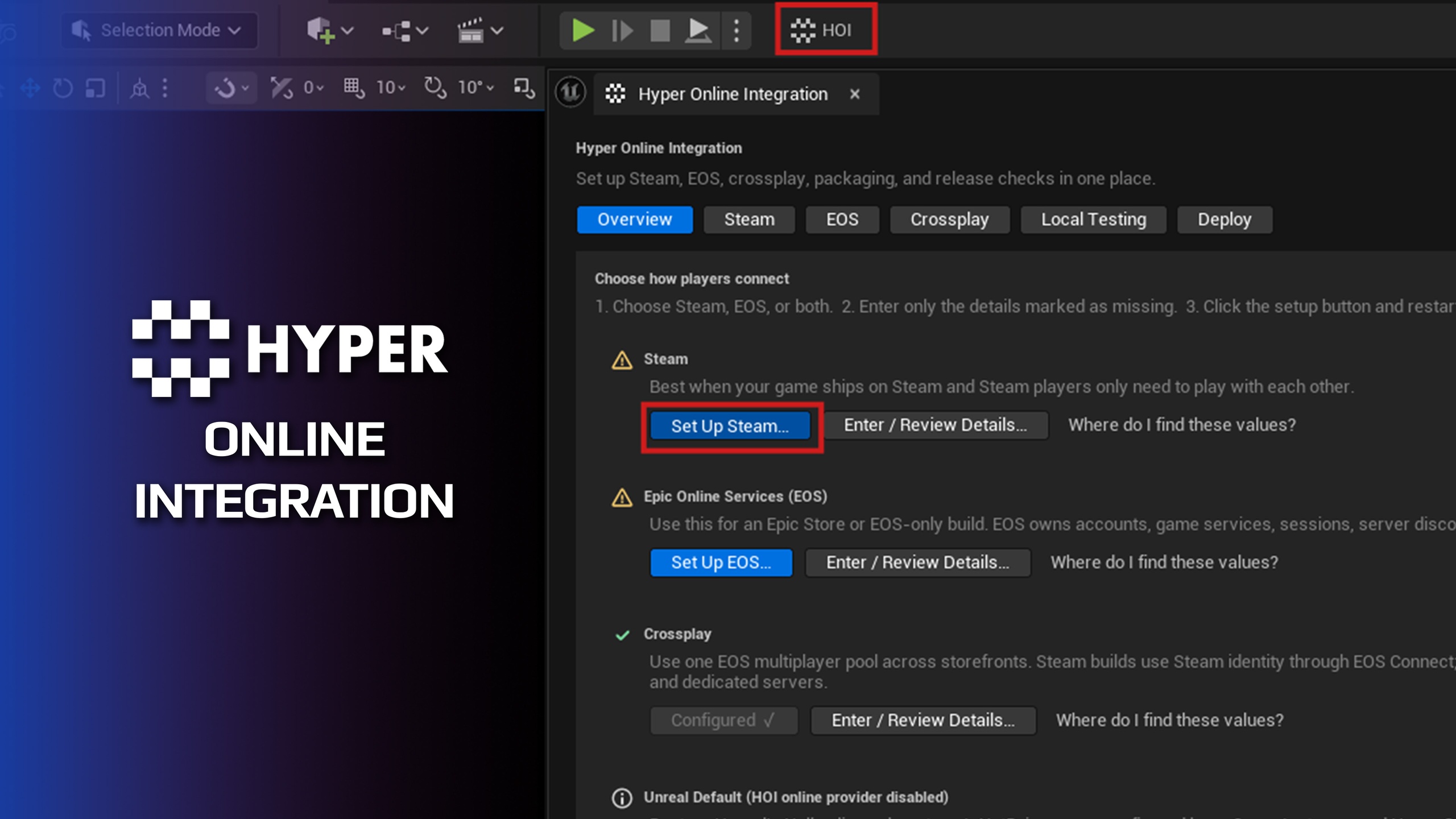
Hyper Online Integration (HOI) removes provider-specific branching from normal gameplay code. Configure Steam, EOS, or EOS + Steam crossplay (crossplay being experimental, all core things are tested and implemented) in one guided editor hub, then use the same compact Blueprint and C++ API for authentication, hosting, discovery, joining, social features, progression, voice chat, cloud saves, and storefront purchases.
Customers install one actual plugin. Its generic runtime, Steam provider, EOS provider, and editor tooling are isolated Unreal modules inside that plugin. No separate Steam or EOS integration plugin is required.
Designed for a Fast Setup
Choose Steam, EOS, EOS + Steam crossplay, or Unreal Default.
Enter only the product values issued by Steam or Epic.
Let HOI configure the provider, network driver, GameInstance, capability routing, overlays, RTC, and project settings.
Use clear Configured, Needs Attention, and actionable diagnostic states.
Launch local clients, dedicated servers, and EOS Dev Auth Tool directly from the editor.
Generate reusable BAT launchers and inspect the exact command before running it.
Core Online Features
Authentication and users: login, logout, login state, local users, and provider-neutral account IDs.
Sessions: create listen servers, register dedicated servers, search, join, travel, update advertising, and destroy.
Lobbies: persistent social groups, members, settings, join policy, updates, and events.
Matchmaking: quick-play discovery, ranking, retry, joining, and optional hosting.
Server browser: dedicated-server querying through the configured provider where supported.
Social: friends, presence, invites, and external platform UI.
Cloud saves: list, load, save, and delete named byte-array slots.
Structured async results: consistent success, failure, provider, code, and diagnostic data.
Steam, EOS, and Crossplay
Steam: Steam identity, overlay, friends, sessions, networking, server browser, stats, achievements, leaderboards, voice, cloud, and commerce.
EOS: EOS/Epic identity, social services, lobbies, sessions, networking, RTC voice, progression, cloud, and commerce through Unreal's EOS integration.
EOS + Steam Crossplay: Steam storefront identity with one EOS-backed session and networking pool shared with Epic clients.
Provider-specific SDK types never leak into the shared gameplay API.
No silent provider fallback and no fake SDK behavior.
Player Progression
Add one HOI Player Progression component to the local PlayerController:
Automatically load the full numeric stat and achievement cache.
Batch frequent counters by Stat ID to reduce provider requests.
Journal pending updates for recovery after crashes or network interruption.
Submit automatically by interval or mutation threshold, or explicitly at match boundaries.
Refresh achievement progress after accepted stat writes.
Query multiple leaderboards and submit provider-neutral integer scores.
Voice Chat
Push-to-talk and open microphone workflows.
Global, team, party, and proximity scopes.
Participant membership, local and administrative mute support.
Steam voice or EOS RTC selected automatically by the active route.
Commerce
Load the active storefront catalog and ownership receipts.
Normalized products with localized title, description, price, currency, sale data, purchasable state, and ownership.
Open the provider's native checkout through one async purchase flow.
Restore purchases and inspect durable receipts.
Build your own shop UI without writing separate Steam and EOS purchase graphs.
Important: consumable products and paid currency require trusted backend fulfillment. HOI supplies the platform purchase result and receipt; it is not an authoritative economy server.
Dedicated Server and Local Test Tools
Select Unreal maps through the native asset picker.
Configure friendly server names, capacity, join policy, game settings, ports, logging, and command-line options.
Run multiple local server/client instances or connect to a remote address.
Generate named server and client BAT files from saved presets.
Inspect provider readiness, map identity, ports, logs, and reachability guidance.
Package clients and real dedicated-server targets from the Deploy page.
What You Still Configure
Steam and Epic own their developer portals. You must create and publish the App ID/product, clients, permissions, deployments, achievements, stats, leaderboards, offers, and other provider records used by your game. HOI guides you to the correct fields and configures Unreal automatically, but it cannot invent provider-issued credentials or approve platform products.
Your game remains responsible for gameplay validation, menus, team/party membership, friendly map names, progression rules, commerce fulfillment, and release testing with real accounts.
Explore All Compatible Plug and Play Systems
Use HOI standalone or connect it to the Hyper Online Multiplayer Framework and other Games by Hyper systems. Explore all compatible systems.
Support and Documentation
Public documentation, videos, and Discord community.
Guided setup, Blueprint examples, diagnostics, tooltips, local launch tools, packaging guidance, and release checks are included.