


Beschreibung
Quick Notes / ToDo
✉️ Support: [email protected]
⚙️ Versions: UE 5.1 – UE 5.8
🔍 About
Place TODO notes, bug markers, and reminders directly in the Viewport and Blueprint Editor — right where the problem is. Stay organized and track issues without ever leaving Unreal Engine.
🛠️ What it does
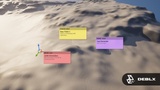
Viewport Notes
Right-click anywhere in the Viewport to place a note at that exact world location
Notes appear as colored cards floating above their position with a connector line
Categories: TODO, BUG, INFO, REMINDER — color-coded
Set priority levels: Low, Medium, High
Toggle "Editor only" to hide notes during Play-In-Editor
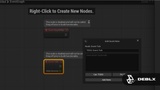
Blueprint Notes
Right-click any Blueprint node to attach a note directly to it
Notes are linked to the specific node via GUID
Jump back to the exact Blueprint from the overview panel
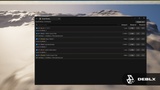
Overview Panel
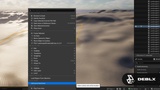
View and manage all notes in one place via Tools → Quick Notes
Search by title or description
Filter by source (Viewport / Blueprint) and resolved status
Jump to any note with one click — camera focuses on Viewport notes, Blueprint editor opens for BP notes
Mark notes as resolved or delete them
Export
Export all notes to a .txt file
Organized by source with category, priority, and context info
Perfect for sharing with your team or archiving before a milestone
⚡ Get started
Open any level or Blueprint in the editor
Right-click in the Viewport or on a Blueprint node
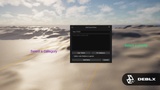
Select "Add Quick Note here" from the context menu
Fill in title, description, category, and priority
Manage all notes from Tools → Quick Notes
🔧 Error Codes Quick Notes includes built-in diagnostic codes (QN-100 to QN-700). If something goes wrong, check the Output Log and share the QN code with us — we can identify the issue immediately.
💬 Feedback & Support
Found a bug or have a feature idea? Reach out — we respond fast and ship fixes quickly. Feature requests are always welcome, many improvements come directly from the community.
🛒 Check out our other products → fab.com/sellers/Deblx
By Deblx
------------------------------------------------------------------------------------
🎵 Music: Spektrem - Shine (Sped Up) [NCS Release]
🎧 Free Download / Stream: https://ncs.io/Shine
🔊 NoCopyrightSounds: https://www.youtube.com/c/NoCopyrightSounds
------------------------------------------------------------------------------------
#UnrealEngine #UE5 #GameDev #QuickNotes #Deblx #FAB #IndieGameDev #UnrealPlugin #Tutorial